The mechanical keyboard isn’t always so mechanical anymore.
Over the past six years, keyboards with optical, Hall-effect, and other “contactless” switches have become increasingly common, often going for higher prices than traditional mechanical keyboards, which already command a premium over basic membrane boards. In return, they promise some theoretical advantages, particularly for gamers. In daily use, though, the differences can be pretty subtle.
So what exactly are you paying for? In this guide, we break down how the newest switches work, why contactless designs are becoming more popular, and where their advantages—and disadvantages—really matter.
How standard mechanical switches work
First, let’s recap what happens when you push a key with a traditional mechanical switch inside.
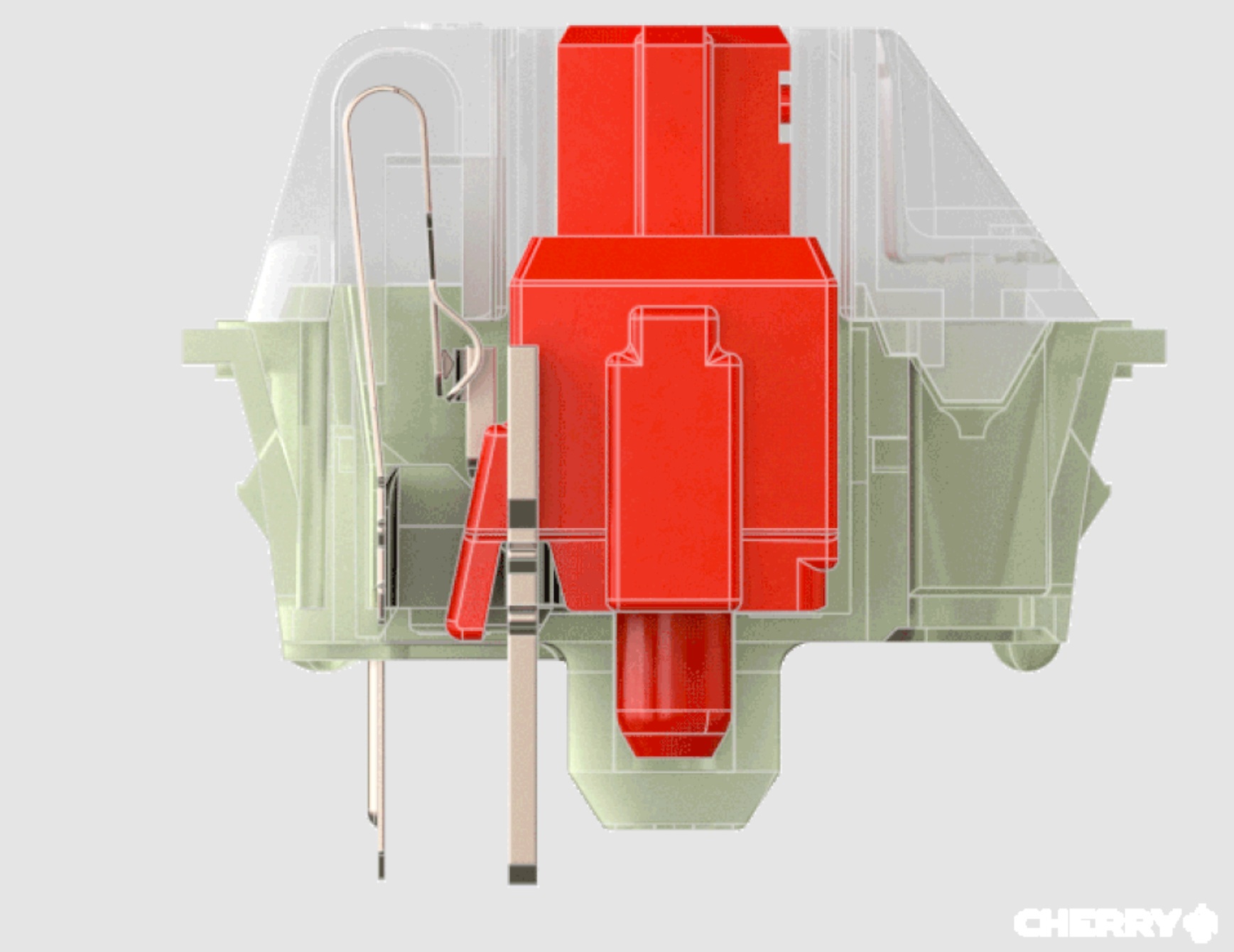
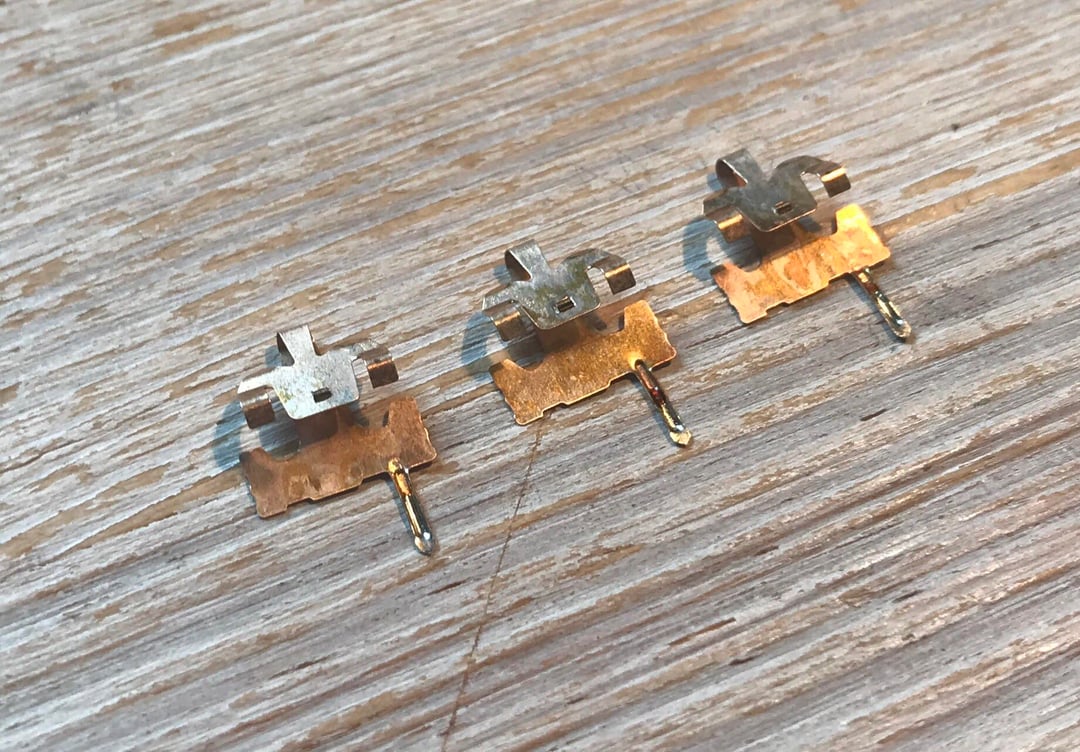
As you can see in the diagram of a Cherry MX Brown switch below, standard mechanical switches have two metal leaves—in this case, the “crosspoint”—that are shaped differently, with the top of the larger leaf bent away from the smaller leaf.
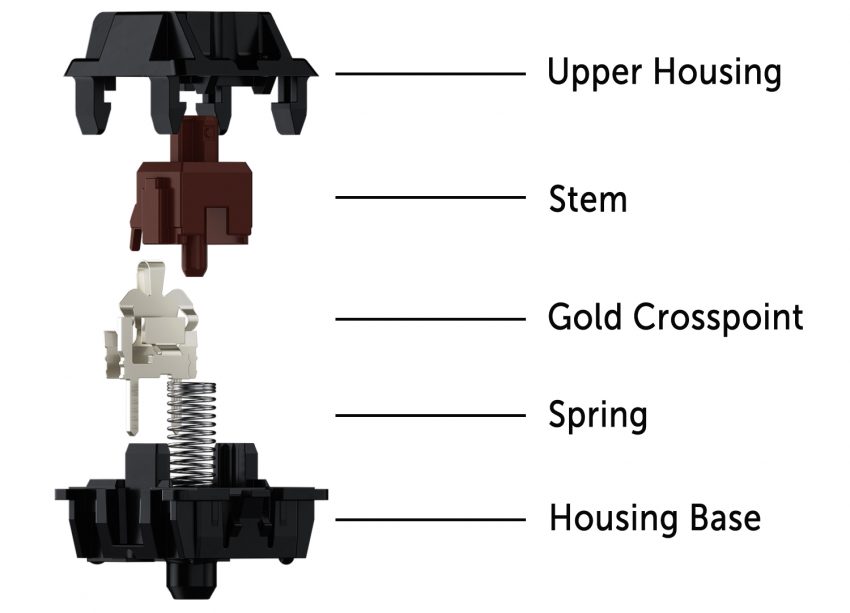
When you press a mechanical switch, its plastic stem moves downward toward the keyboard’s PCB, and a spring wrapped around the stem compresses. As you release the button, the spring expands, forcing the stem back up to its original position.
When a switch is at rest, a protruding piece of the plastic stem keeps the switch’s two leaves from making contact. As the stem goes downward, that piece moves with it, allowing the leaves to touch and close a circuit on the keyboard’s PCB, which sends a signal to the keyboard’s microcontroller, telling the computer which input was made.
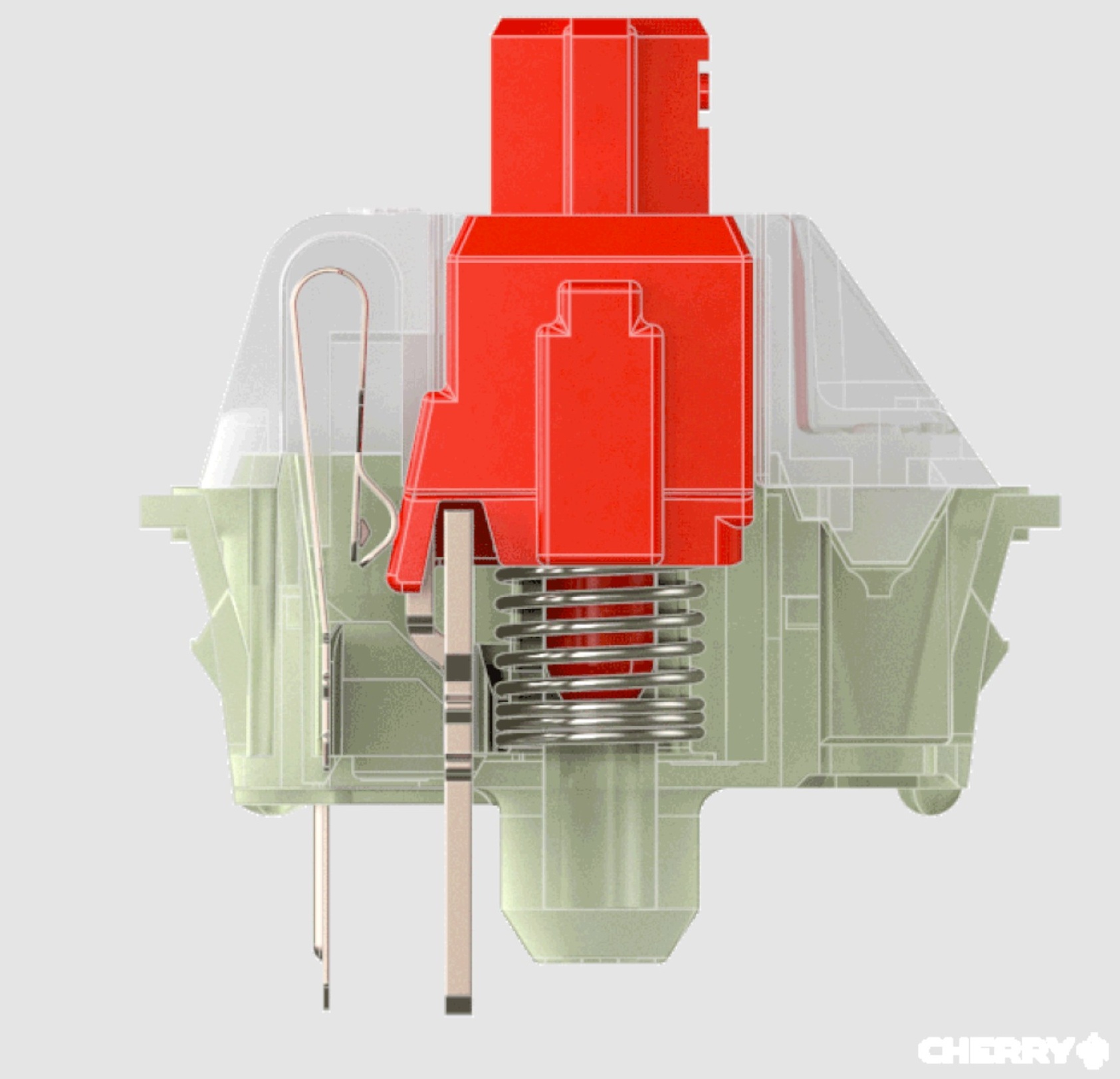
But because mechanical switches rely on the physical contact of internal components, they can degrade over time.
Why new switches?
The switches in this guide differ from traditional mechanical switches because they don’t register input through contact between two metal leaves—hence the term “contactless.” Manufacturers often claim contactless switches last longer than regular switches, and they’re not susceptible to oxidation or corrosion, which can affect mechanical switches after prolonged use.
But there are other things to keep in mind for longevity. Contactless switches require specific PCBs, which are less common than those used for standard mechanical switches. And while hot-swappability can extend a keyboard’s life by making it easier to replace a broken key or change switches, hot-swappable PCBs for contactless switches—and prebuilt keyboards that support contactless switches and hot-swapping—are harder to find.
Newer standard mechanical switches, including some Cherry MX2A-series switches rated for 100 million keystrokes, can have lifespans similar to those of contactless options. If longevity is a priority, contactless switches may still be worth considering, but be sure to compare their ratings with those of standard switches.
Some users and companies claim that contactless switches feel smoother when pressed and reset because no metallic leaves touch. But other parts of the switch, like the spring and stem, can also create friction. I’ve occasionally noticed smoother presses with certain contactless switches (more on that later), but some premium standard switches, especially properly lubricated ones, can also feel extremely smooth.
If you want the best-feeling switches, look beyond whether they operate mechanically or through light beams or magnets. Factors like the switch’s specs, force curve, and materials can have a greater impact on how a switch feels.
Customizable actuation
Many contactless switches have customizable actuation points, a feature that isn’t possible with traditional mechanical switches. That can be helpful if you want some keys to feel stiffer or lighter than others (I prefer a stiffer spacebar, for instance), more flexibility over how keys respond, or analog input.
But software may not accurately reflect a switch’s actual actuation point. Review website RTINGs tested 14 keyboards with adjustable actuation from 11 brands and found that, on each keyboard, the keys actuated at a different distance than the one set in the companion app. We’re talking about differences of fractions of a millimeter, but it’s worth keeping in mind if you’re considering contactless switches for customizable actuation.
Some keyboards with contactless switches go further by letting users program keys so that one full press results in two inputs. For example, you can set a key to input “A” if you press it down 0.5 mm and then “B” if you press it down another 0.5 mm.
Some keyboards with contactless switches also support analog input, which lets the keyboard detect how far a switch has been pressed and adjust the input accordingly, giving gamers a joystick-like experience. Traditional mechanical keyboards don’t support analog input.
Gaming advantages
Contactless switches are becoming more common largely because of their potential appeal to gamers. Vendors often claim keyboards with contactless switches register input faster than traditional mechanical keyboards, mostly because the switches don’t require debouncing.
Debounce delay is the time between when a key on a mechanical keyboard is pressed and when the keyboard accepts the keypress as an input. The delay is necessary for standard switches because their metal leaves can rapidly bounce off each other when they make contact during a keypress. Debouncing ensures that the keyboard’s microcontroller doesn’t interpret these bounces as additional inputs (which would cause pressing “a” to register as something like “aaaa”). Keyboard firmware often handles debouncing, but hardware, such as an FPGA, can also do it.
Most of us never notice debounce delays, and manufacturers rarely disclose how much debounce delay keyboards use, though keyboard enthusiasts often point to 5 ms to 20 ms as common. Cherry says some of its MX2A switches require “less than 1 ms” for debouncing. And keyboard manufacturers occasionally implement longer-than-necessary debounce times to compensate for switch degradation over time.
But keyboard latency, or the amount of time it takes from when you start pressing a key to when you see that key registered on-screen, depends on more than just sensing technology. Other factors include the keys’ travel and actuation times and the keyboard’s polling rate. A Bluetooth keyboard with full-height optical switches and a 133 Hz wireless polling rate, for instance, will still display more latency than a traditional mechanical keyboard with low-profile switches and an 8,000 Hz polling rate through a wired connection.
Again, for many of us, none of this matters. It’s primarily professional gamers who need a keyboard with ultra-low latency, and that’s assuming they’ve already reduced latency in more essential areas, like their GPU, CPU, and monitor.
And because contactless switches frequently target gamers, there are way more linear options than tactile or clicky ones.
Optical switches
Optical switches, which rely on an infrared (IR) light beam to actuate, first hit consumer keyboards in 2016.
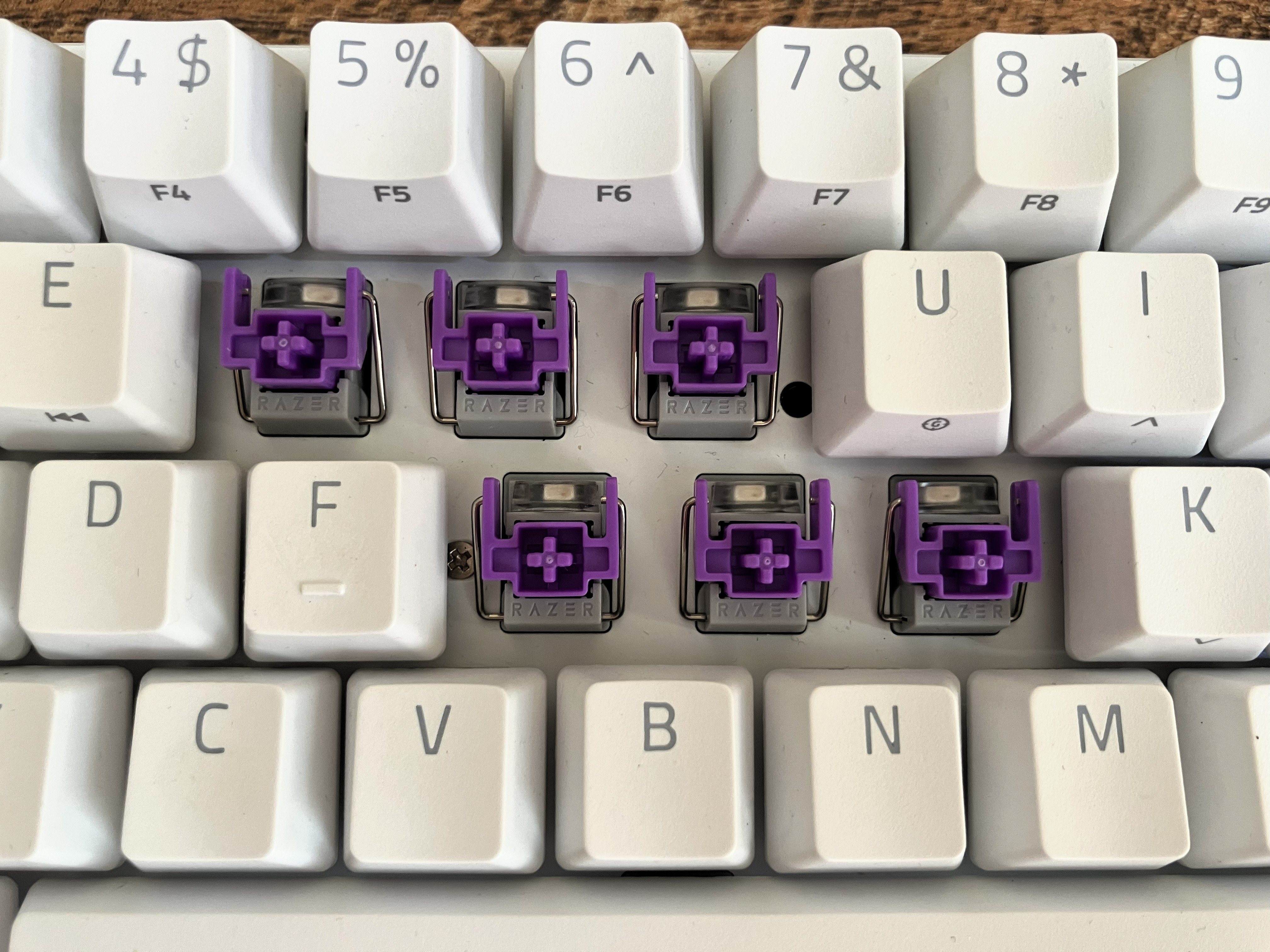
Optical switches work differently depending on the manufacturer, but generally, each switch contains a light beam that is redirected when the switch is depressed. This causes the beam to either hit or stop hitting a dedicated photoelectric sensor, registering an input. When the spring resets the switch, the light beam returns to its original position.
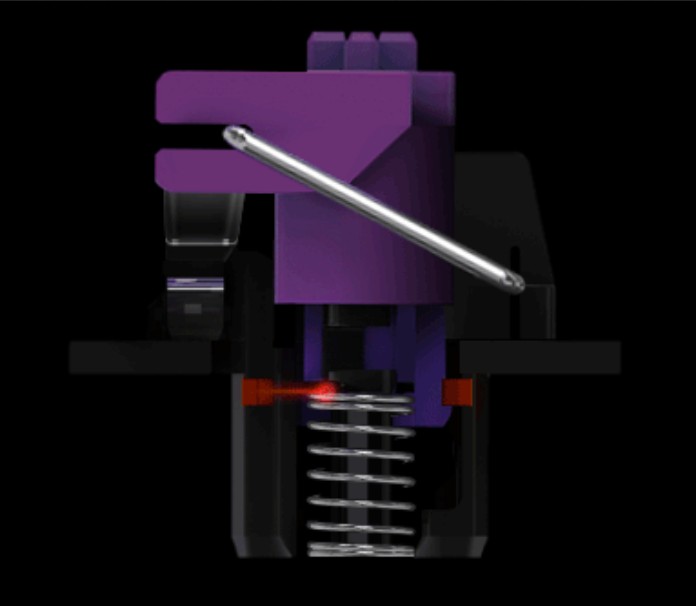
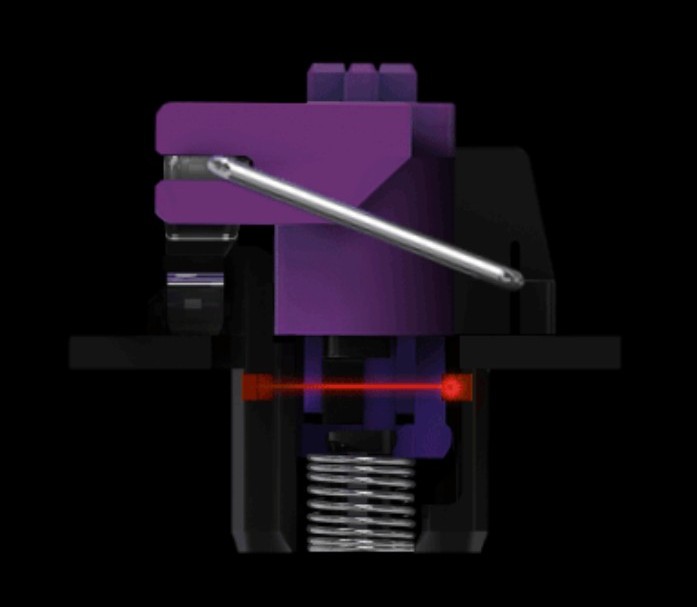
Most optical switches rely on an IR light and a sensor that are integrated into the keyboard’s PCB.
“In both Razer Optical Switches and Analog Optical Switches, the IR emitter and sensor are mounted on the keyboard’s PCB, with the switch stem acting as the ‘shutter’ for the light path,” a Razer spokesperson told me. “This PCB‑based design has remained consistent across generations. What has evolved over time are the exact positioning, components, and firmware processing—advancements that enable features like adjustable actuation points, Rapid Trigger, and full travel‑distance tracking in our analog switches, rather than simple on/off detection.”
Are optical switches faster than traditional mechanical switches?
Companies selling optical switches often claim they are faster than traditional switches. Because they don’t require debouncing, that’s technically true. And PC gaming peripheral companies often pair optical switches with high polling rates for even wider claims of ultra-low latency.
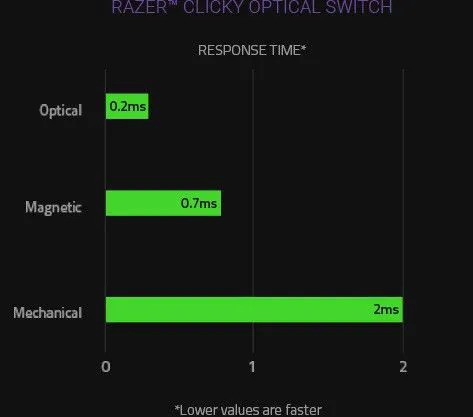
But would an average person notice quicker input when typing an email with an optical keyboard? Almost certainly not.
Availability
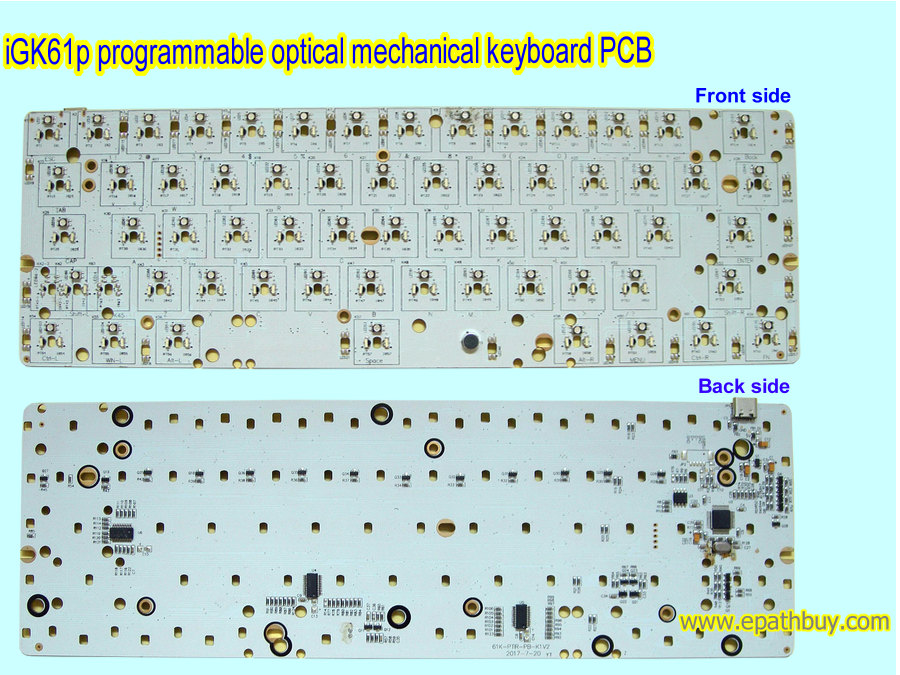
Hot-swappable, prebuilt optical keyboards are rare. And you can’t install optical switches in a hot-swappable keyboard made for traditional mechanical switches.
I asked Razer’s spokesperson if the design of optical switches precludes Razer’s optical keyboards from hot-swappability. Since optical switches aren’t subject to the same amount of degradation as traditional mechanical switches, the representative argued, users won’t need to swap them over time. But that argument is about longevity, not customizability.
“While the switches themselves are not soldered on, the keyboards are engineered as a fixed assembly to maintain the precise alignment required for consistent and accurate performance,” Razer’s rep told me.
Electrostatic capacitive switches
Electrostatic capacitive (EC) mechanical keyboards differ from traditional mechanical keyboards, but they remain closely tied to the technology’s origins.
IBM’s Model F—one of the first and most influential mechanical keyboards—used a capacitive PCB with its famous buckling spring switches. When a buckling spring switch is depressed, a capacitive flipper attached to the bottom of the switch’s spring is forced forward. This changes the capacitance of the two capacitive pads beneath it, registering an input.
In today’s EC keyboards, each switch has a conductive element. When the switch is depressed, the capacitance between the conductive element and the capacitive sensor pad on the PCB beneath it increases as the conductive element moves closer to the sensor pad.
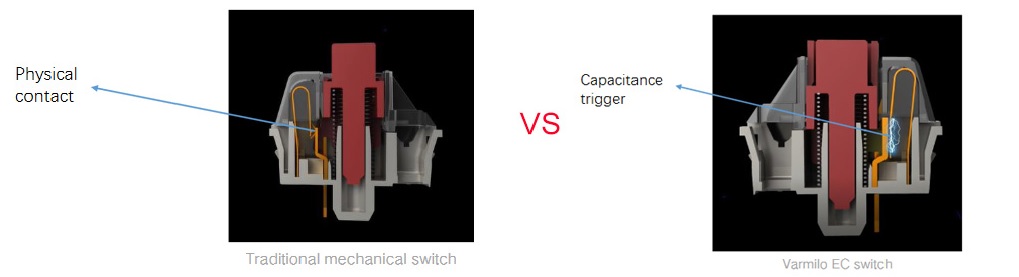
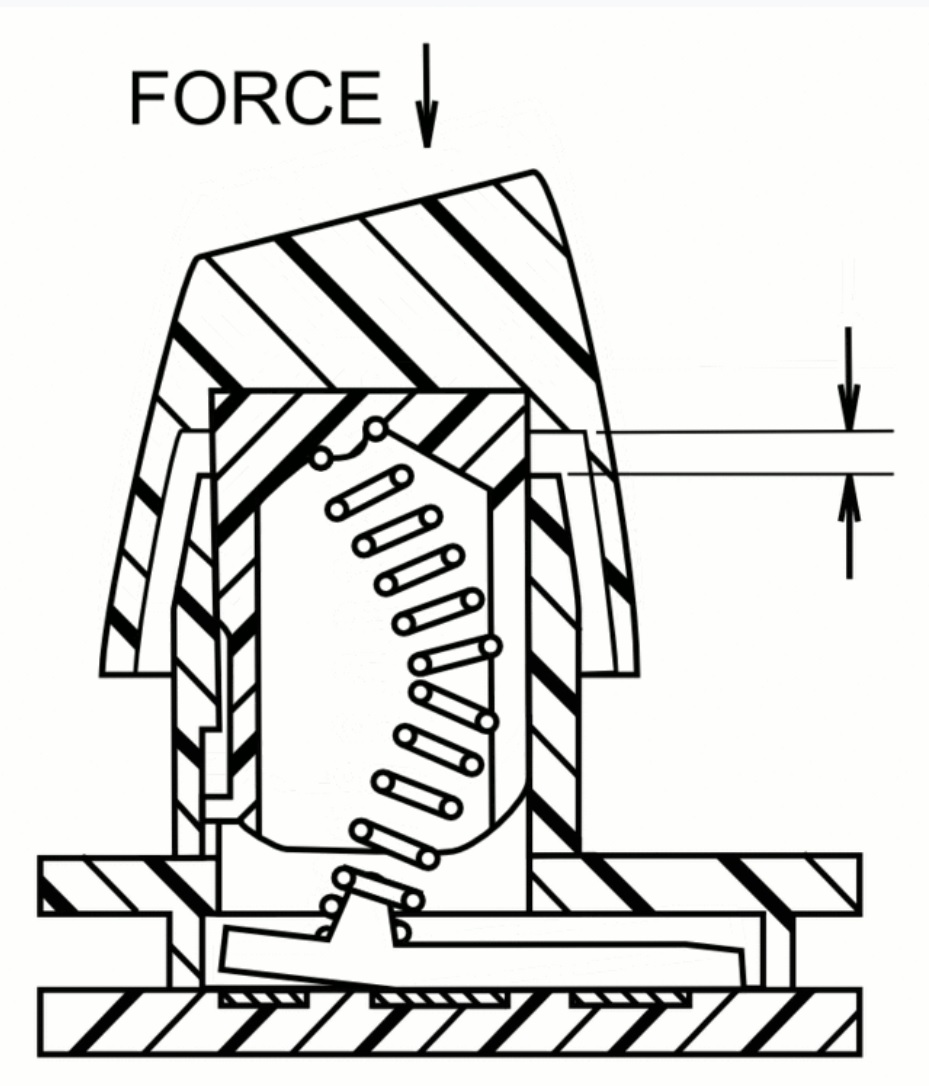
Today’s EC keyboards, including new, non-IBM “Model F” keyboards and Topre keyboards, all use a capacitance-sensing PCB but with varying switch designs.
Topre switches
Topre switches are among the best-known—and most expensive—EC switches. Topre keyboards are lauded for their “thocky” sound: a clean, soft, distinct thud that’s not rattly or clacky (assuming you’re using ping-free, quality stabilizers).
The Type-S Topre silent electrostatic capacitive switches I’ve used have had remarkably smooth travel as they depress and reset, making every part of the keypress feel predictable and intentional.
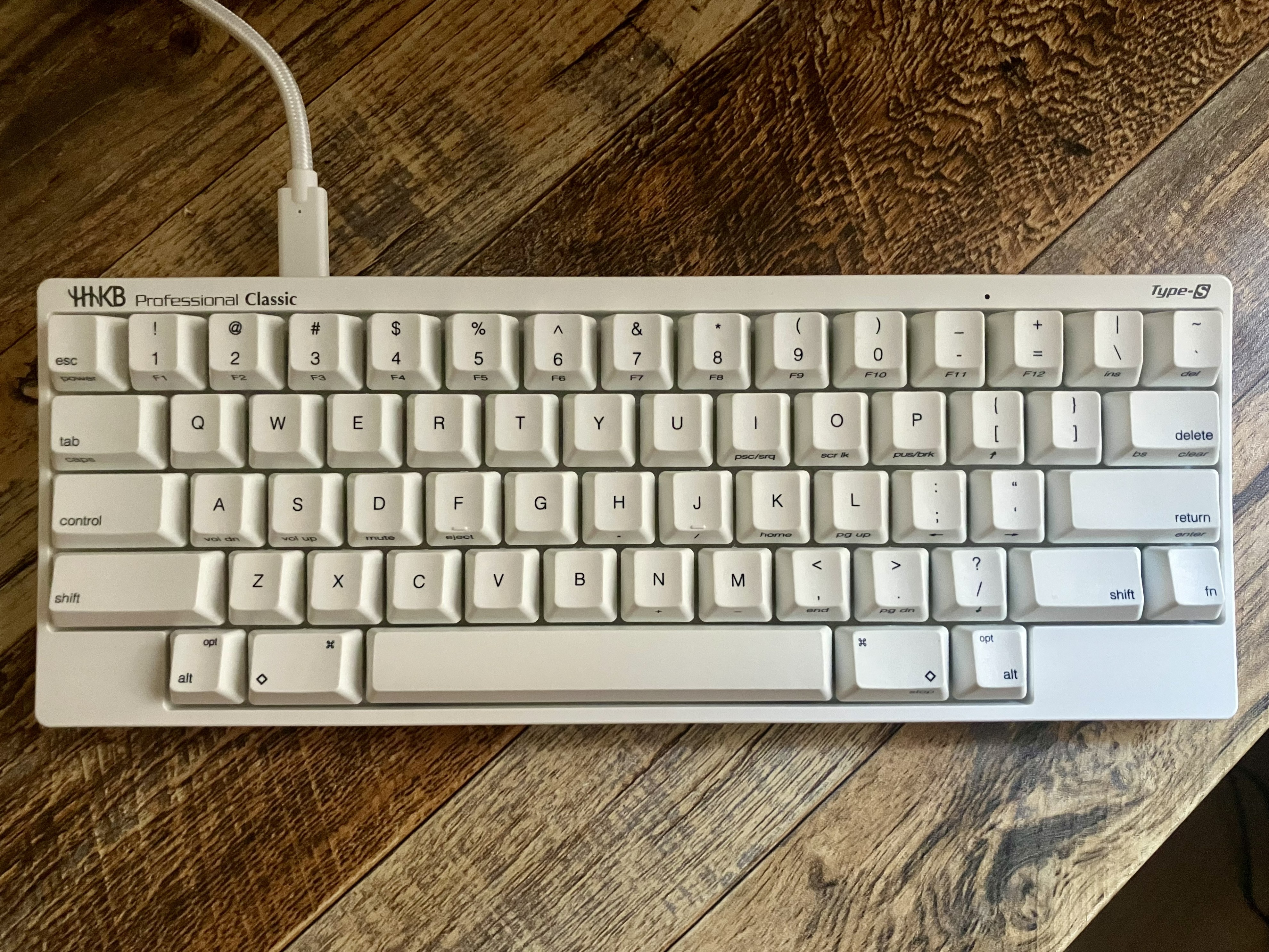
Topre keyboards are unique among so-called “mechanical keyboards” in that they work similarly to rubber-dome membrane keyboards. With the other switches mentioned in this guide, the resistance you feel when pressing a key comes from the switch’s spring. In a Topre switch, that resistance comes from the rubber dome.
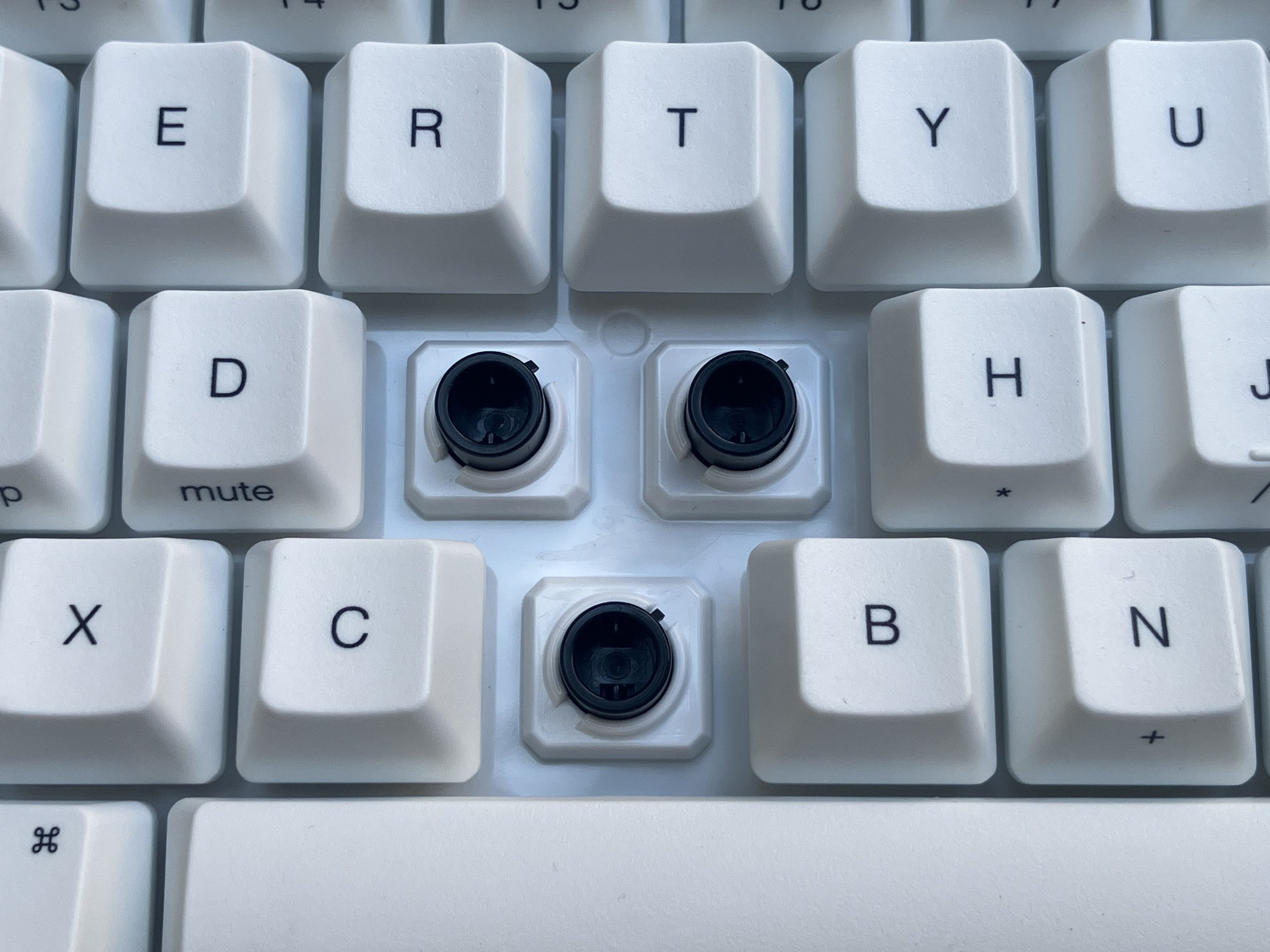
More details on how Topre switches work come from Topre Corporation’s 1986 patent (PDF):
A keyboard switch is provided with an insulating substrate, a first electrode laid on the insulating substrate, a second electrode formed of a conical coil spring and facing the first electrode, a dielectric disposed on the first electrode, a button positioned on the top portion of the second electrode, and a rubber cap disposed between the button and second electrode, for giving snap feeling to an operator when the button is depressed and the capacitance of the switch exceeds a given value. The capacitance varies with the change in the facing area, which changes substantially in proportion to the depth of depression of the button. The switch is capacitive-coupled for a switching operation and the snap feeling is given to the operator when the capacitance exceeds the given value.
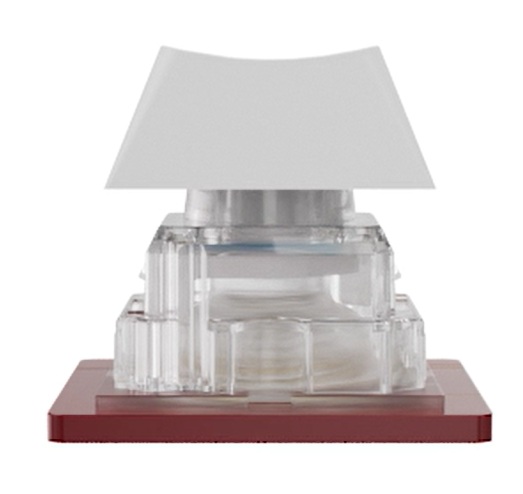
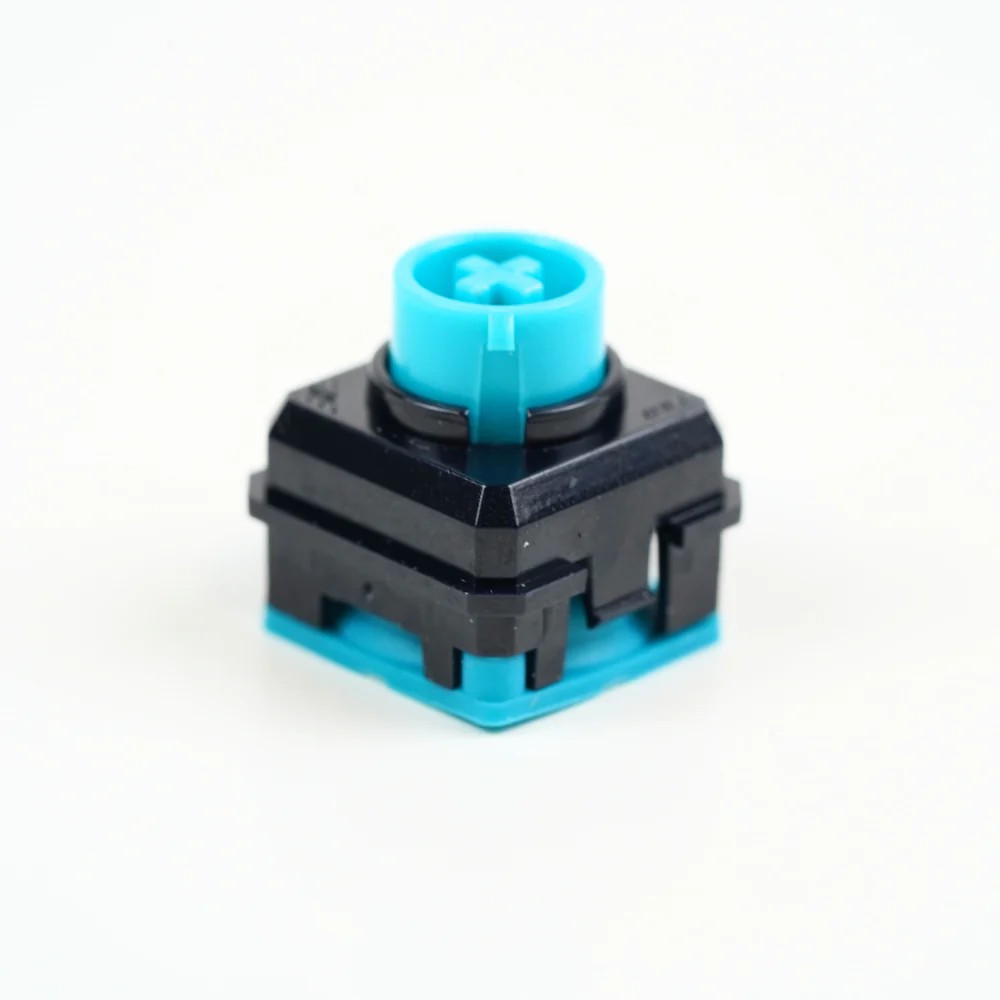
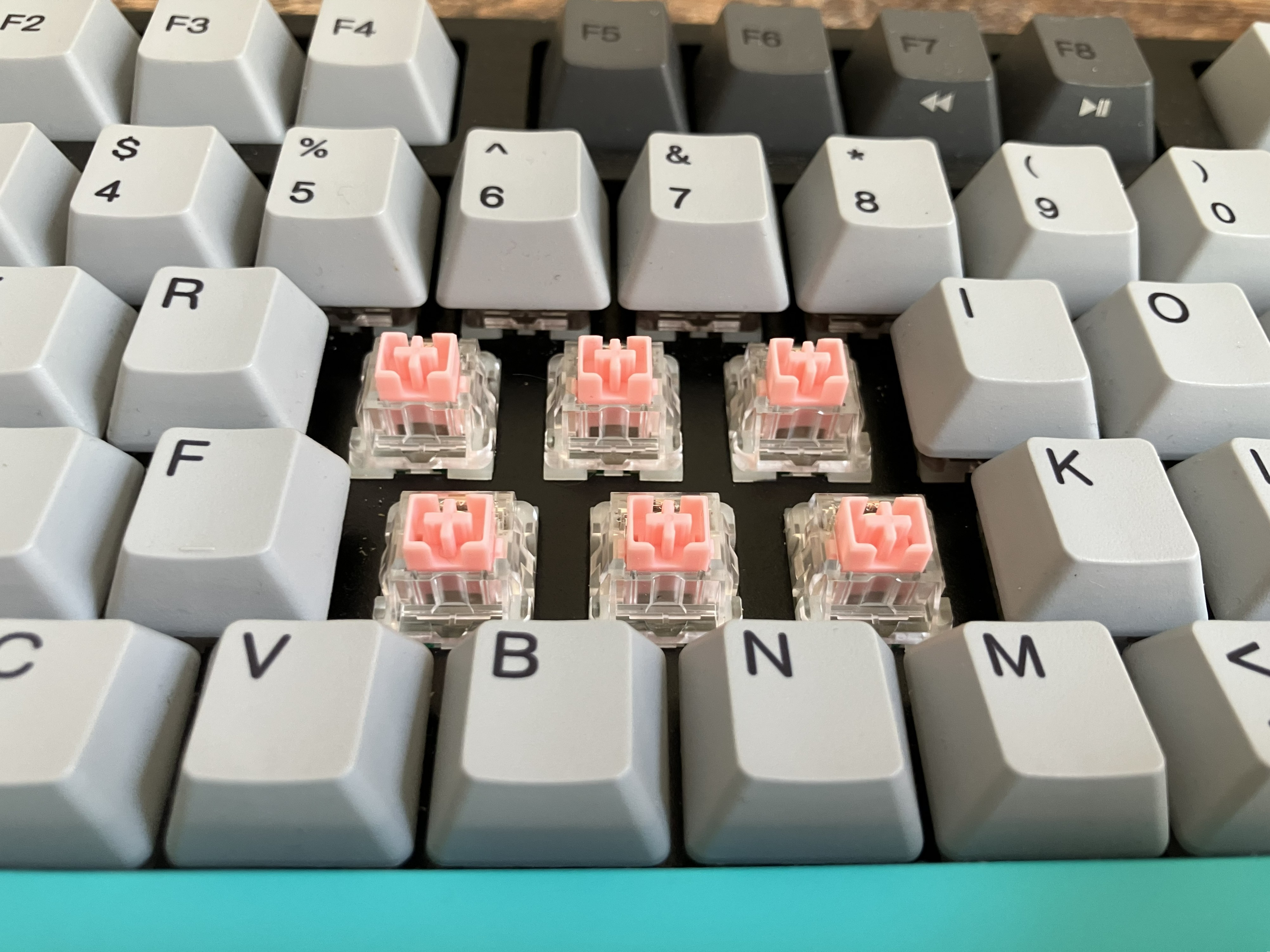
EC switches don’t always look different from regular mechanical switches. Varmilo and NiZ’s EC switches, for example, have Cherry MX-style, cross-shaped stems and plastic housing. NiZ EC switches use a conical spring and rubber dome and forego metal leaves, just like Topres do. But Varmilo’s EC switches look like standard mechanical switches and even have metal leaves (these leaves never touch each other; they’re for creating variable capacitance, which occurs as the distance between them changes).
Hall-effect switches
Hall-effect switches are based on the Hall-effect principle, which American physicist Edwin Hall developed in 1879. In simple terms, if a magnet is placed near an electrical current flowing through a conductor, the current’s electrons are pushed toward one side of the conductor. This creates a small voltage, which is perpendicular to the direction of the electrical current’s flow, across the conductor.
In 1968, Honeywell made the first keyboard with Hall-effect sensors. Of course, other keyboard types were cheaper to produce, relegating Hall-effect keyboards to an afterthought for decades. Hall-effect sensors started making a comeback in the ’90s—Sega used them in its Saturn and Dreamcast controllers, giving them a reputation for durability and resistance to stick drift, something Switch 2 owners wish Nintendo would emulate.
And with that reputation, Hall-effect sensors became increasingly common among keyboard builders in the 2010s and showed up in prebuilt gaming keyboards in 2021, starting with Wooting’s Two HE.
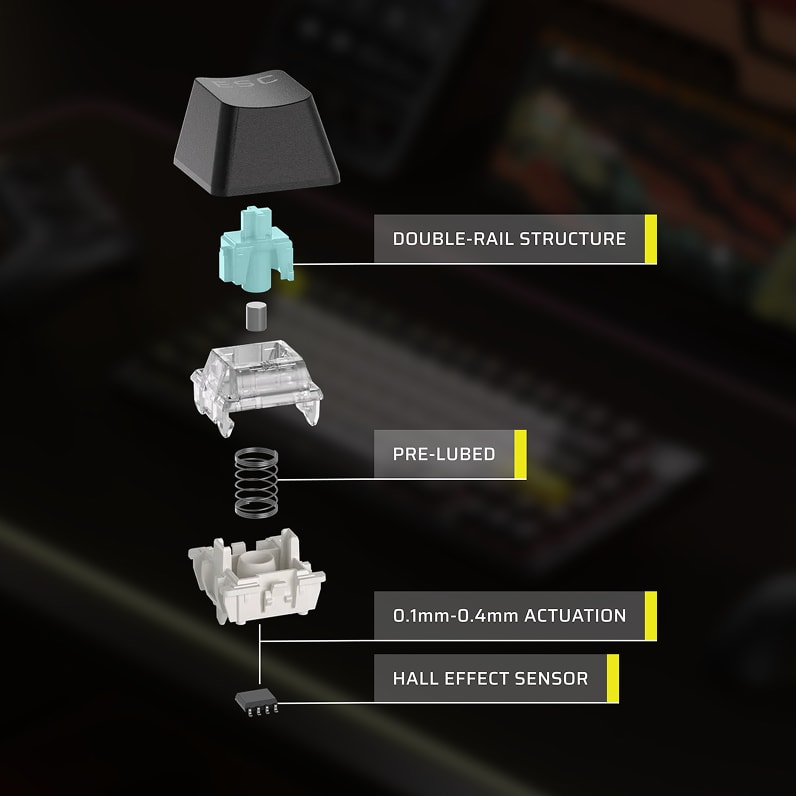
Each Hall-effect switch has a magnet inside its stem. Pressing the switch moves the magnet closer to the keyboard’s PCB, which houses a Hall-effect sensor for each key. Each sensor contains a semiconductor element that conducts the electrical current. As the switch’s magnet moves closer to its dedicated sensor, its changing magnetic field alters the voltage produced across the sensor’s semiconductor element. When the keyboard’s microcontroller detects a change in a sensor’s voltage, it registers input.
Hall-effect keyboard building
Some nuances make building a keyboard with Hall-effect switches more complex than building a keyboard with standard or other types of contactless switches.
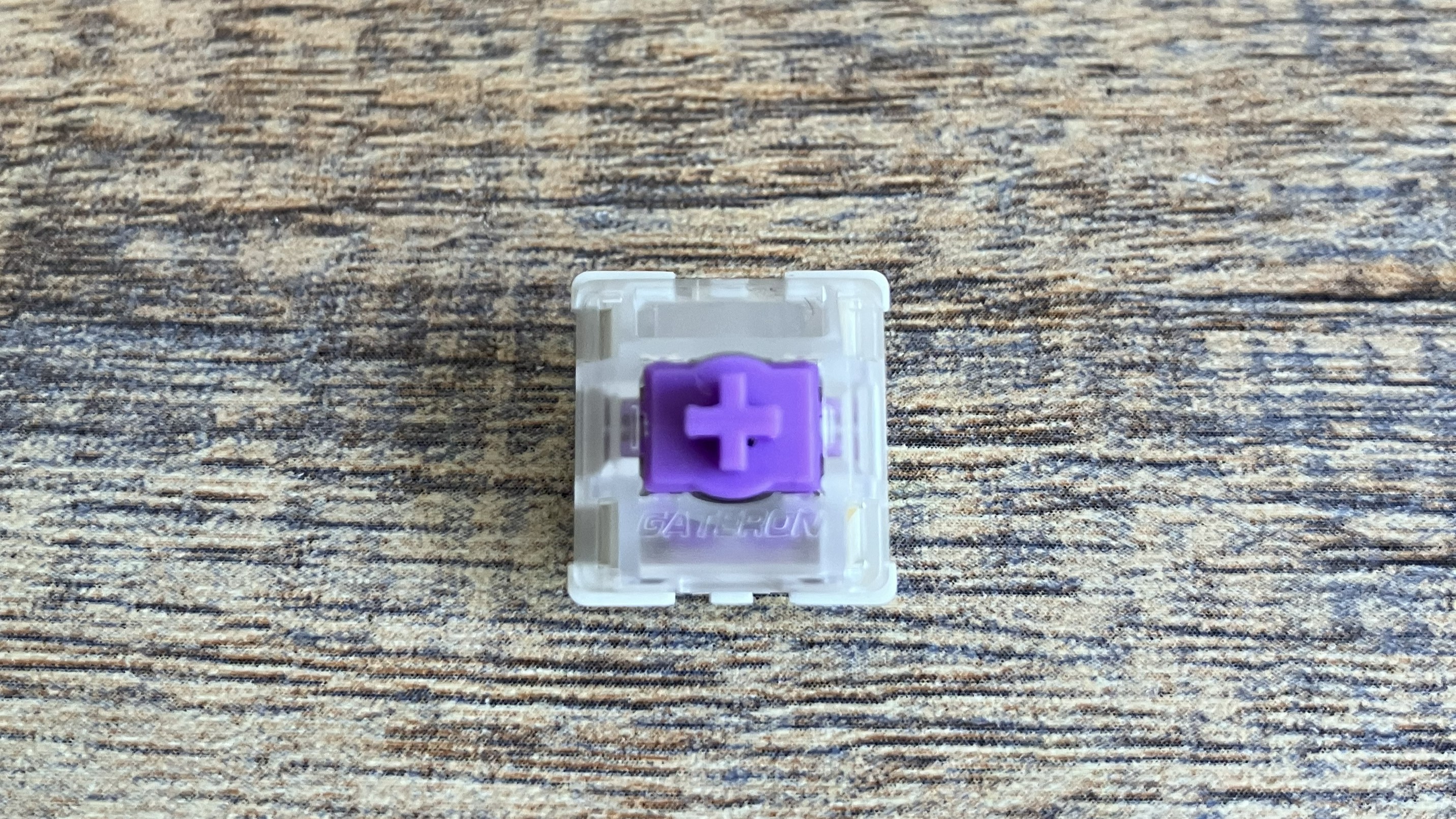
It’s even possible to find a hot-swappable Hall-effect keyboard, keyboard kit, or keyboard PCB that isn’t compatible with your Hall-effect switches. Hall-effect switches come in 3-pin or 5-pin varieties, and the polarity of the switch’s magnet must be compatible with the PCB’s sensors, or depressing the switch may not trigger the sensor beneath it.
Additionally, Hall-effect switches have various magnetic flux ranges, usually measured in Gauss, that indicate the minimum and maximum magnetic field strength the switch supports. This matters for some users, particularly those who want their keyboard to detect very light presses. And a switch with a broader magnetic flux can support a larger analog range.
So one company’s Hall-effect keyboard may have north-facing magnets with a magnetic flux range of 120 Gs to 750 Gs, while another has south-facing magnets with a magnetic flux range of 102-905 Gs. Swapping the two keyboards’ switches could cause compatibility issues, as one keyboard’s sensors or firmware may not support the new switches’ magnetic flux range.
Magnetic flux and polarity specs are hard to find because there’s no standard for measuring magnetic flux, and many users don’t seek or need this information. Monsgeek, one of the companies that provides magnetic flux specs for switches, told me that “most casual users don’t need to worry about magnetic flux numbers, but for enthusiasts who like to fine-tune actuation distance, rapid trigger, or overall switch feel, these specifications can be helpful and make the keyboard easier to customize.”
Keychron doesn’t provide magnetic flux specs for its magnetic switches because magnetic flux “is an internal engineering parameter of magnetic switches, not a user-facing performance metric,” Paul Tan, Keychron’s COO, told me.
Keychron’s keyboard firmware and launcher calibrate the magnetic sensor to each switch so “users experience consistent performance regardless of minor variations in magnetic field strength,” Tan said.
TMR switches
TMR keyboards became available in 2024 and are marketed as using more advanced sensing technology than mechanical, optical, and Hall-effect keyboards. Like Hall-effect switches, tunnel magnetoresistance (TMR) switches use magnets, but TMR keyboard PCBs use a different type of sensor.
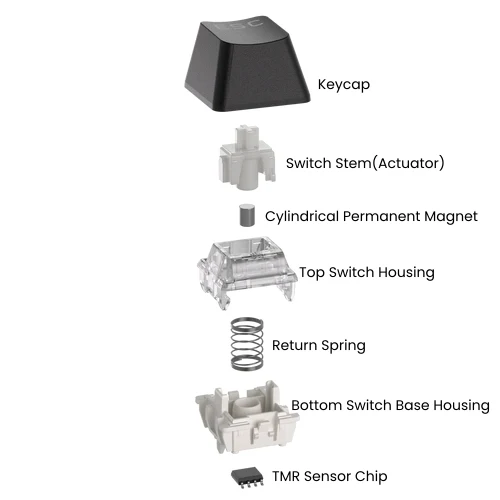
TMR sensors have two ferromagnetic layers made of thin-film magnetic materials. One has a fixed magnetization direction, while the other can change if a magnet is placed near it. An even thinner insulating barrier separates the two layers.
When you depress a TMR switch, the magnet inside its stem moves toward a dedicated TMR sensor on the keyboard’s PCB. This changes the alignment of the two ferromagnetic layers, which alters how easily electrons can tunnel through the insulating barrier (a quantum phenomenon known as tunnel magnetoresistance) and changes the sensor’s electrical resistance. When this change in resistance occurs, the sensor produces an electric signal, which the keyboard’s microcontroller registers as an input.
Hall-effect versus TMR keyboards
In general, TMR sensors consume less power than Hall-effect sensors. This can result in a TMR keyboard having a longer battery life than an equally specced Hall-effect keyboard. But additional factors, such as battery capacity and lighting, affect how long a wireless keyboard will last before you need to charge it, too.
A higher peak sensitivity means a keyboard’s sensors produce a larger electrical response to changes in the magnetic field caused by the position of the switch’s magnet. TMR keyboards can have higher peak sensitivity than Hall-effect keyboards because a TMR sensor can produce a larger electrical signal in response to changes in the magnetic field caused by depressing a switch.
Higher peak sensitivity lets a sensor detect small changes in movement, which could allow you to set a switch’s actuation points in 0.01 mm increments instead of the more common 0.1 mm, for example. This level of customization is more common among TMR keyboards but is also available in good Hall-effect boards. Keep in mind, though, that software often inaccurately depicts the actuation points of keyboards, albeit by amounts that are hard to notice, according to RTINGs’ testing).
In fact, some Hall-effect keyboards have a higher peak sensitivity than some TMR keyboards. Other factors, including the sensor and its placement and the keyboard’s polling rate and firmware, can affect a keyboard’s peak sensitivity. On rare occasions, electromagnetic noise or external magnetic fields can make magnetic-switch keyboards act erratically around other electronics, as seen in the video below.
Hall-effect sensors generally have a lower signal-to-noise ratio than TMR sensors, so they often rely on signal amplification. Because TMR sensors can provide a stronger signal and better signal-to-noise ratio, they can be less susceptible to electrical noise than Hall-effect keyboards.
Price and availability
TMR keyboards have been around for less time and generally have higher wafer and packaging costs, so they tend to be more expensive than similarly specced Hall-effect keyboards, although there’s also less variety. Additionally, TMR switches, PCBs, and barebones kits can be difficult to find, making TMR keyboard building even trickier than building a Hall-effect, EC, or optical keyboard.
There are magnetic switches that work in both TMR and Hall-effect keyboards, as well as keyboards that support both TMR and Hall-effect switches. There’s also a small number of hot-swappable keyboards that support both magnetic keyboard switches and traditional mechanical switches. The latter is more common among TMR keyboards than Hall-effect keyboards.
Monsgeek’s representative explains:
Due to the operating principles of Hall-effect and TMR switches, the Hall sensor must be directly aligned with the magnet inside the switch to ensure proper performance. This requires the sensor to remain in a fixed position on the PCB, which makes implementing mechanical, hot-swap sockets challenging without causing interference.
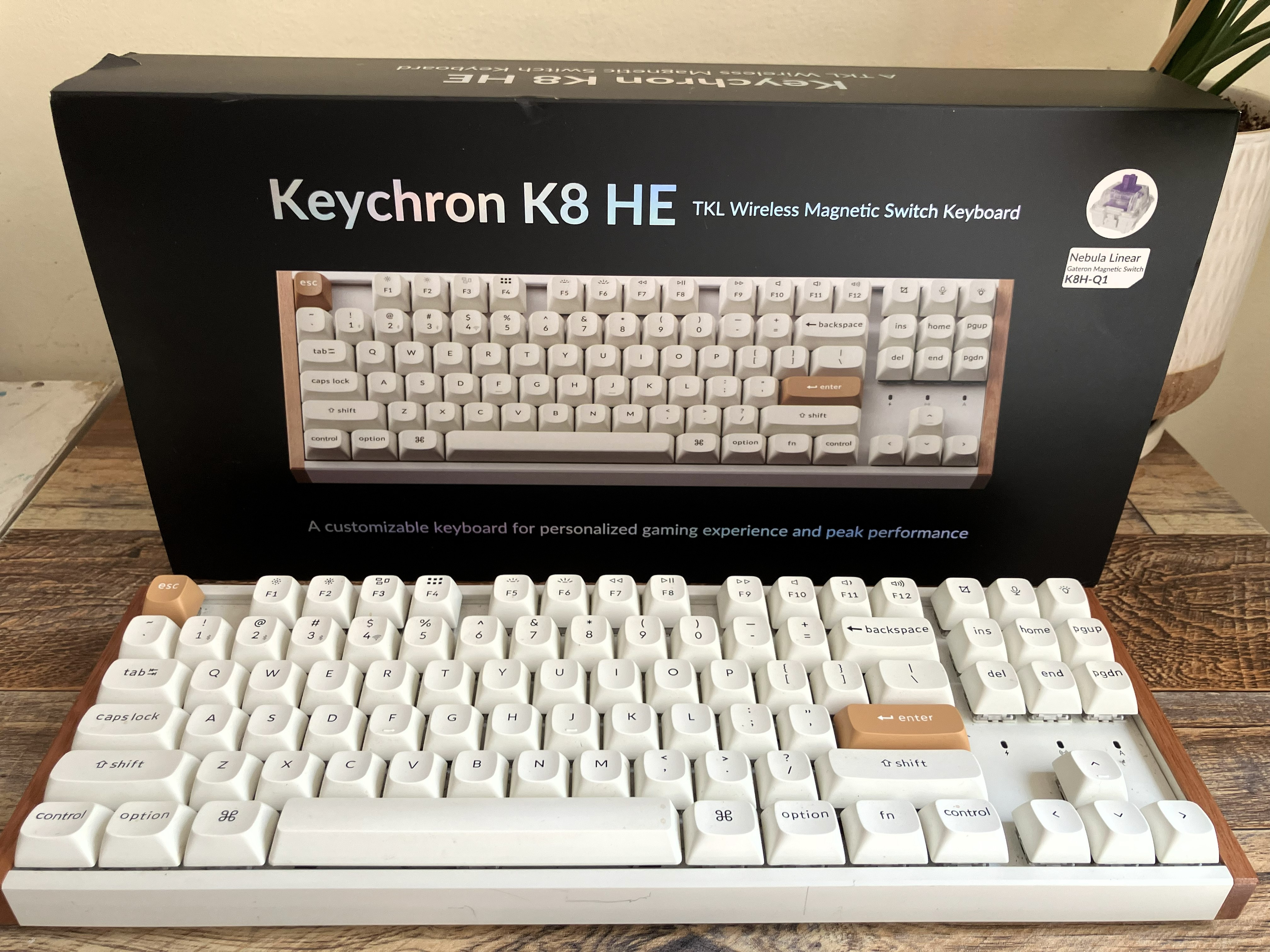
Some companies have marketed TMR keyboards as Hall-effect boards. This seems counterintuitive, given the benefits TMR can offer over Hall-effect. In a September blog post, Keychron said it added the “HE” tag to the name of its TMR keyboards because “early on, TMR wasn’t widely known. Using the widely known ‘HE’ magnetic in the keyboard industry helped the market quickly understand our keyboard using magnetic switches—though our fundamental tech has always been Keychron.”
Inductive switches
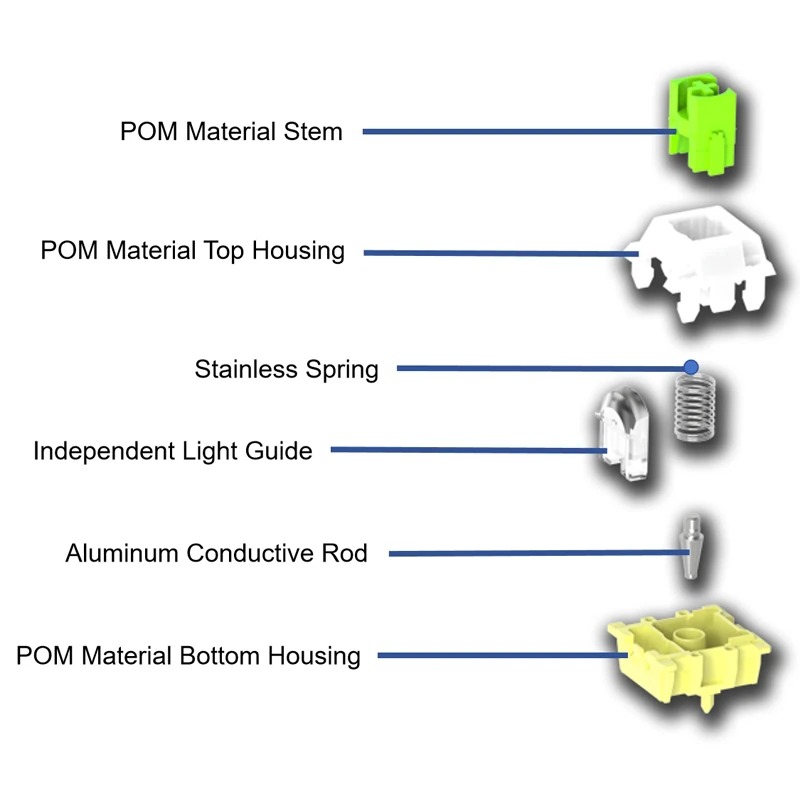
The first inductive-switch consumer keyboards released last year. Ducky and Epomaker marketed their respective keyboards to gamers looking for analog input and lower power consumption than Hall-effect keyboards can provide. Inductive keyboards can consume less power than Hall-effect and TMR keyboards because they don’t require a dedicated sensor for each key, although other factors can affect battery life. They’re also generally less susceptible to interference from other devices’ magnetic fields because the switches don’t contain magnets.
Each switch has a conductive metal actuator, often cone-shaped, that descends toward the keyboard’s PCB when the switch is depressed. As the cone moves toward the PCB, it eventually enters and distributes an electromagnetic field created by coils on the PCB. This creates eddy currents, which increase the coils’ effective inductance, following Lenz’s law. Sensors on the PCB pick up the coils’ change in inductance, causing the keyboard to register an input.
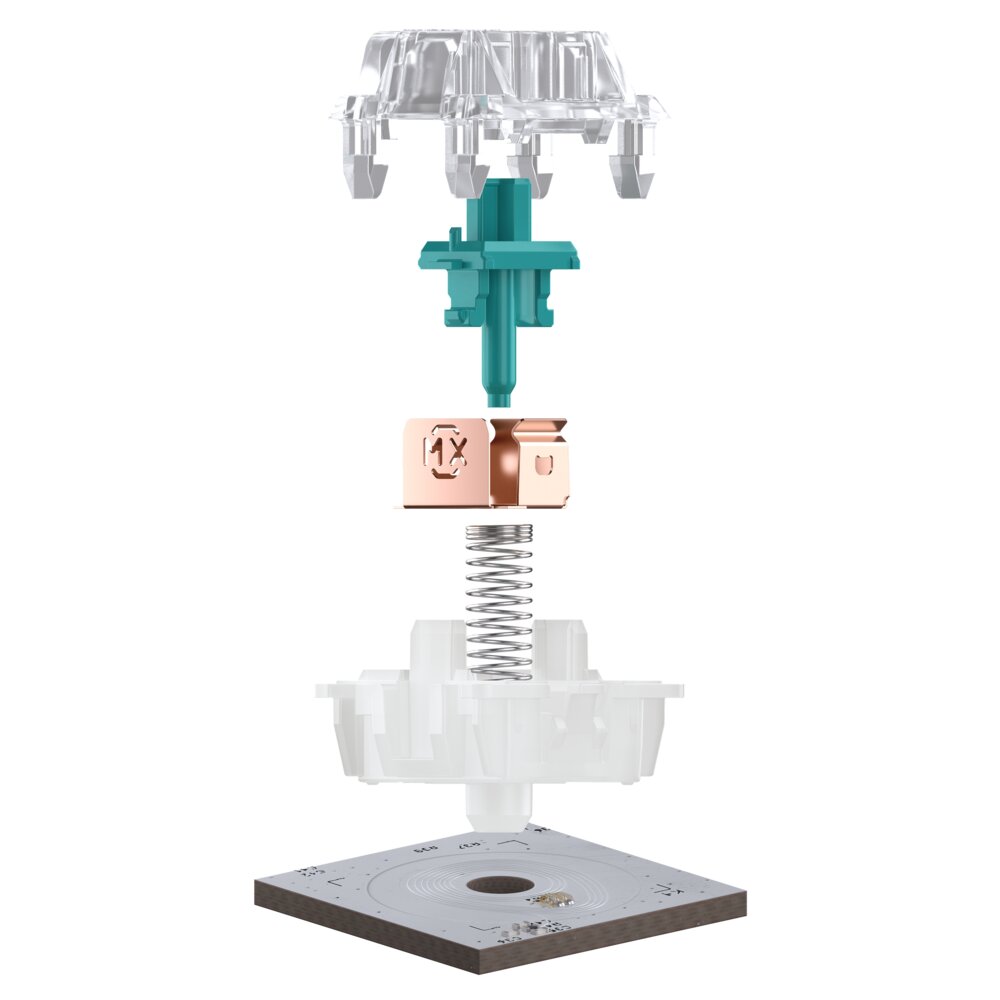
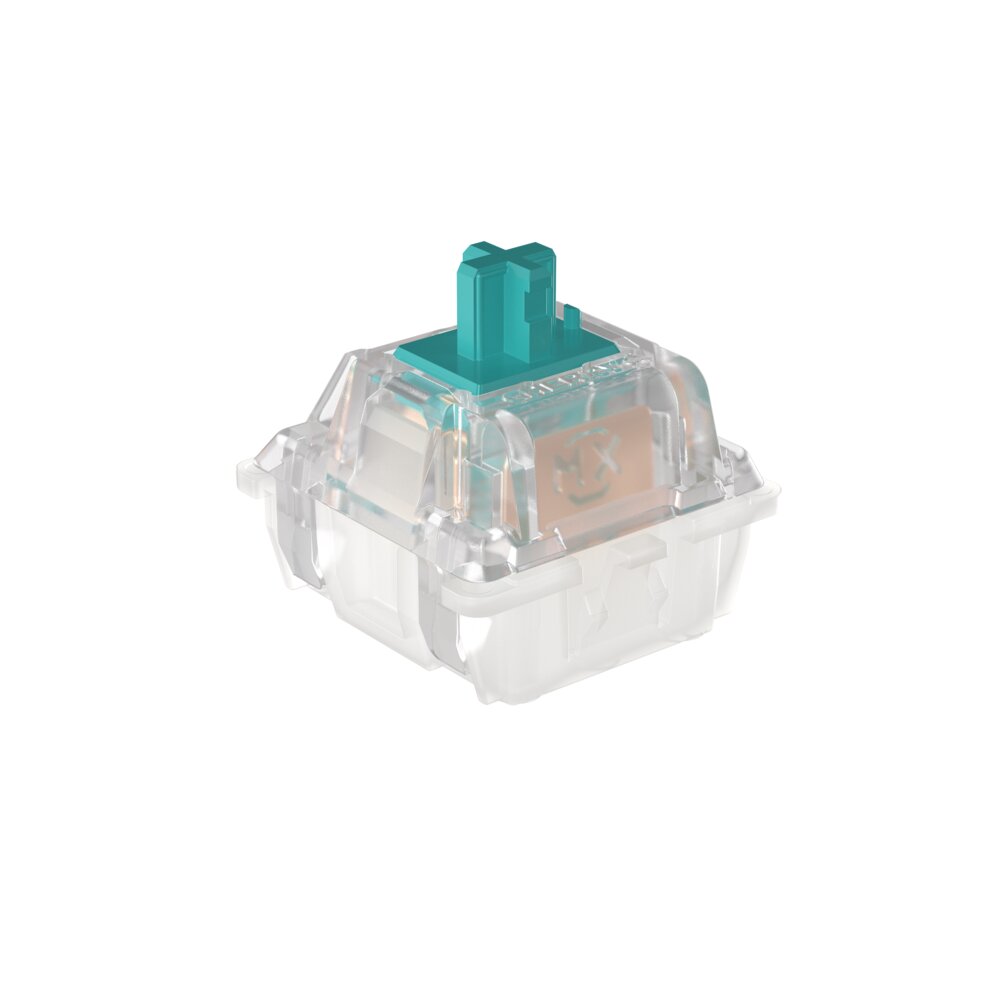
Some manufacturers, like Cherry, also claim that inductive-switch keyboards offer higher precision, including with analog input. But because inductive switch keyboards are newer, it’s difficult to gauge that claim. For example, after testing the One X, RTINGs reported that “accuracy is impressive but not better than some of the highest-performing Hall-effect keyboards to date.”
Availability
The only companies currently making inductive switches appear to be Cherry, Kailh, and Unionwell. Aesco also says it makes inductive switches through a collaboration with Unionwell and Kailh. Only Kailh seems to be selling switches individually, meaning most inductive switches are available only through prebuilt keyboards.
A handful of companies, including Ducky, Aesco, Aula, Epomaker, Black Shark, DAREU, and Redragon, currently sell inductive keyboards. DIY options are even rarer.