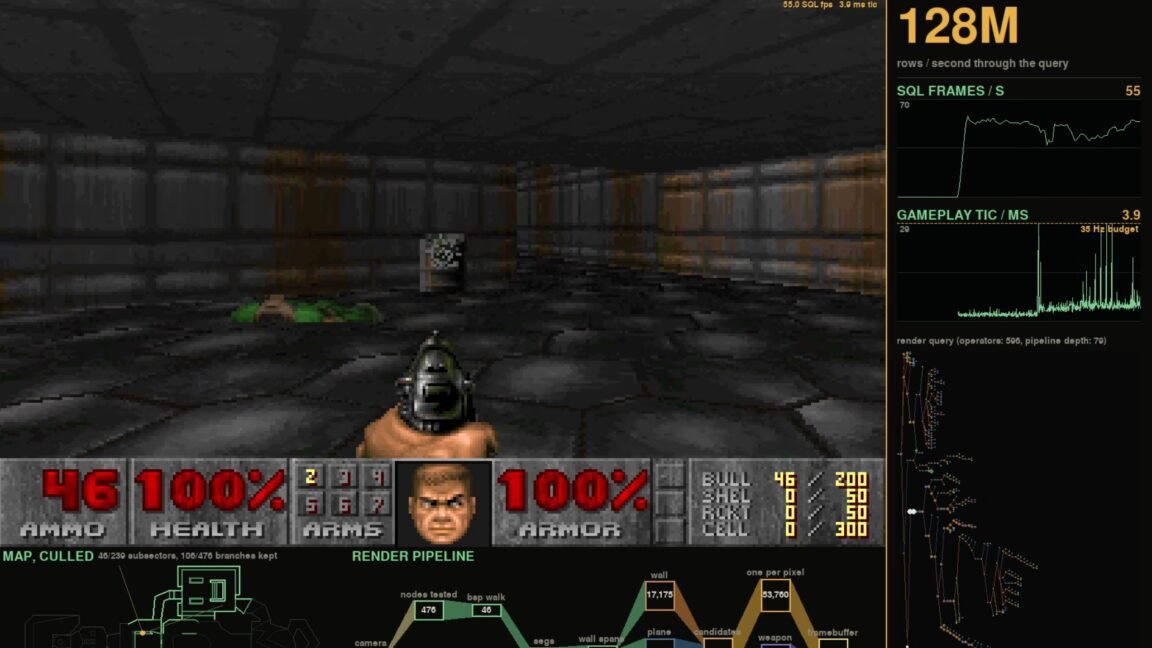
“Rendering Doom in a database is obviously a bad idea,” Lukas Vogel writes in a lengthy blog post explaining how exactly he managed to render Doom using an SQL database.
OK, that’s not entirely accurate. The SQLDoom project uses a small Python client to handle input and output, drive the game’s timing, and display each frame to the screen. Behind that, a series of CedarDB tables tracks the game geometry and state, while about 1,300 lines of SQL queries spread across 89 common table expressions implement the game logic and generate 35 bitmap framebuffers per second.
In this, SQLDoom is a major improvement over Vogel’s previous DoomQL project, which last year set out to build “a multiplayer Doom-like shooter entirely in SQL.” Unfortunately, that effort ended up with raycasting-based, grayscale ASCII graphics that were more akin to the simplistic 90-degree-angled maps of Wolfenstein 3D. The newer SQLDoom, on the other hand, generates full-color 640×480 frames that look like they could have come from the original Doom executable.
It’s all just data, man
Converting Doom‘s classic WAD files to a relational database was relatively simple and straightforward, Vogel writes, because of the way the original game broke levels down into vertices, lines, sectors, and so on. Even Doom‘s famous binary-space partition trees can be broken down into SQL using a sort_key for objects that’s pre-computed for each position at load time. With this set in your table, a simple “ORDER BY” statement can determine every frame which parts of walls to display and which to ignore, vastly improving performance.
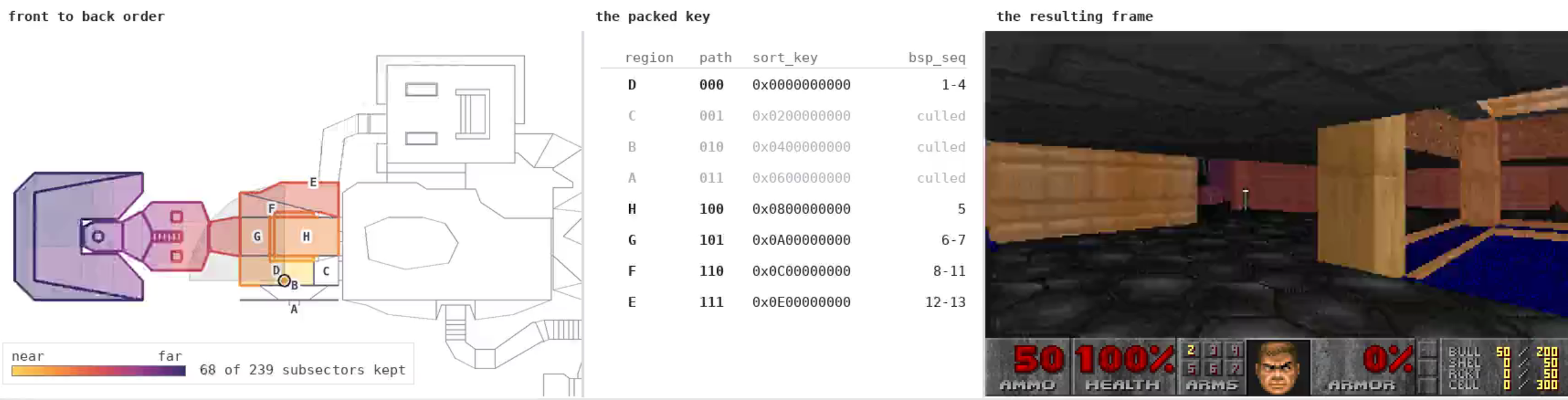
There were a few complications in going from SQL table to rendered first-person frames, however. Chief among these was the algorithm needed to render floors and ceilings, which can’t really make use of the elegant “visplanes” and state mutations that handle this rendering on a column-by-column basis in the original game. For SQLDoom, Vogel uses what he calls a “pretty hacky” replacement involving iterating over an ordered list of panels.
Despite the substantial additional overhead of reading and writing to SQL tables for everything, Vogel said he was able to get DoomSQL running at about 60 fps on a Ryzen 7-powered laptop, with occasional dips down to 35 fps for busy scenes. And despite the hassles of translating Doom to SQL, Vogel points out that the database’s steady “reference snapshot” of the game state, along with inherent concurrency and access handling features, offers significant benefits for running a multiplayer server. With a database, there’s “no partially applied updates, physics bugs, or disagreements over whether the rocket actually hit,” Vogel says.
If you want to run a Doomtabase on your own local machine, you can do so simply with the GitHub code, a copy of CedarDB, and a Doom WAD file. Or you can jump into a free online hosted demo match to test it out without all the setup (I got some pretty poor performance using this option, though). And when you’re done with that, maybe peruse some of the many other unlikely Doom ports that Ars has covered over the years.