Many of our graphics card reviews early last year and in the early 2020s focused on the difficulties of reviewing and recommending graphics cards when the manufacturer-suggested price points effectively didn’t exist. Now, reviews of any new PC component have to contend with the much more broadly awful market for consumer PC parts as AI data center-fueled demand for RAM and flash memory chips drives up prices for DDR5 kits, SSDs, and GPUs.
In our August 2025 system guide, 32GB of DDR5 and a decent 2TB SSD would run you less than $200. Today, you’d pay between three and four times as much for similar components.
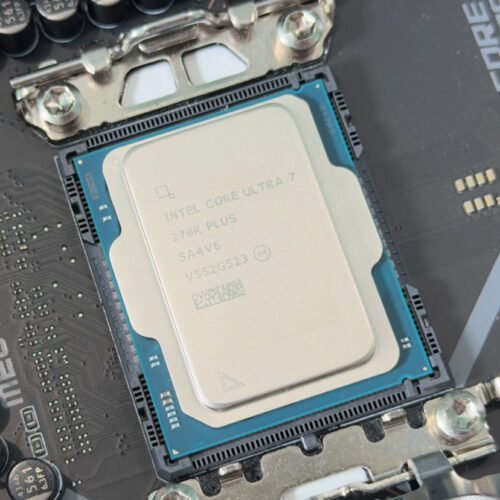
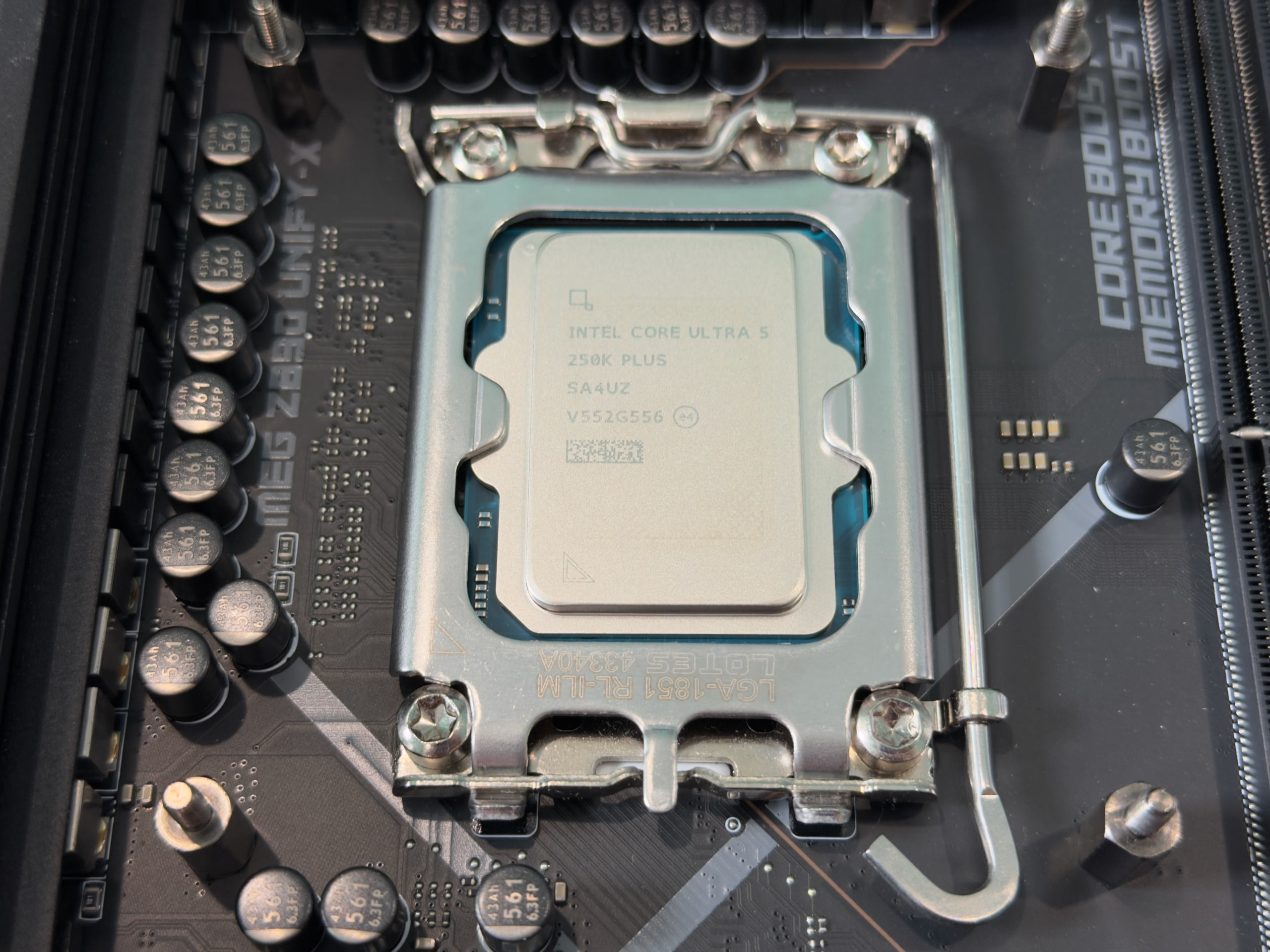
This is the context that Intel’s Core Ultra 200S Plus chips—the $199 Core Ultra 5 250K Plus and $299 Core Ultra 7 270K Plus, still codenamed Arrow Lake just like the originals—have launched into. They’re solid performers, they’re reasonably power-efficient, and for heavy multi-threaded workloads, they’re a better value than what AMD can offer for the same price (though even years-old non-X3D AMD chips retain a small edge in games).
But getting a good price on a CPU does little to mitigate the cost of the rest of the components, either in a new build or in an upgrade (since in both cases you’re likely to be contending with a pricey upgrade from DDR4 to DDR5). Unlike AMD’s AM5 socket, Intel’s LGA 1851 socket provides no upgrade path.
Intel has put together quite a decent mid-generation refresh here, CPUs that at most other times in PC building history would have been the basis for a good budget-focused gaming PC or workstation. But both chips have the disadvantage of launching at a moment when “value” in most other PC components is difficult to find.
Arrow Lake refresh
| CPU P/E-cores | P-core base/turbo clock | E-core base/turbo clock | Base/Turbo power default (PL1/PL2) | RAM support | |
|---|---|---|---|---|---|
| Core Ultra 9 285K | 8P/16E | 3.7/5.7 GHz | 3.2/4.6 GHz | 125/250 W | DDR5-6400 |
| Core Ultra 7 270K Plus | 8P/16E | 3.7/5.4 GHz | 3.2/4.7 GHz | 125/250 W | DDR5-7200 |
| Core Ultra 7 265K | 8P/12E | 3.9/5.5 GHz | 3.3/4.6 GHz | 125/250 W | DDR5-7200 |
| Core Ultra 5 250K Plus | 6P/12E | 4.2/5.3 GHz | 3.3/4.6 GHz | 125/159 W | DDR5-7200 |
| Core Ultra 5 245K | 6P/8E | 4.2/5.2 GHz | 3.6/4.6 GHz | 125/159 W | DDR5-6400 |
The core counts are the most noticeable upgrade from the original Arrow Lake-based Core Ultra 200S processors released in late 2024. Both the Core Ultra 5 and 7 CPUs get four extra E-cores, which help boost performance somewhat in heavily multithreaded tests. The 270K Plus is now pretty close to the Core Ultra 9 285K’s specs for around half that chip’s original $589 launch price. It’s the most similar to the 13th-generation Core refresh, which also increased the core counts while making other small architectural tweaks to the 12th-generation Core CPUs.
According to Intel, other tweaks to the refreshed Alder Lake chips include faster internal communication between the chip’s different parts, with an eye toward improving its memory controller performance. There are also unspecified improvements that its new Binary Optimization Tool needs to work—whatever these changes are, they’re significant enough that Intel is being pretty noncommittal about making Binary Optimization work with older Arrow Lake processors like the 245K, 265K, and 285K.
Intel has also increased the officially supported memory speed from DDR5-6400 to DDR5-7200. But these specs don’t matter that much for desktop builders since semi-automated memory “overclocking” via XMP and EXPO profiles has been officially sanctioned for a long time, and in today’s RAM market, the best RAM is “whatever’s in stock and not nightmarishly expensive.” We certainly wouldn’t recommend paying the $60ish premium that DDR5-7200 currently commands compared to a DDR5-6000 or 6400 kit, based on the low-single-digit performance gains you’ll see.
Intel’s official power limits don’t change at all for the refreshed processors; the 270K Plus still has a default maximum power draw (PL2) of 250 W, and the 250K Plus has a lower 159 W maximum. Intel lists a sustained power draw (PL1) of 125 W for both processors, but the K-series unlocked overclockable processors are a little weird in that respect; the “default” settings actually set both PL1 and PL2 to the maximum wattage number, increasing both performance and power draw in heavily multi-threaded workloads like our video encoding test.
Our testbed
| AMD AM5 | Intel LGA 1851 | Intel LGA 1700 | AMD AM4 | |
|---|---|---|---|---|
| CPUs | Ryzen 7000 and 9000 series | Core Ultra 200 series | 12th, 13th, and 14th-generation Core | Ryzen 5000 series |
| Motherboard | ASRock X870E Taichi or MSI MPG X870E Carbon Wifi (provided by AMD) | MSI MEG Z890 Unify-X (provided by Intel) | Gigabyte Z790 Aorus Master X (provided by Intel) | Asus ROG Crosshair VIII Dark Hero (provided by Asus) |
| RAM config | 32GB G.Skill Trident Z5 Neo (provided by AMD), running at DDR5-6000 | 32GB G.Skill Trident Z5 Neo (provided by AMD), running at DDR5-6000
32GB G.Skill Trident Z5 (provided by Intel), running at DDR5-7200 |
32GB G.Skill Trident Z5 Neo (provided by AMD), running at DDR5-6000 | 16GB Teamgroup T-Force Vulcan Z, running at DDR4-3600 |
Our testbed configuration has remained roughly the same since we reviewed AMD’s Ryzen 9 9950X3D about a year ago. All chips are tested in a Lian Li O11 Air Mini case with an EVGA-provided Supernova 850 P6 power supply and a 280 mm Corsair iCue H115i Elite Capellix AIO cooler. Gaming and graphics benchmarks are being run on an Nvidia GeForce RTX 4090. It’s no longer the fastest consumer gaming GPU since the 5090’s release last year, but it’s still the second-fastest by a wide margin, and it should be quick enough to avoid bottlenecking these CPUs. Our testbed also runs a fully patched version of Windows 11 24H2.
We test everything with the same matched pair of DDR5-6000 sticks, both to put all chips on even footing and because it’s still the best value for the money for 16GB and 32GB DDR5 kits even in today’s memory market. We did run some tests with a DDR5-7200 kit that Intel shipped us, though it mainly just demonstrates how marginal the gains you get from faster RAM are.
For the older Arrow Lake chips, all of our testing was re-done following a late-2024 and early-2025 spate of BIOS and Windows updates meant to correct early performance issues. Testing for 13th- and 14th-generation Intel Core chips was also re-done after applying performance- and reliability-fixing BIOS updates released throughout 2024. All the numbers for AMD chips also reflect CPU scheduler improvements in Windows 11 24H2 that AMD says improved performance for the Ryzen 9000, 7000, and 5000-series CPU families.
Performance
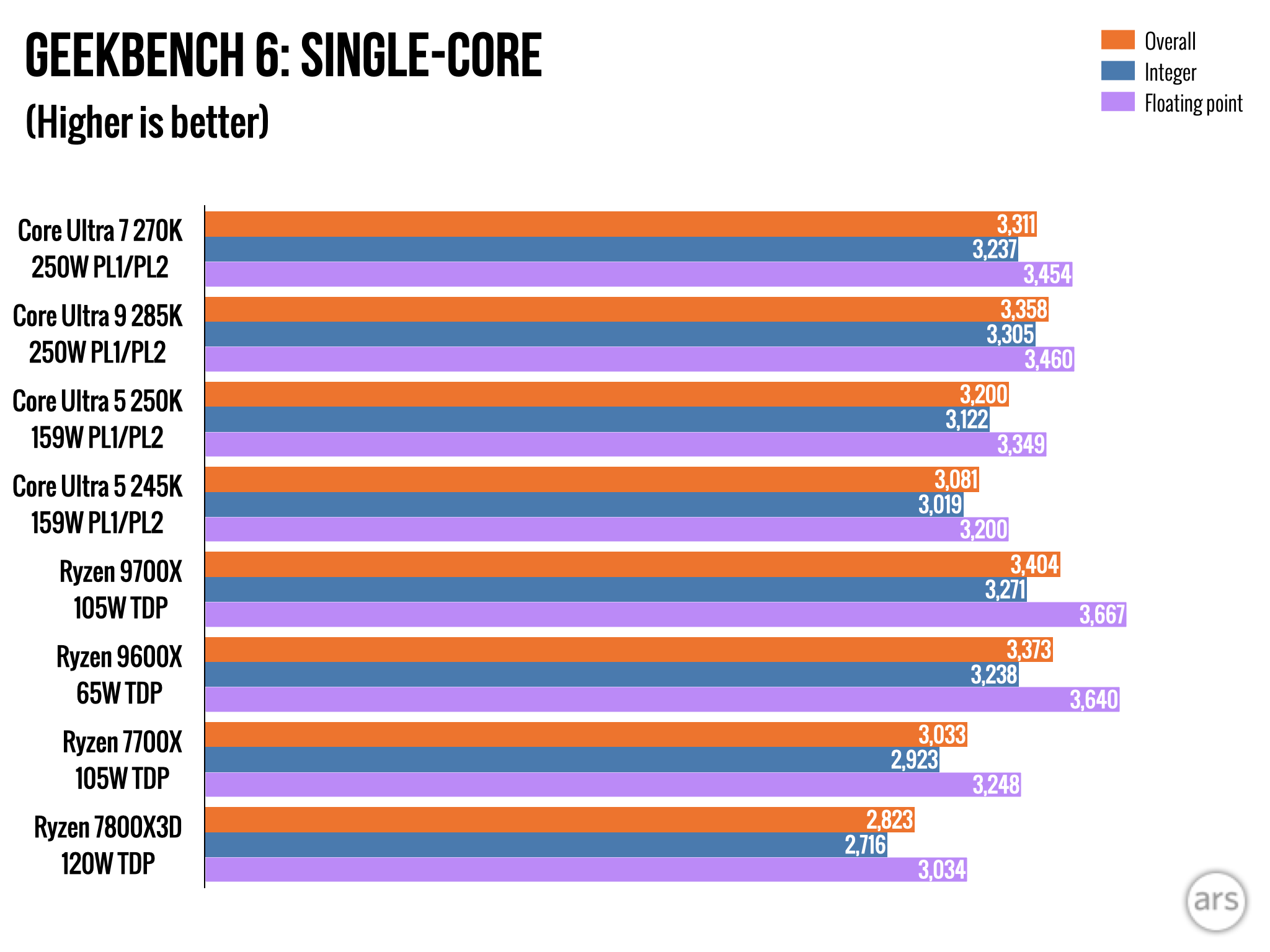
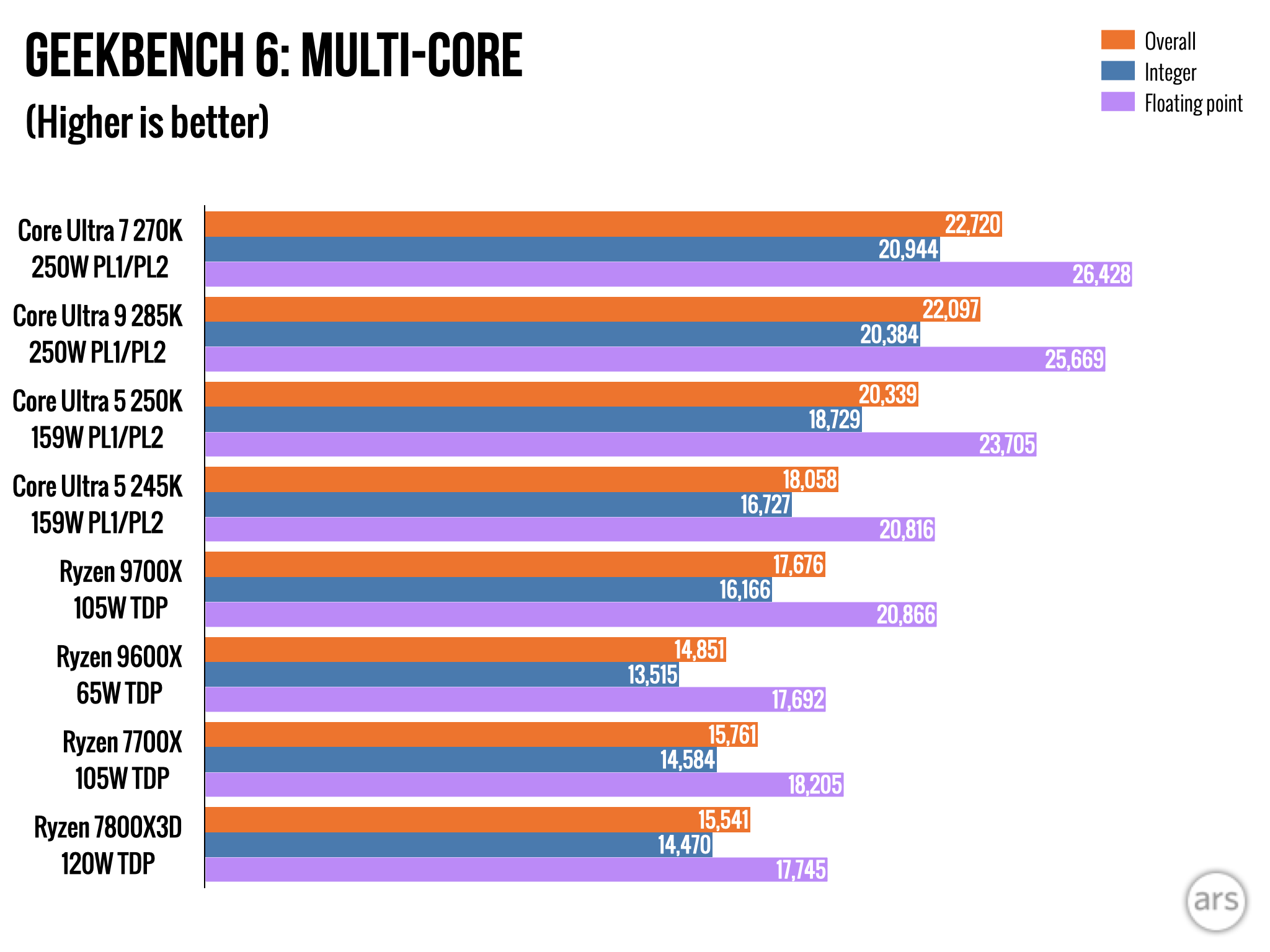
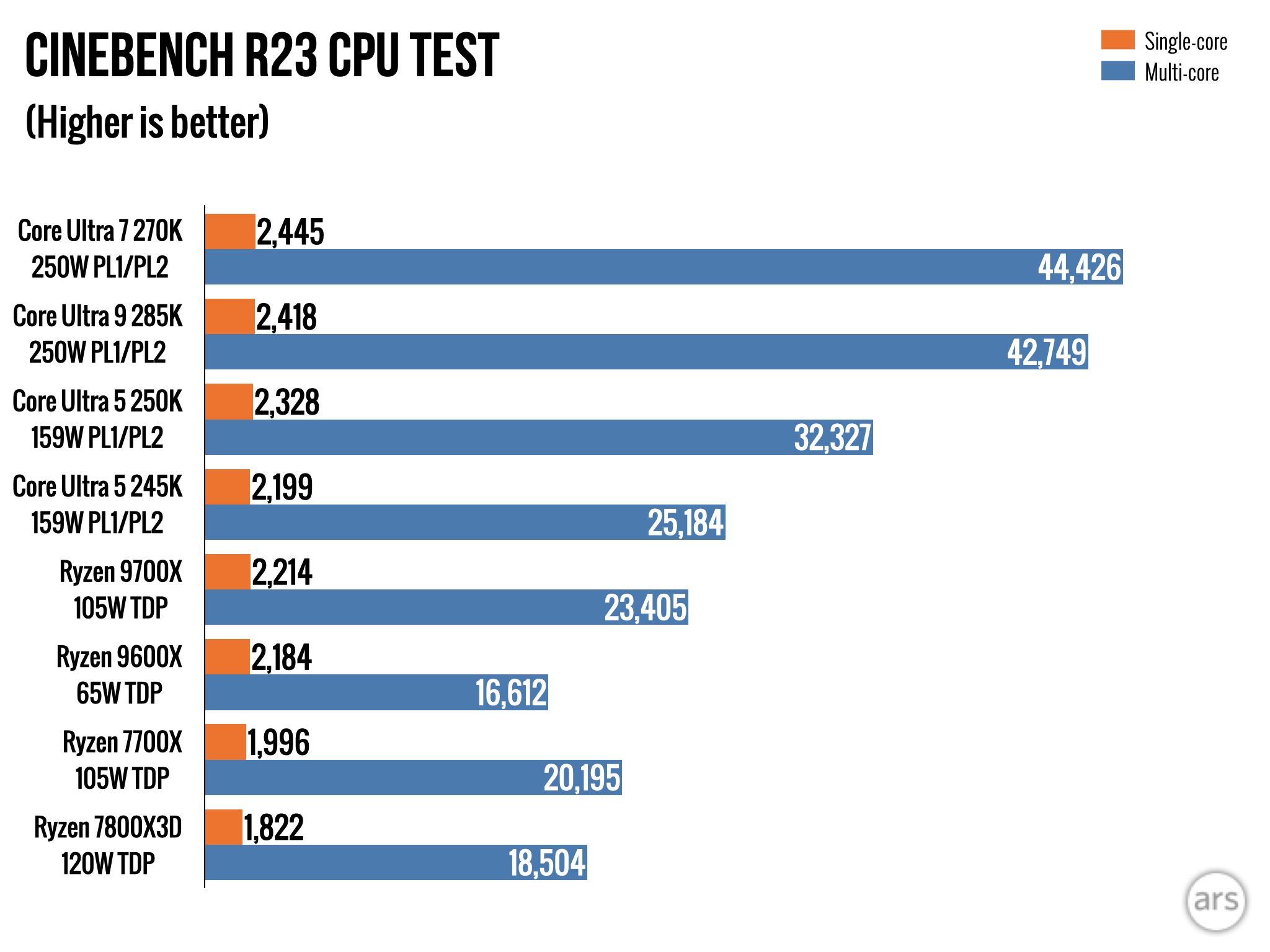
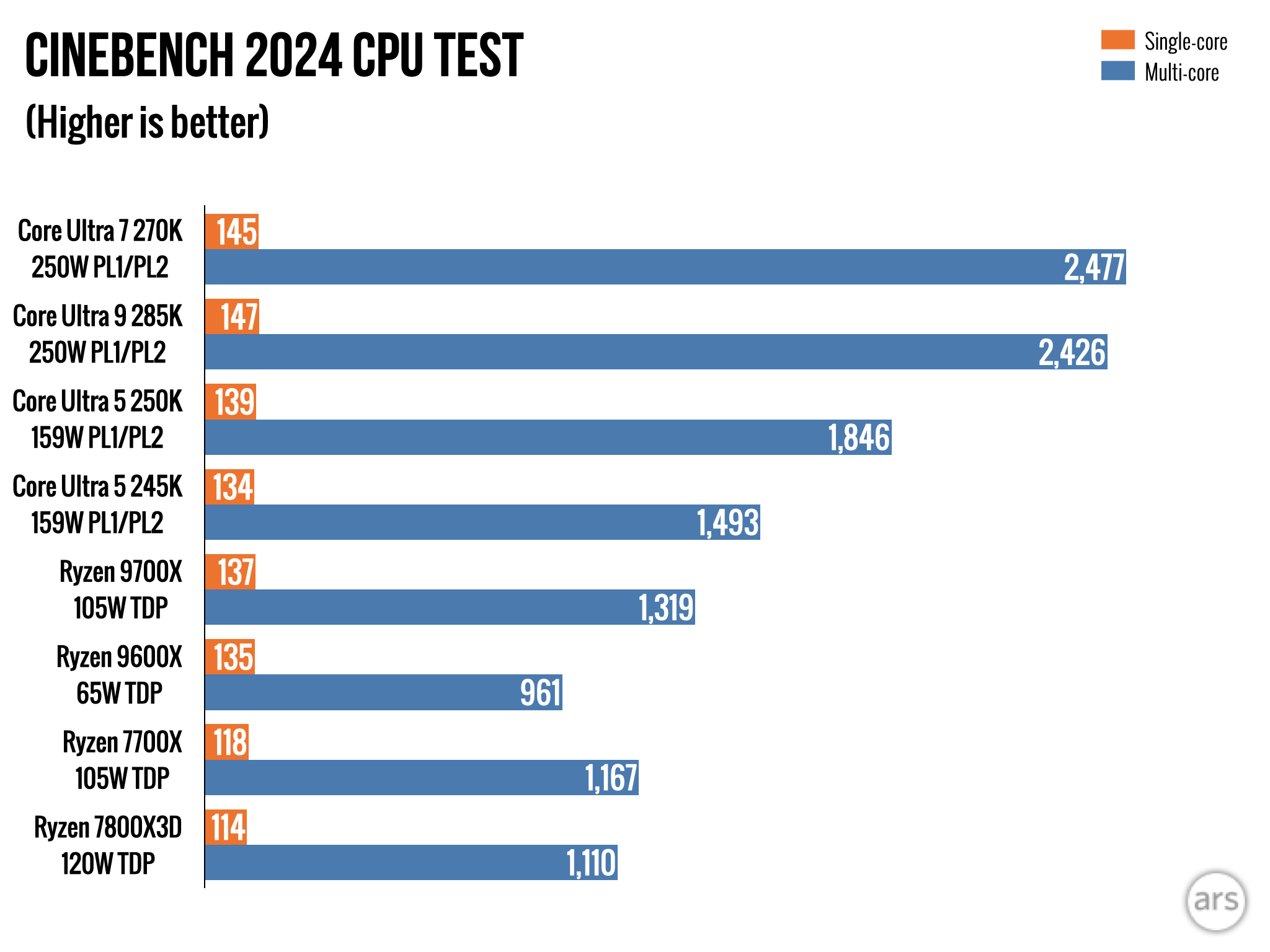
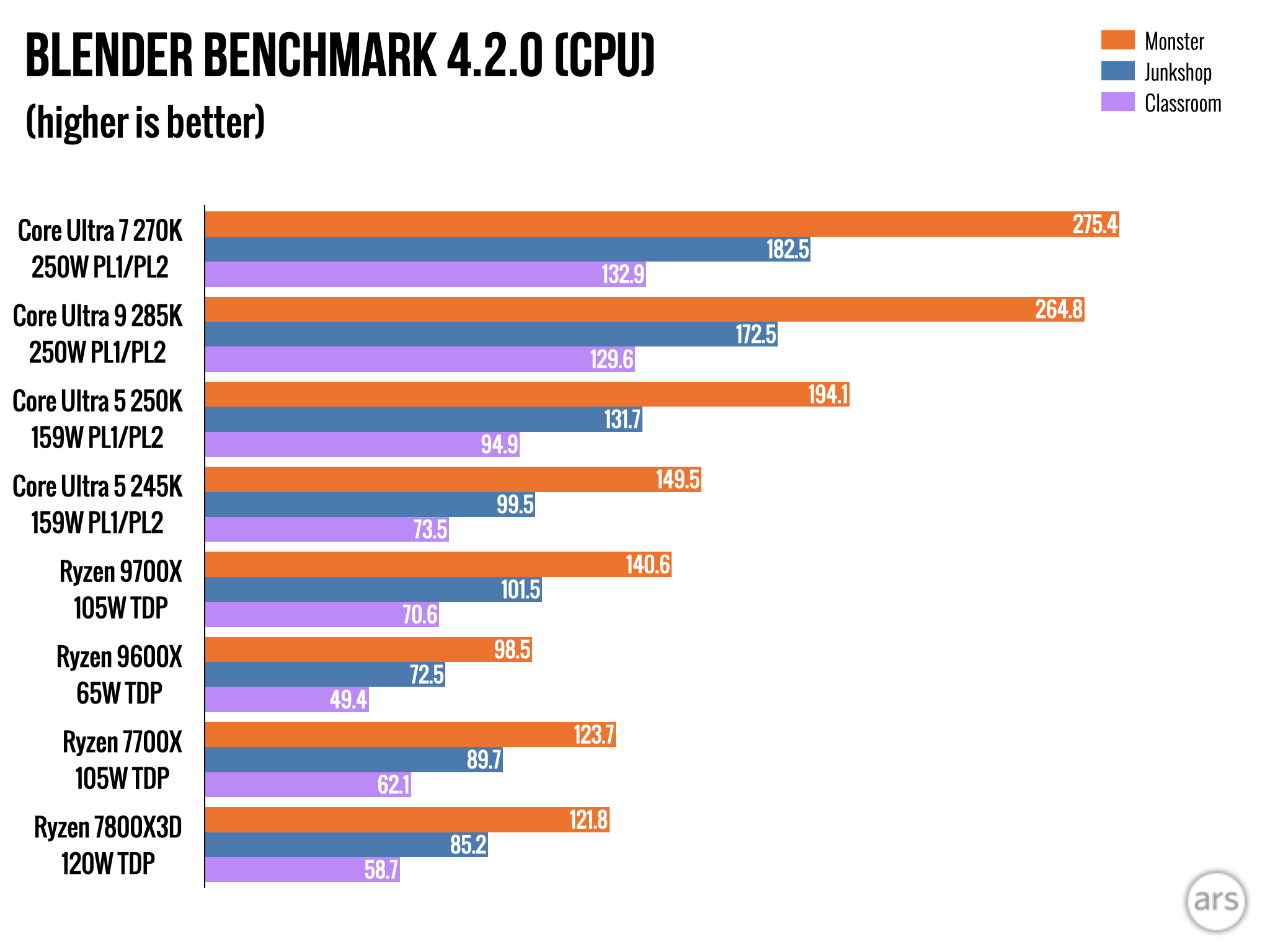
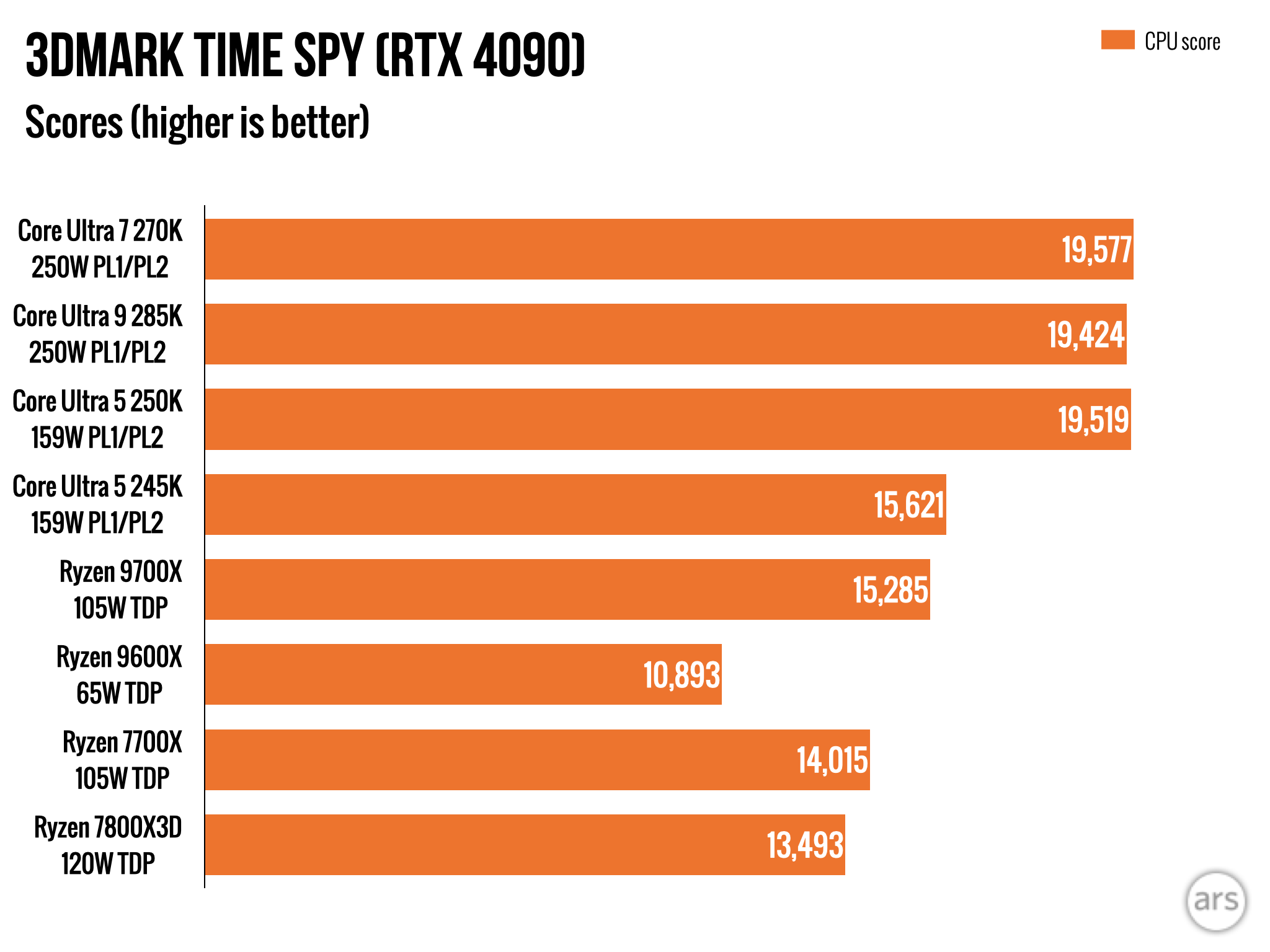
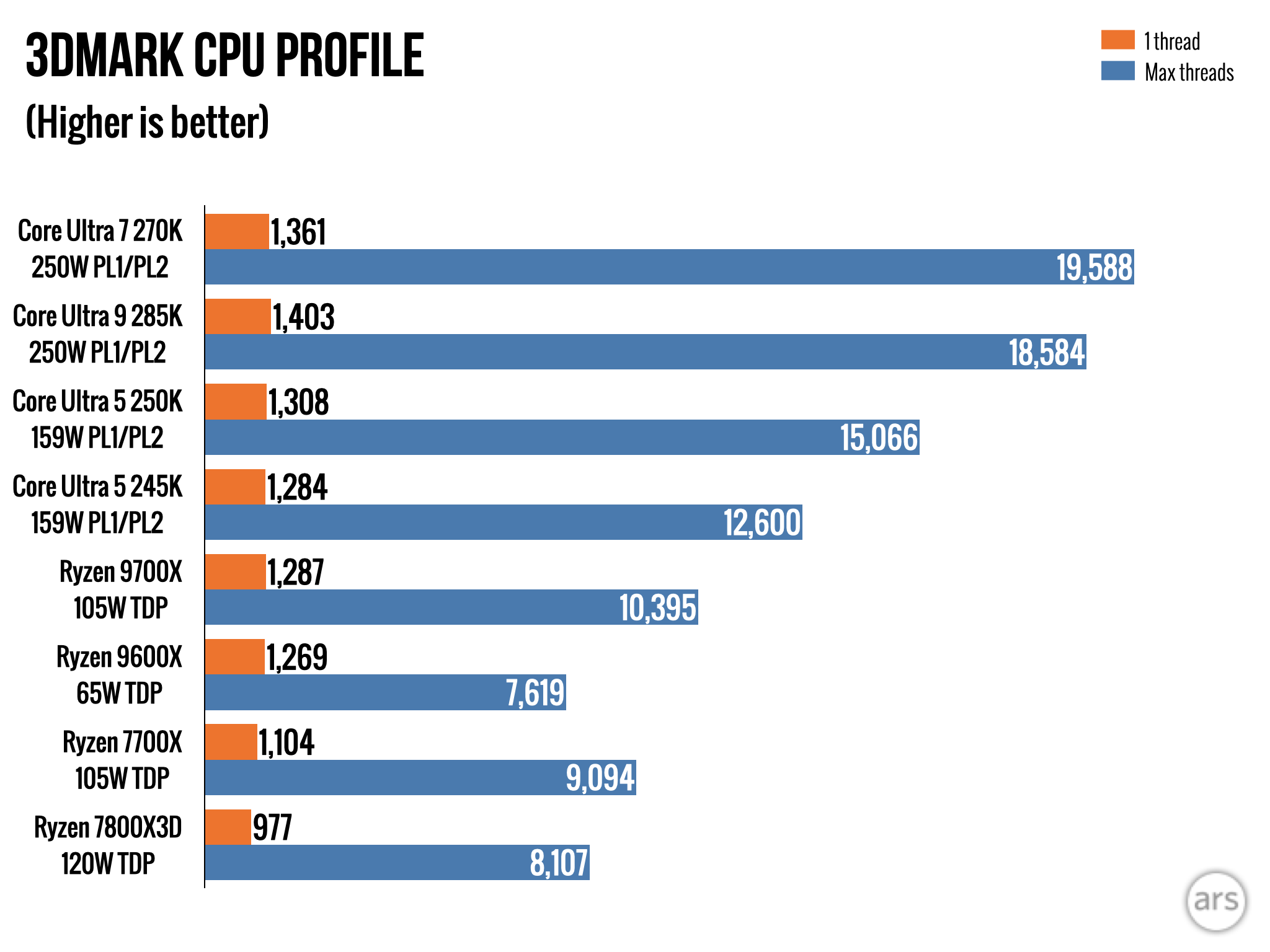
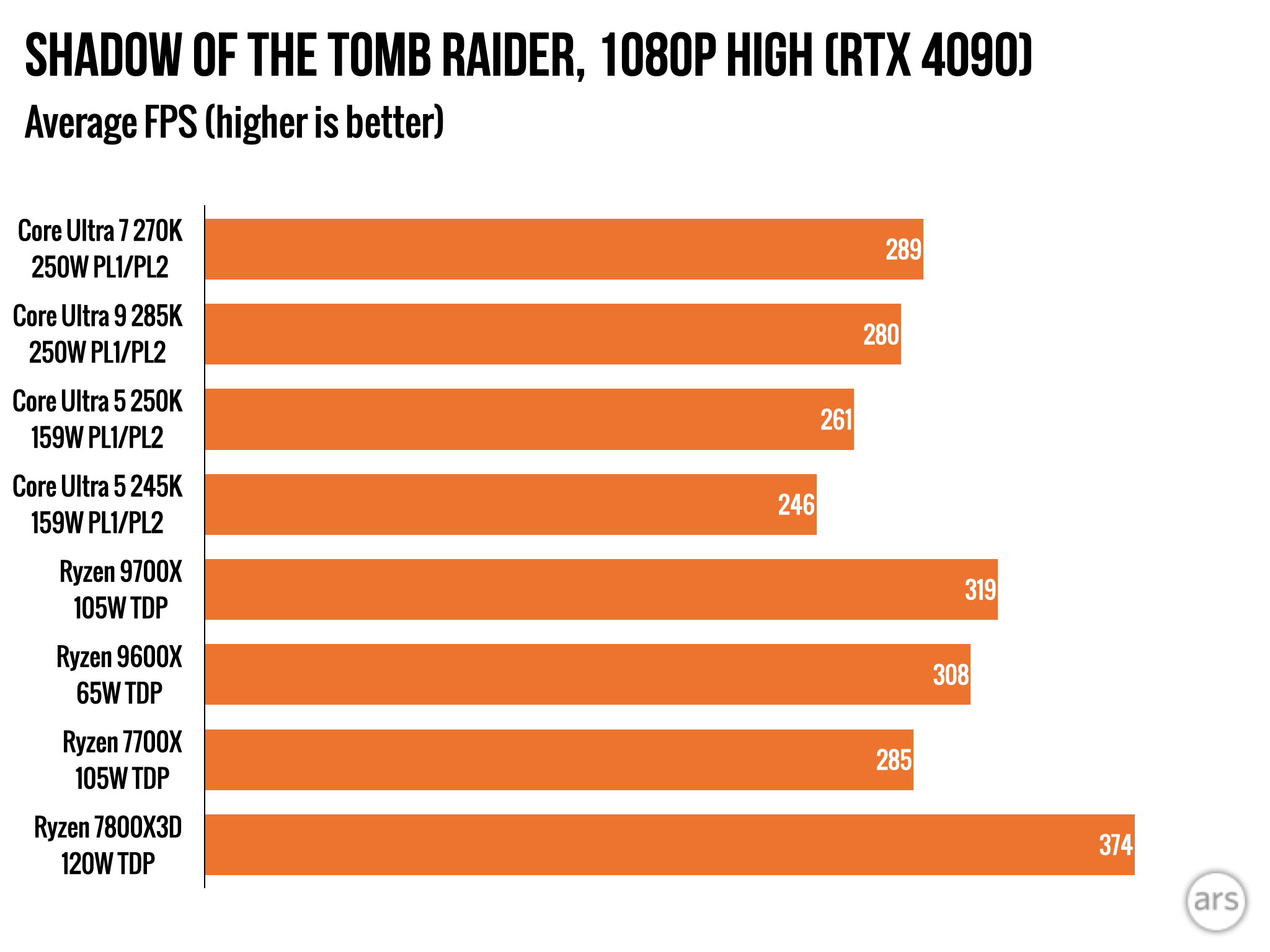
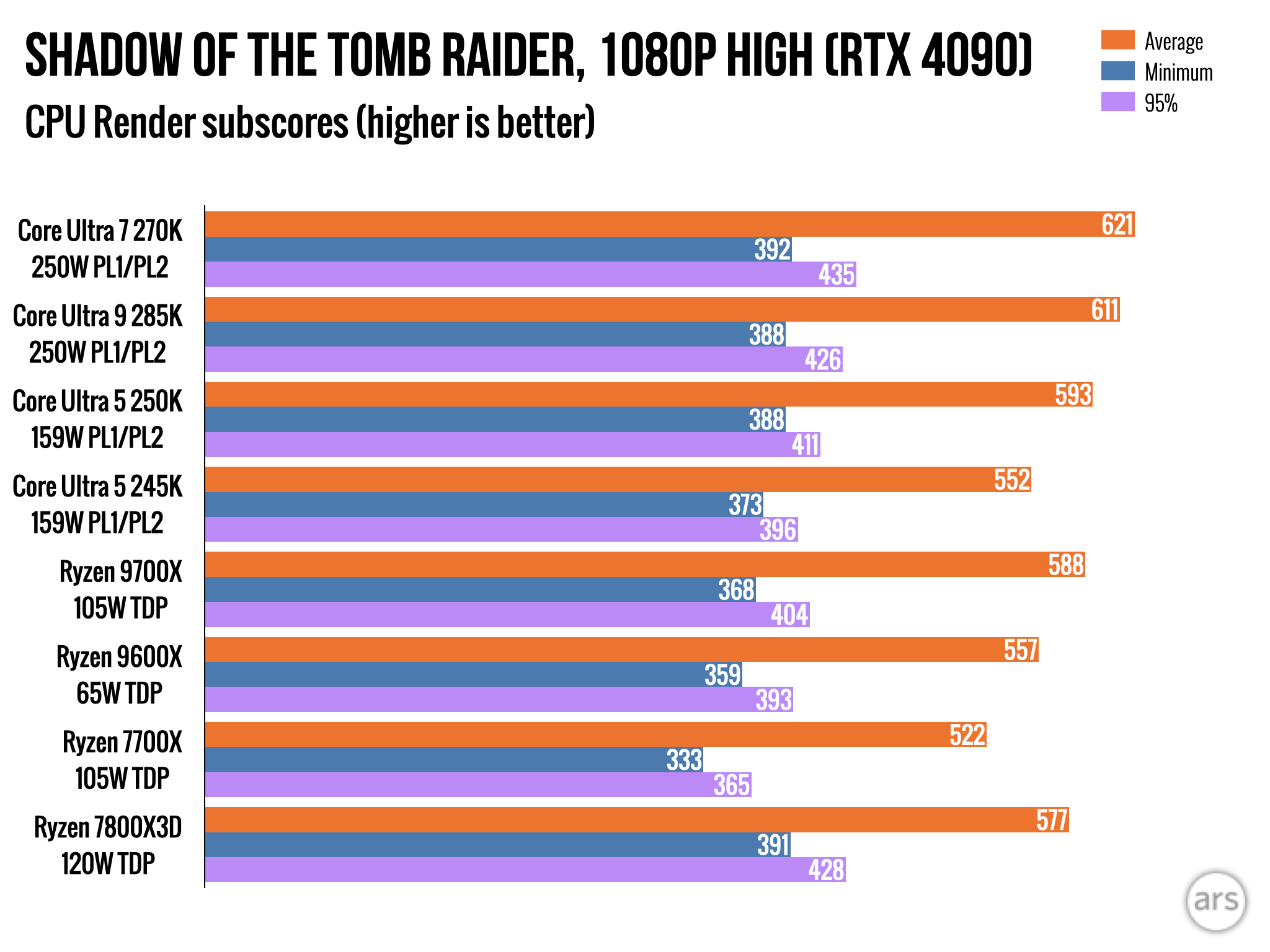
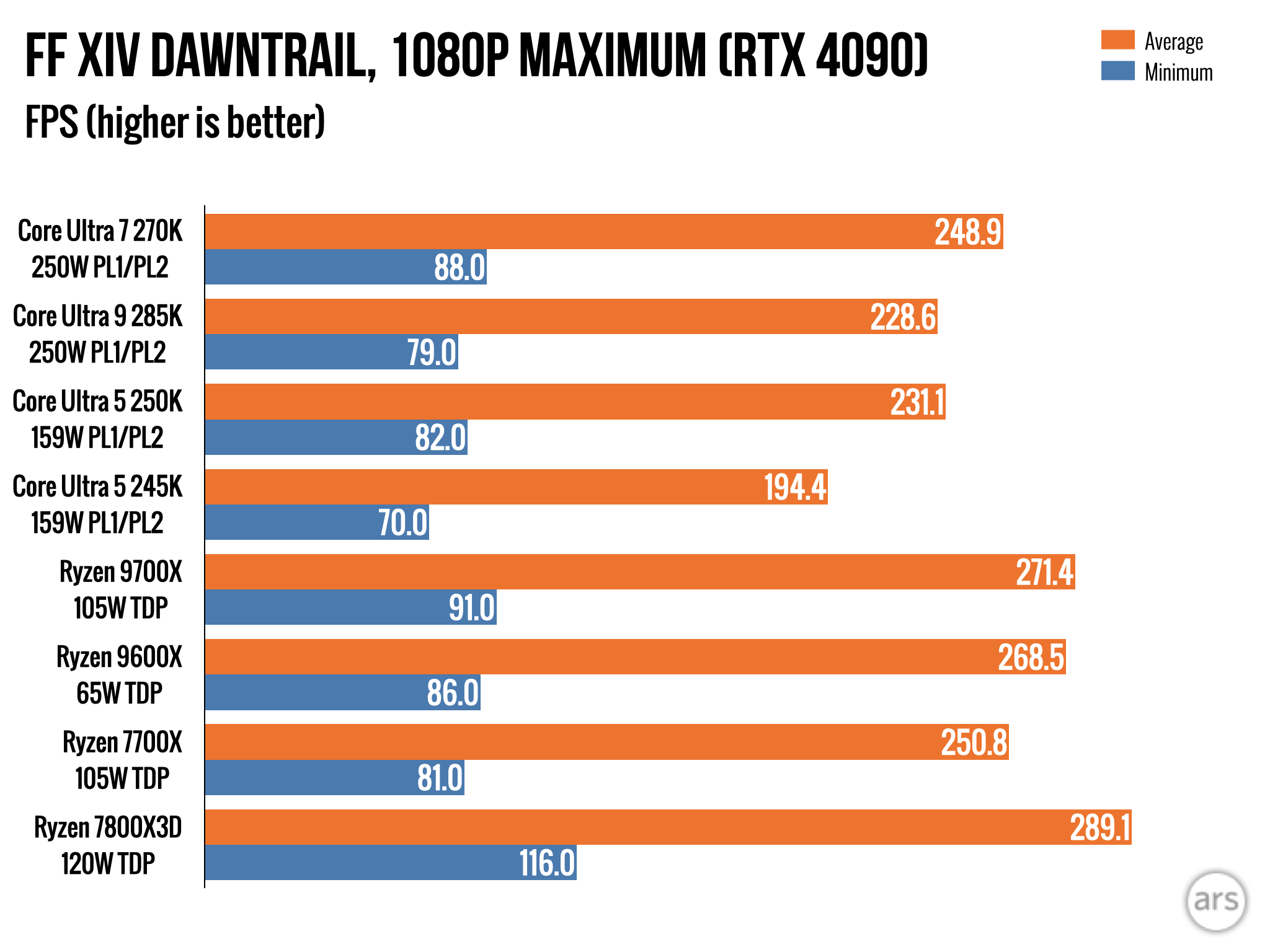
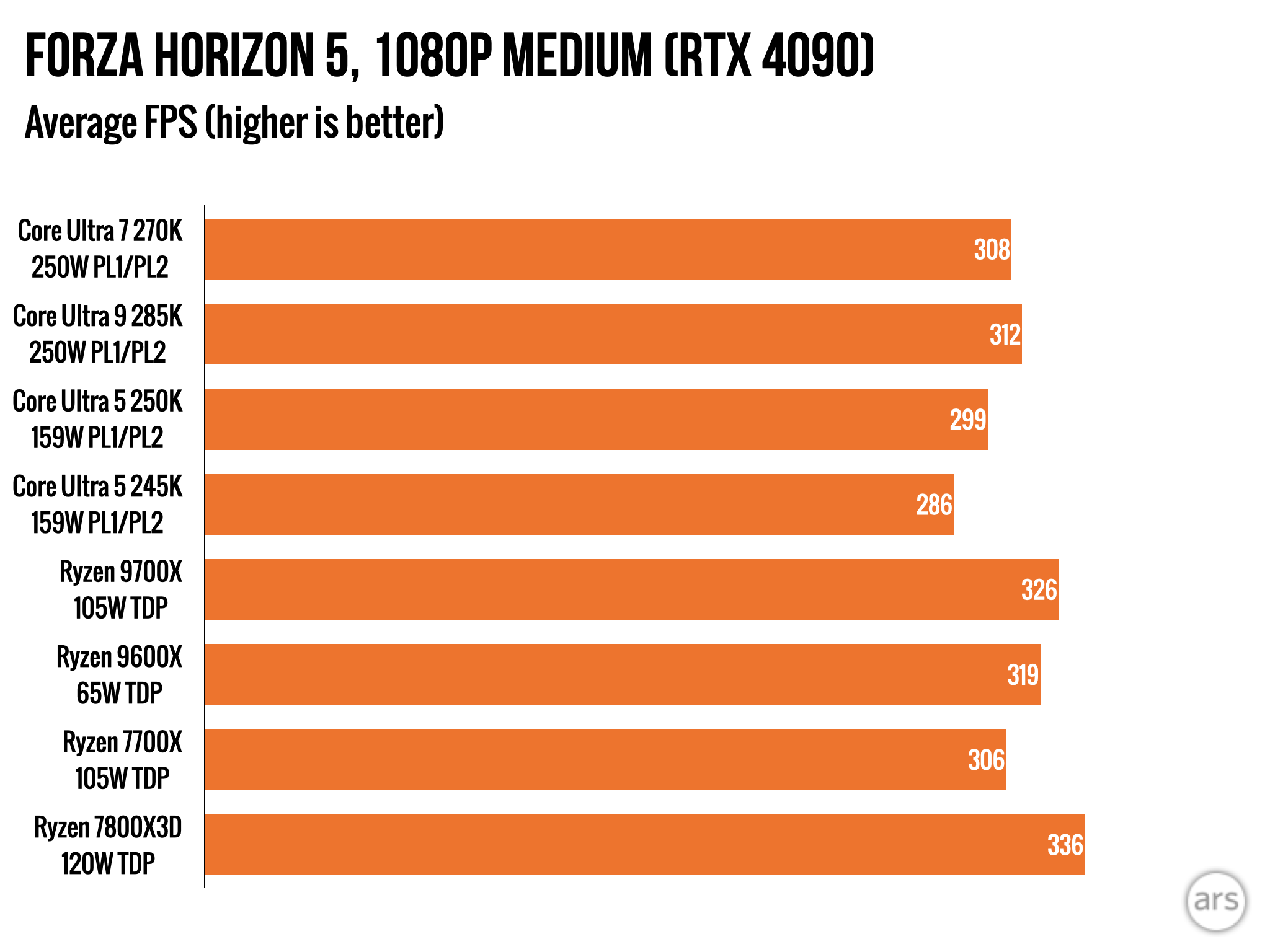
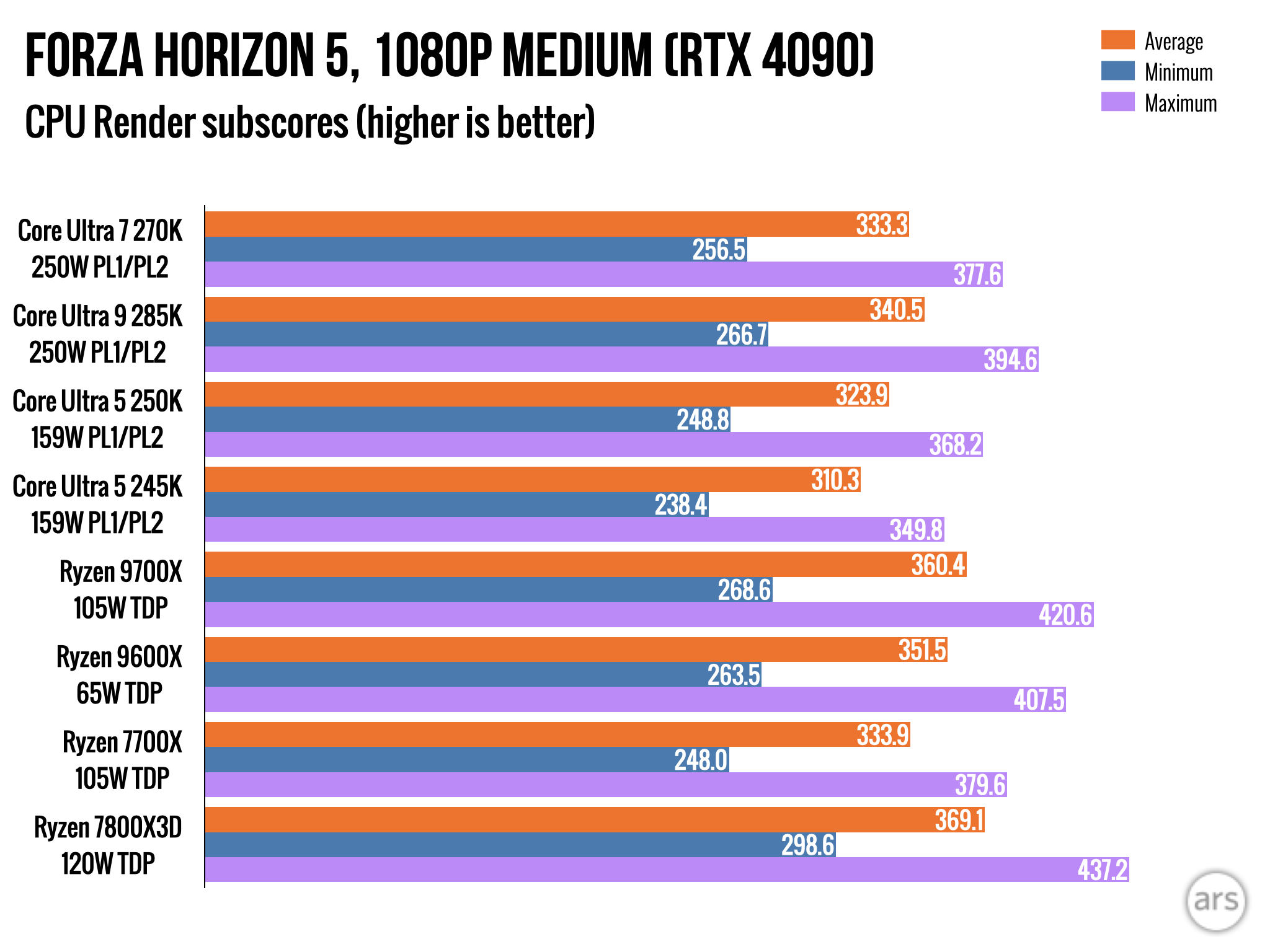
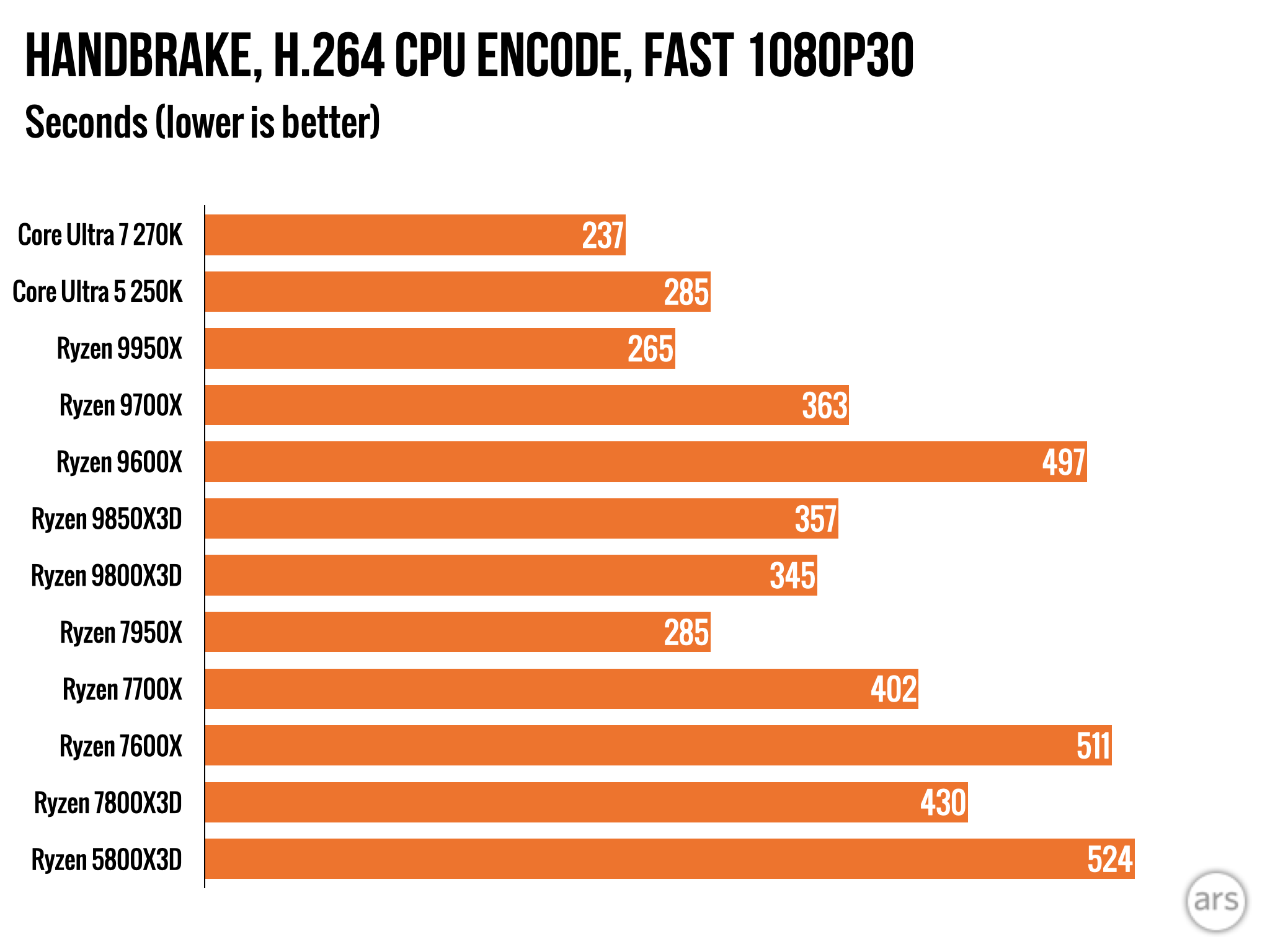
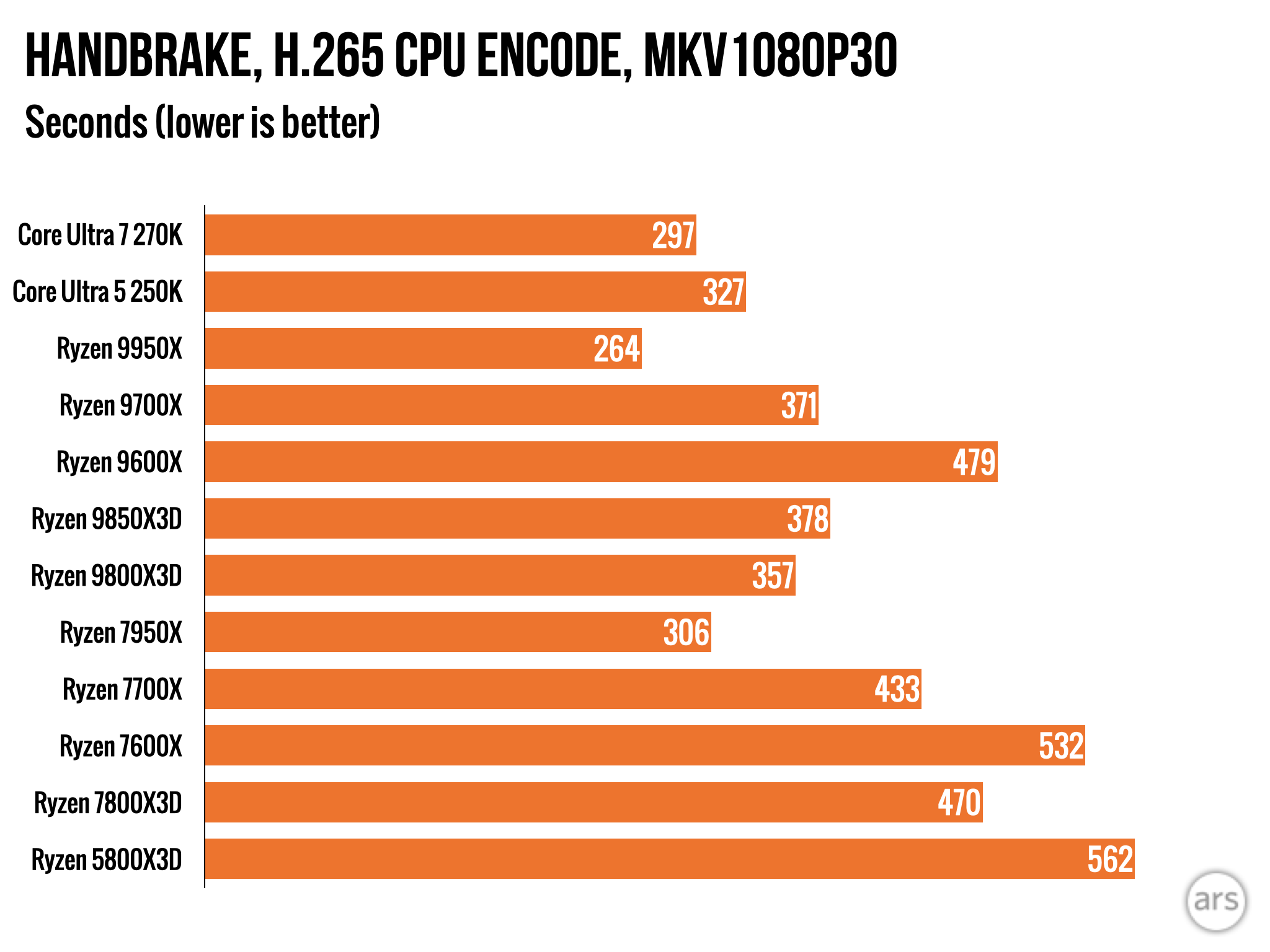
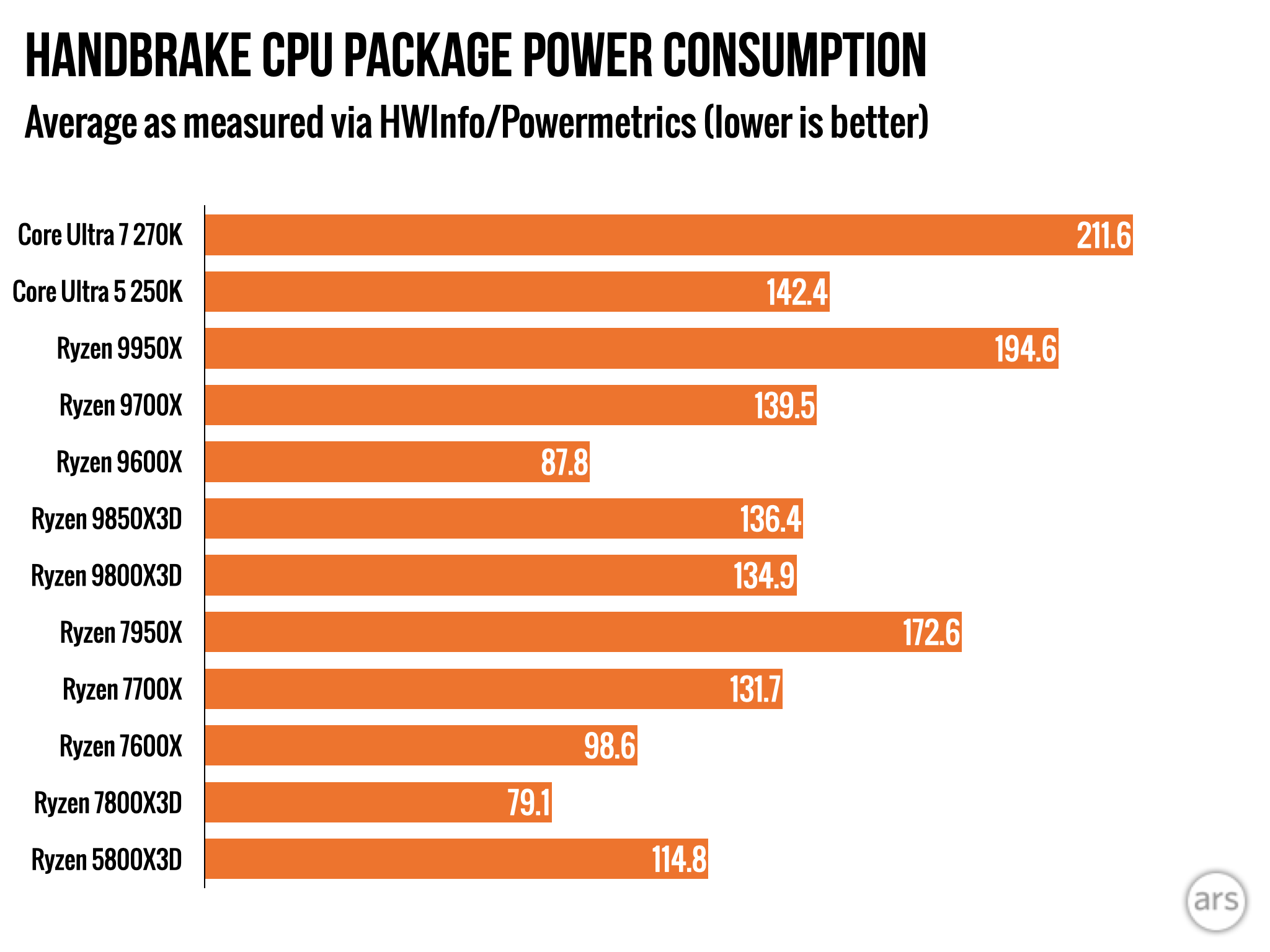
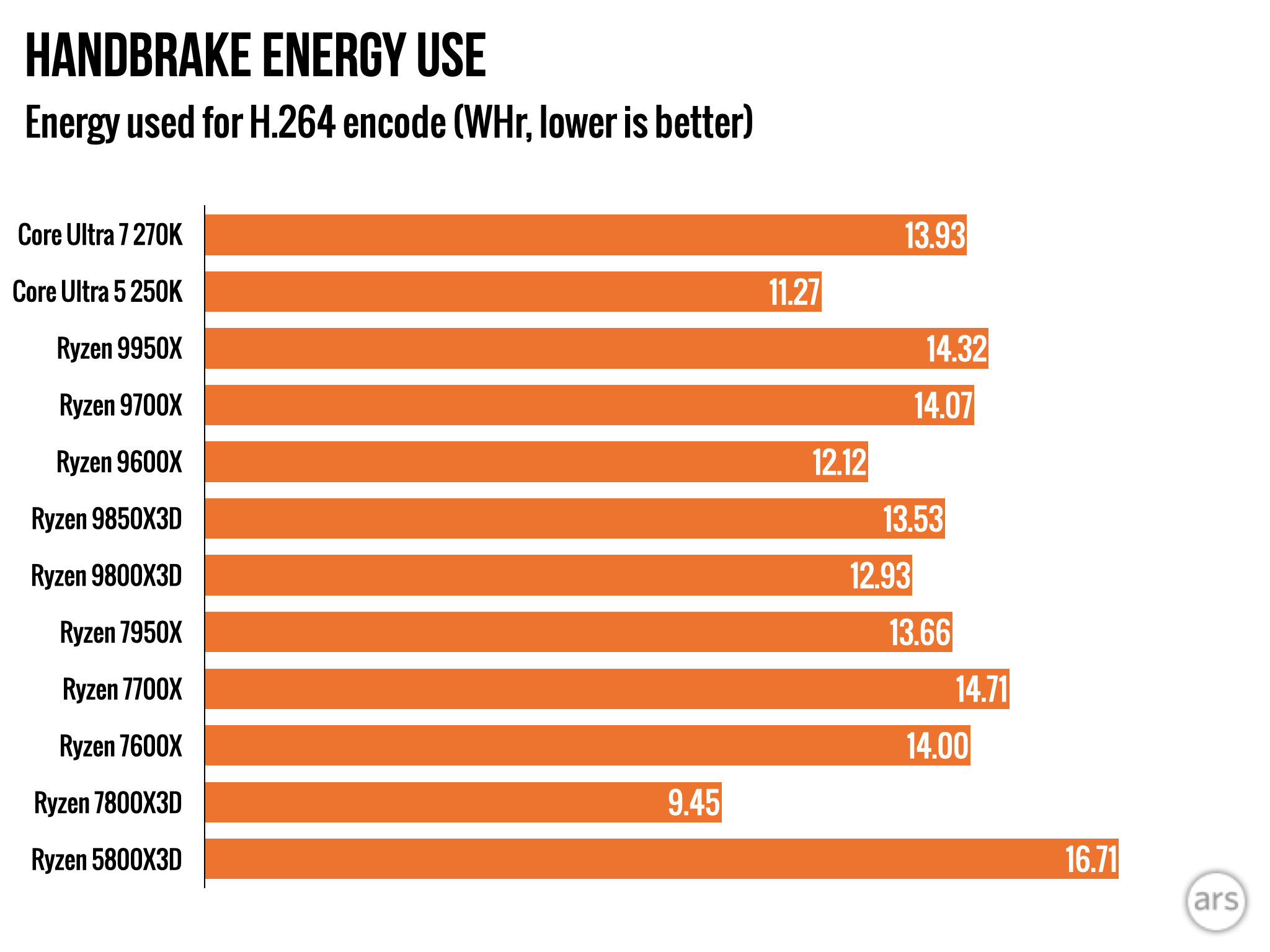
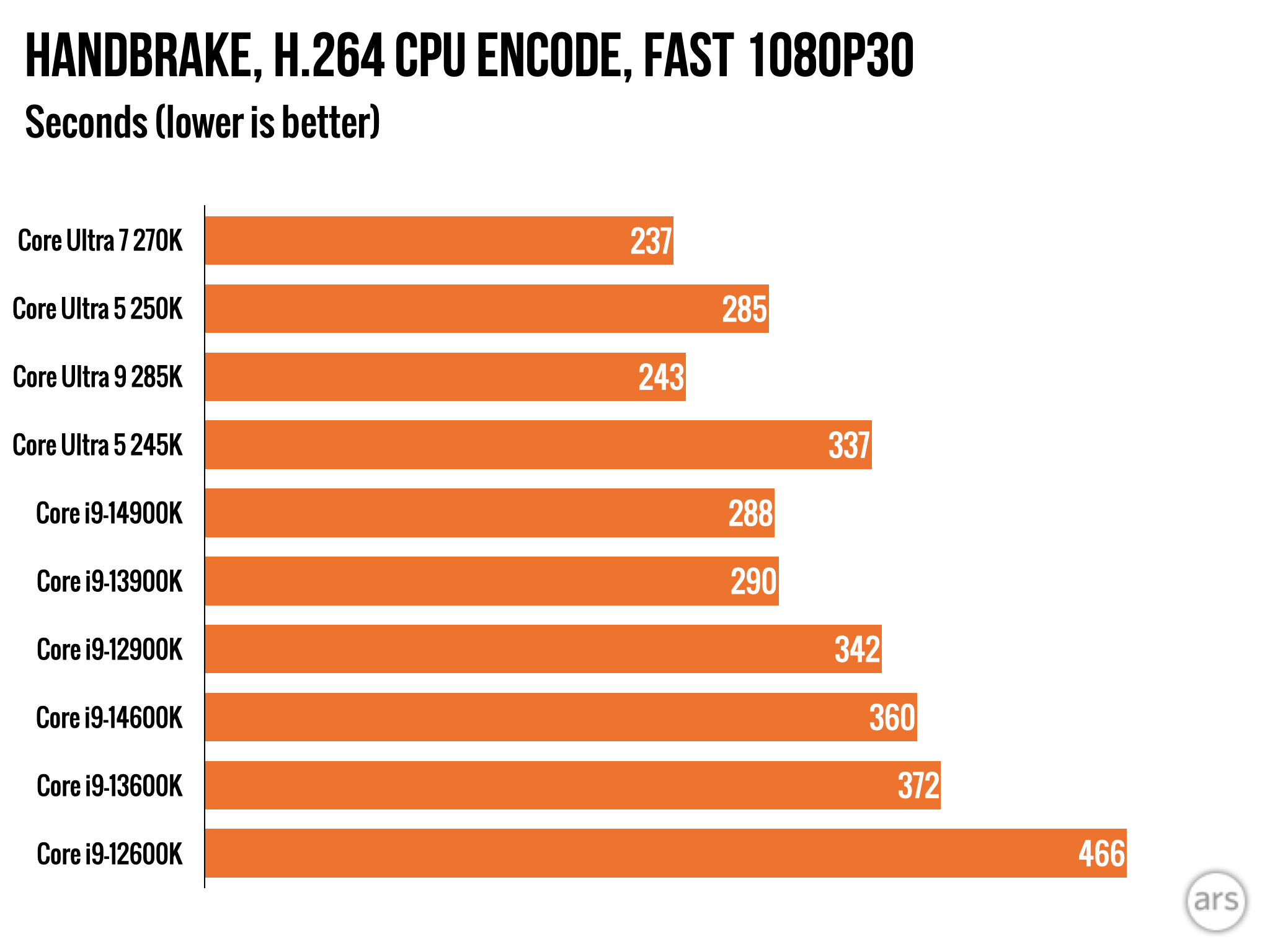
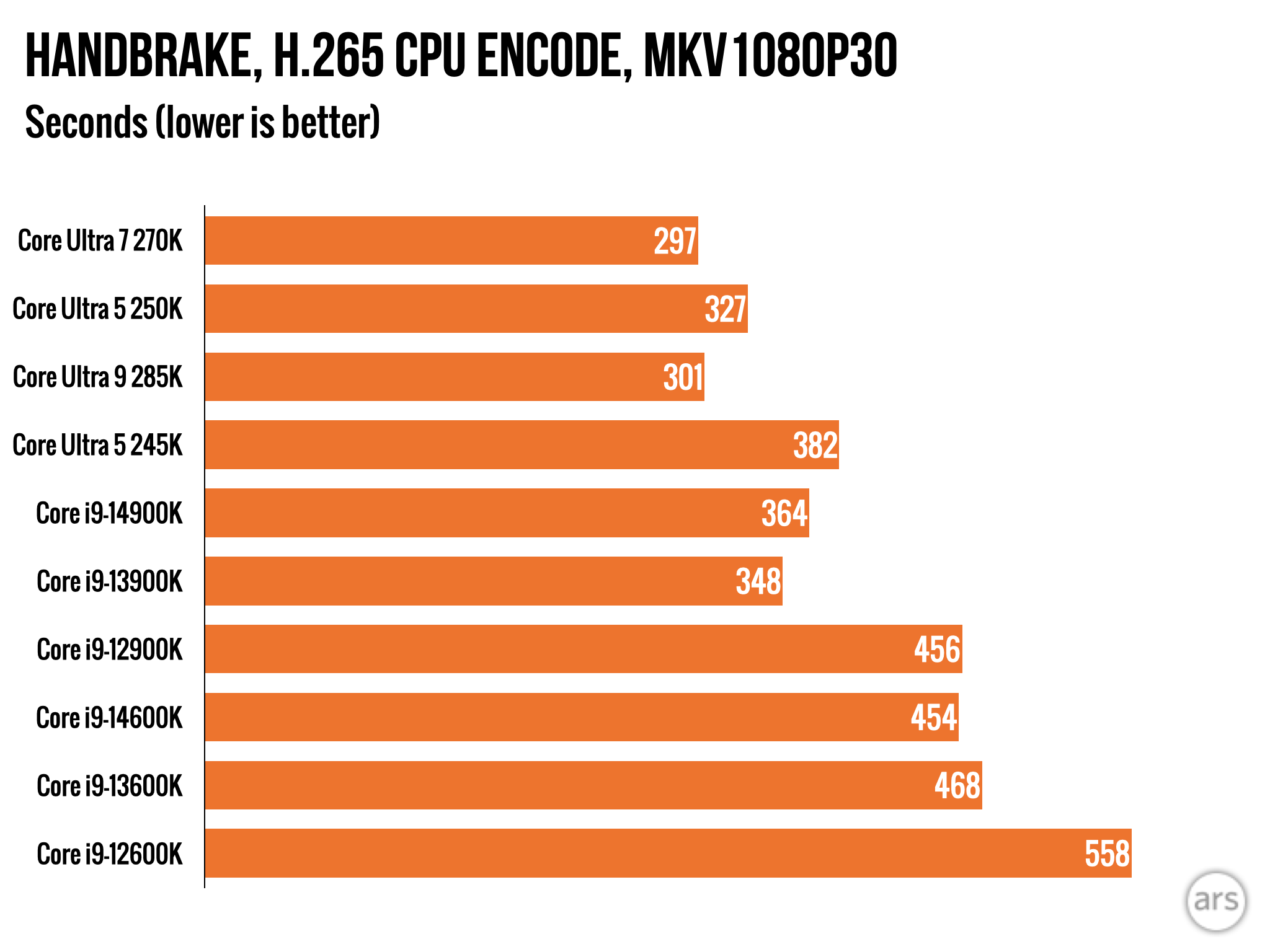
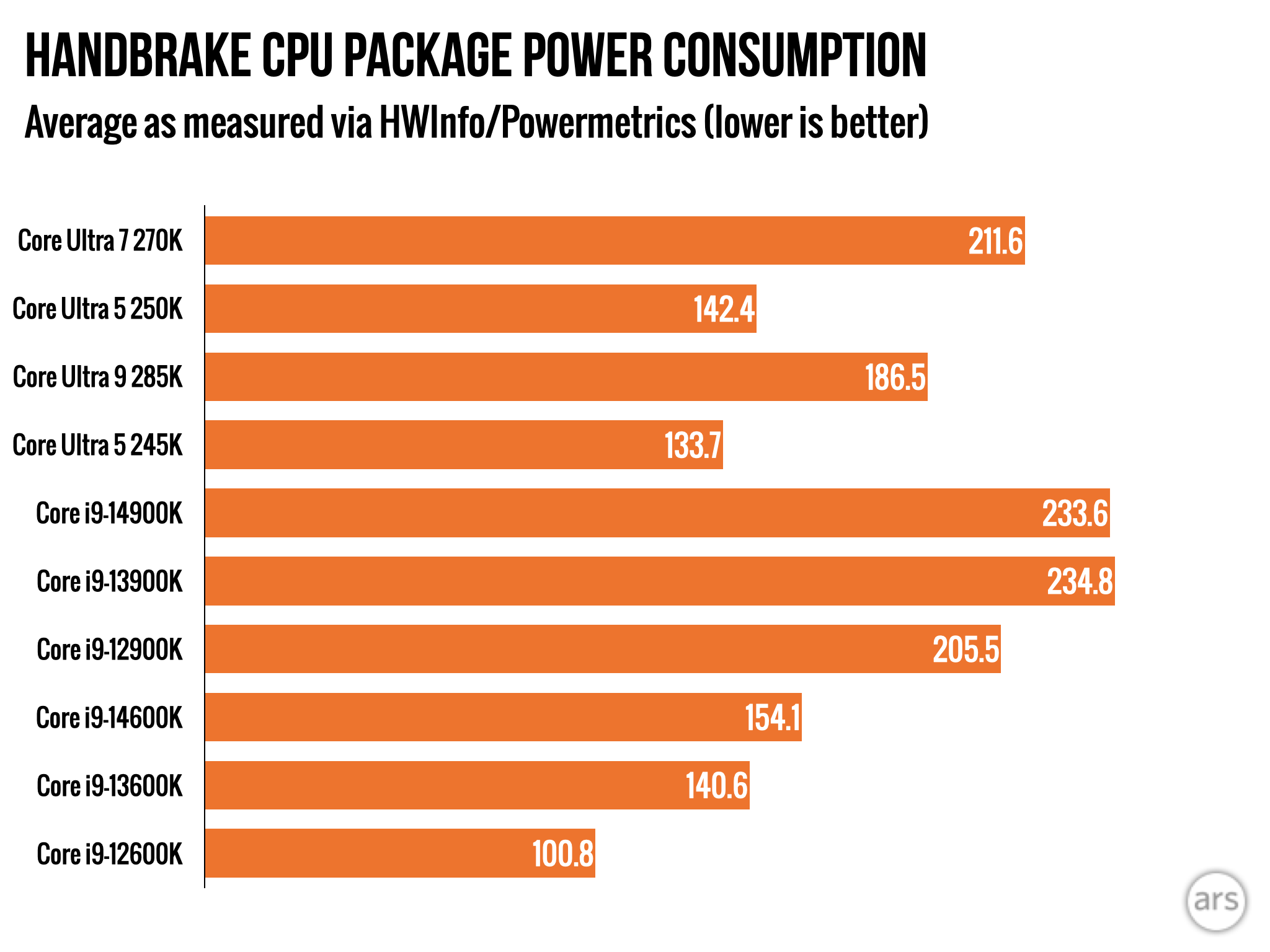
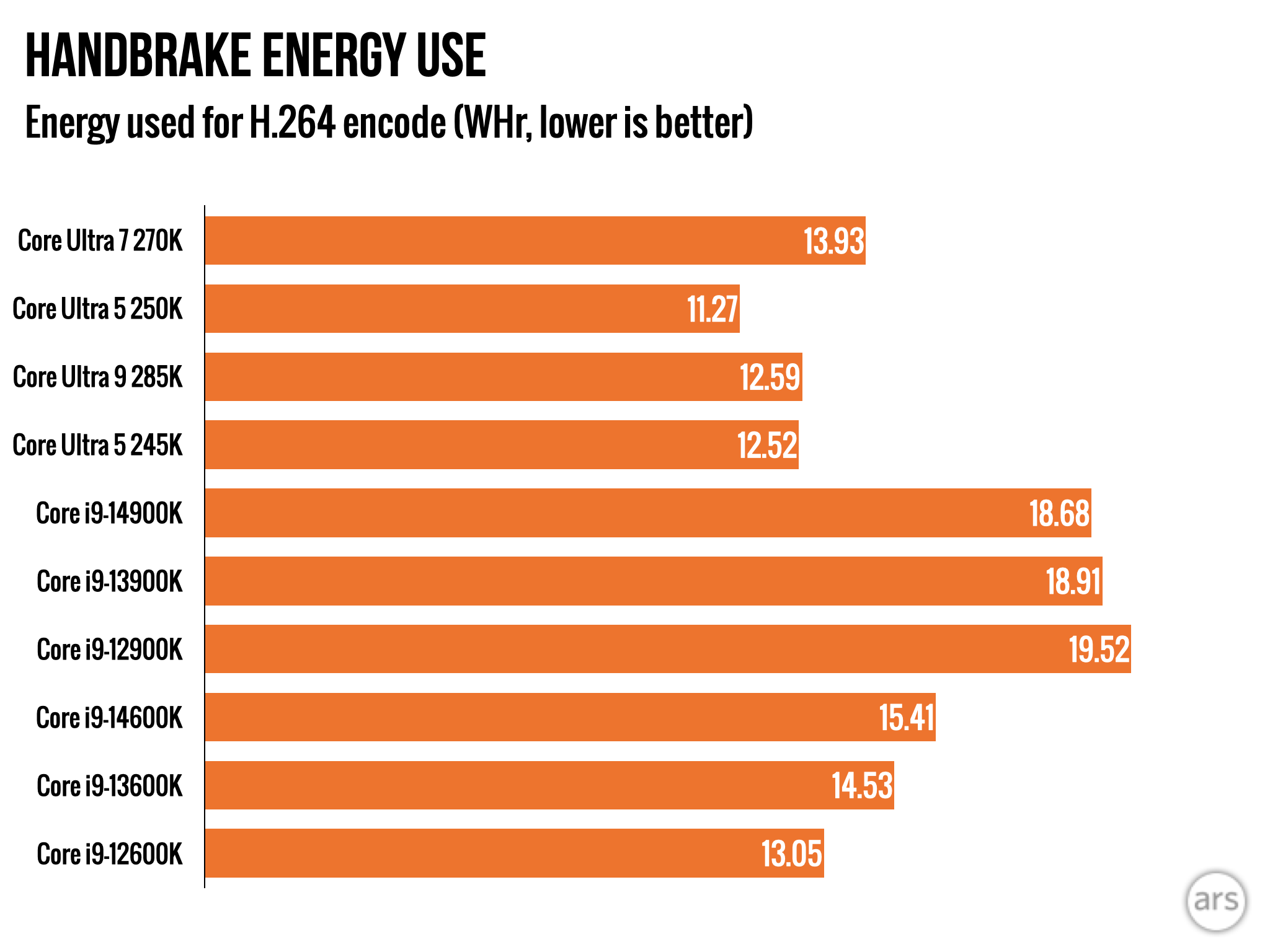
We’ve compared the new Arrow Lake processors to a bunch of different things to put the numbers in context, including Intel CPUs as old as 2021’s Core i9-12900K and i5-12600K, multiple AMD chips from the Ryzen 7000 and Ryzen 9000 series, and even the old Ryzen 5800X3D. (This has resulted in an ungodly number of charts; the first set above is probably the most directly relevant if you don’t want to dig through the rest.)
But bear in mind Intel’s pricing here—at $199 and $299, these CPUs’ most direct competition is coming from AMD’s 6- and 8-core non-X3D processors, in particular the Ryzen 9600X, 7700X, and 9700X. We don’t have one to test, but the Ryzen 7600X3D also sits right around $300 and could be an option if game performance is way more important to you than any other kind of performance.
We’ve generally stuck to the default power settings for all the chips, though we did use the higher-performing 105 W power setting for the Ryzen 9700X.
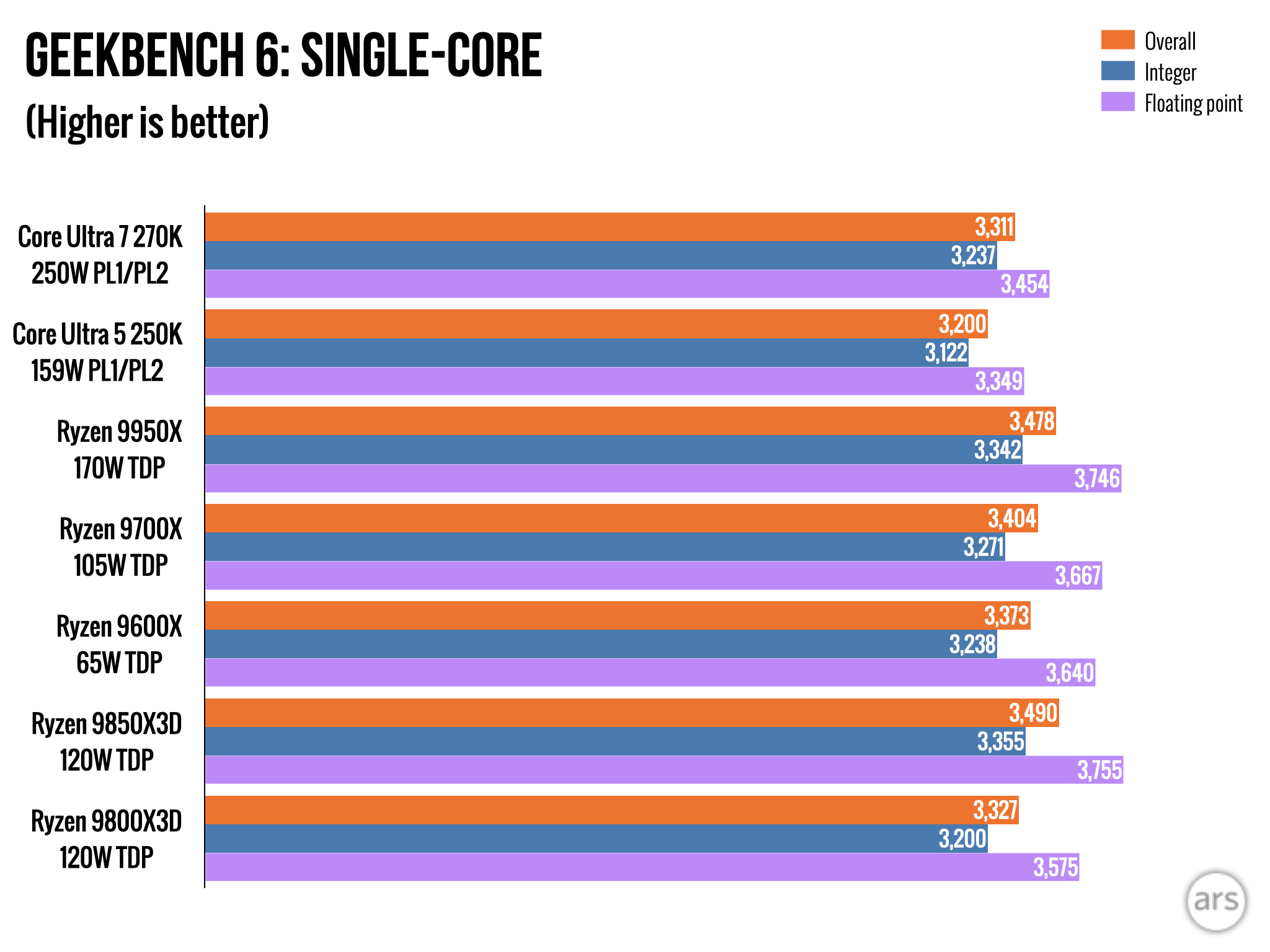
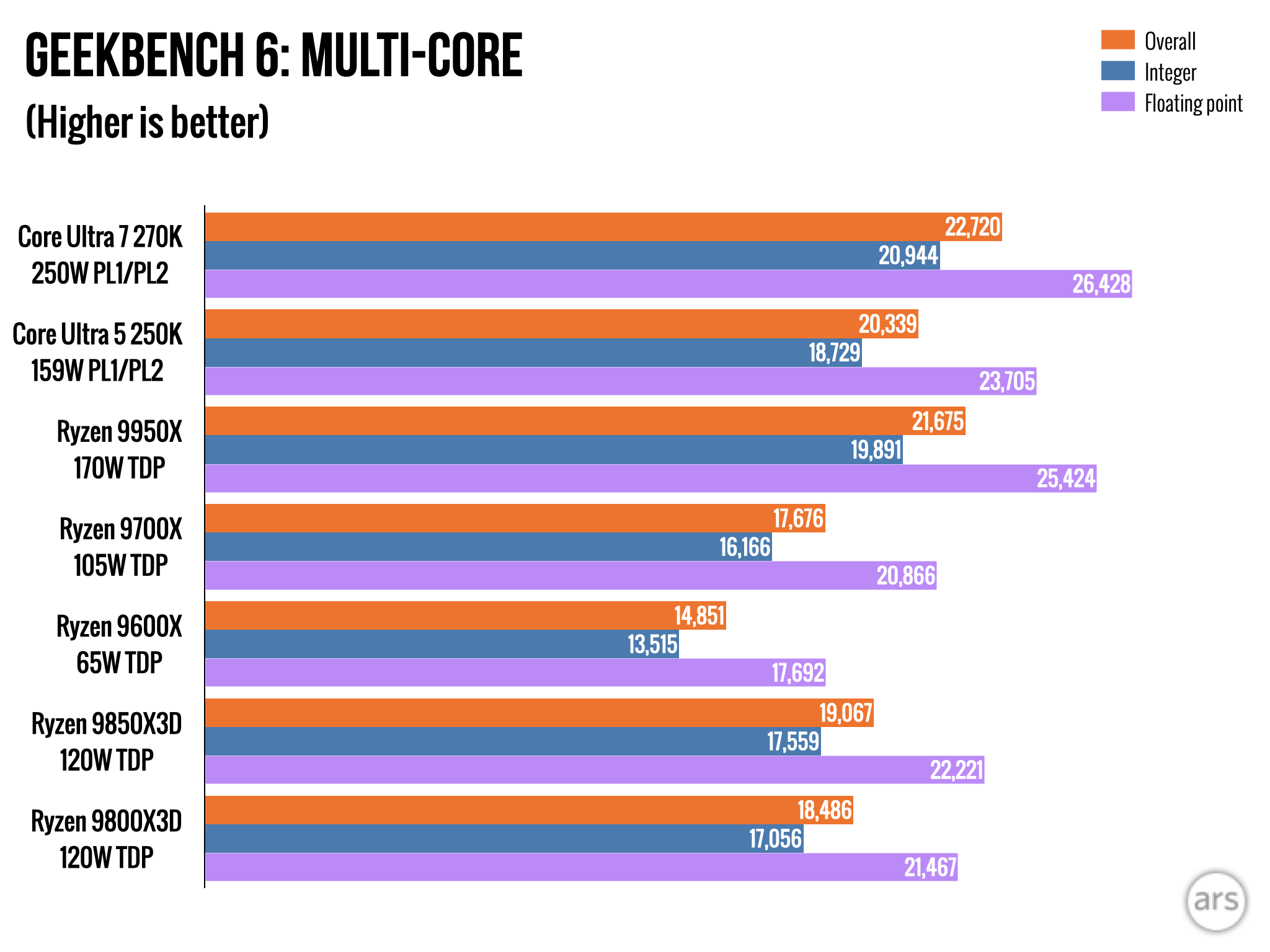
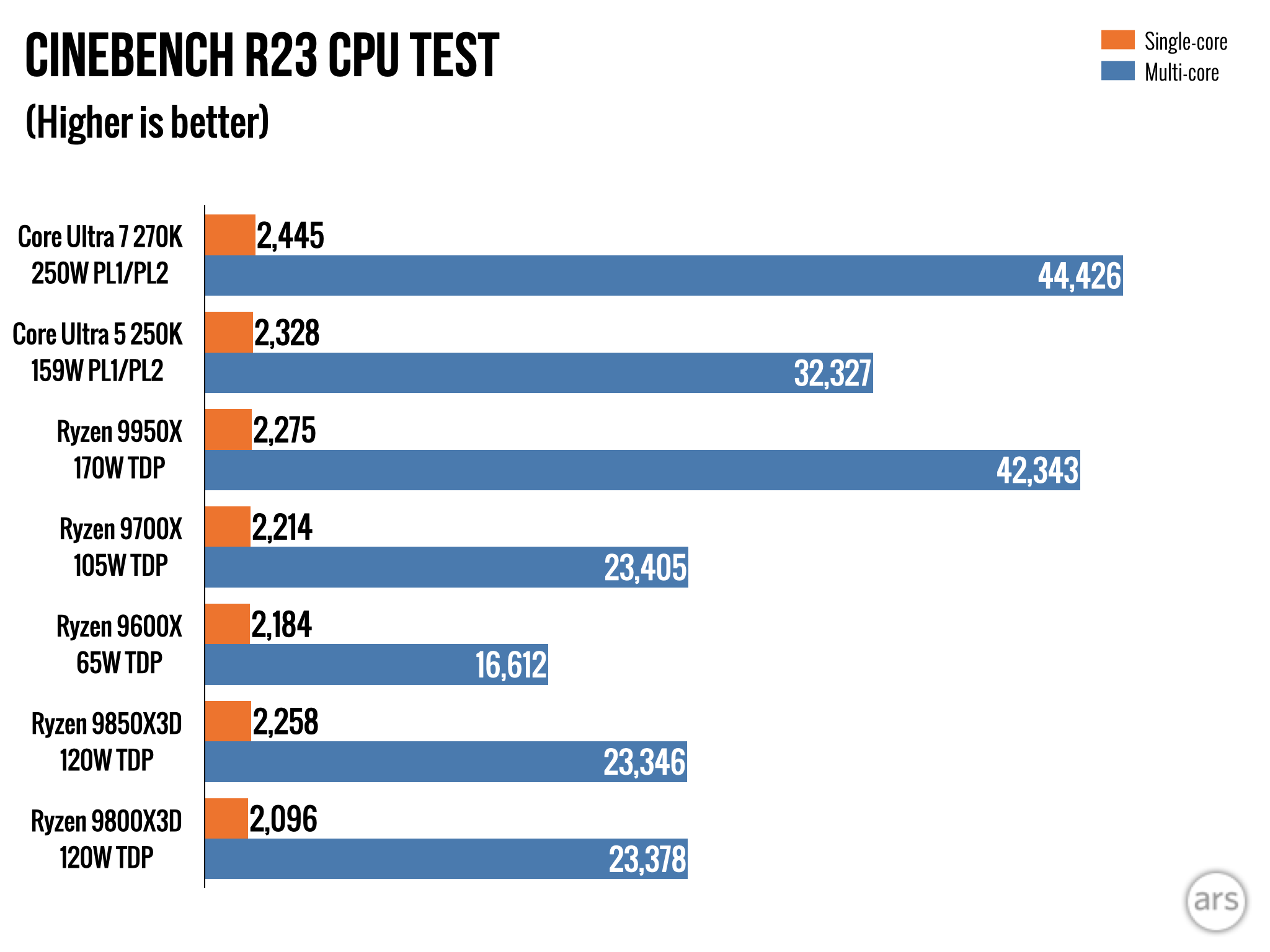
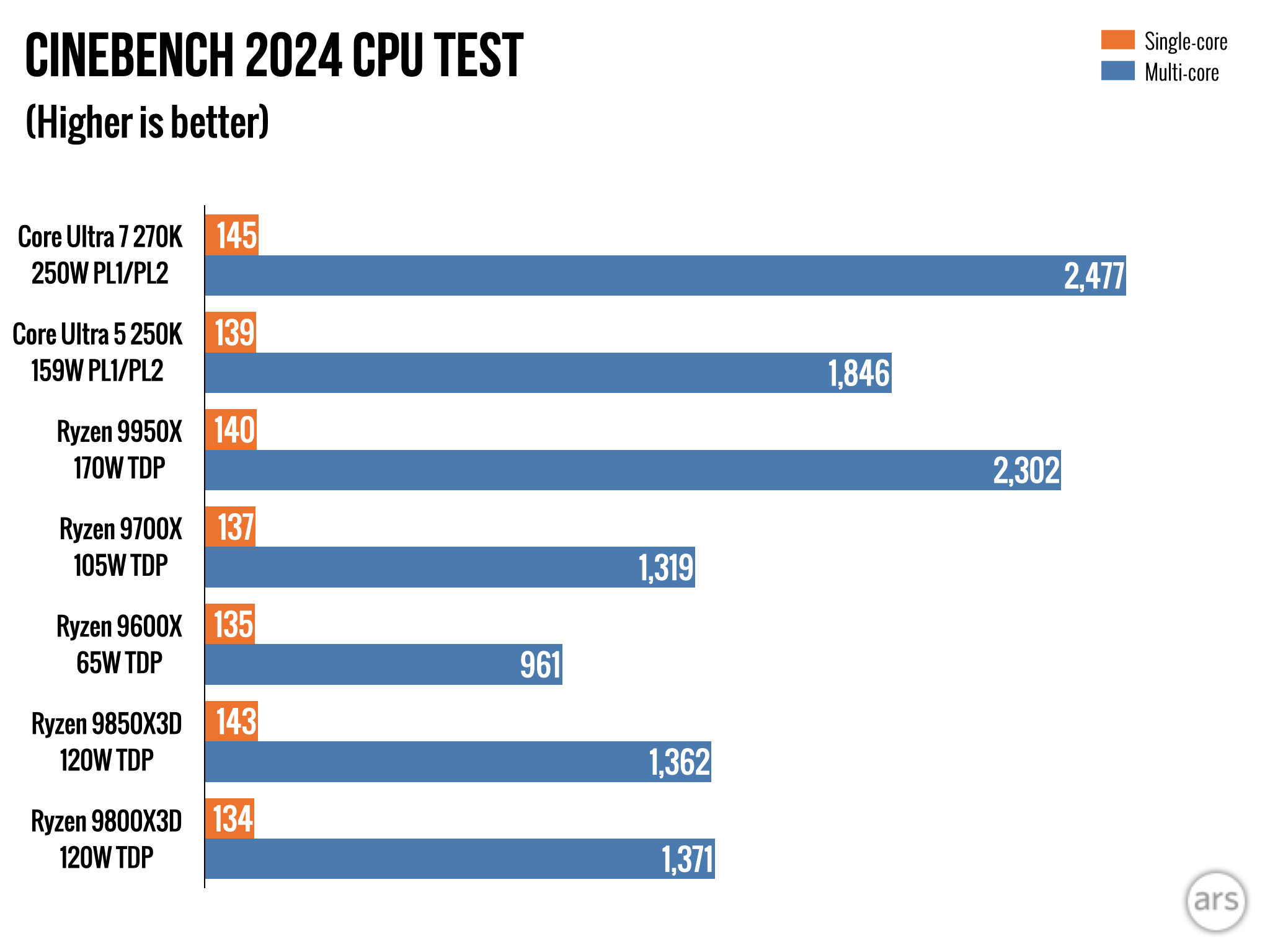
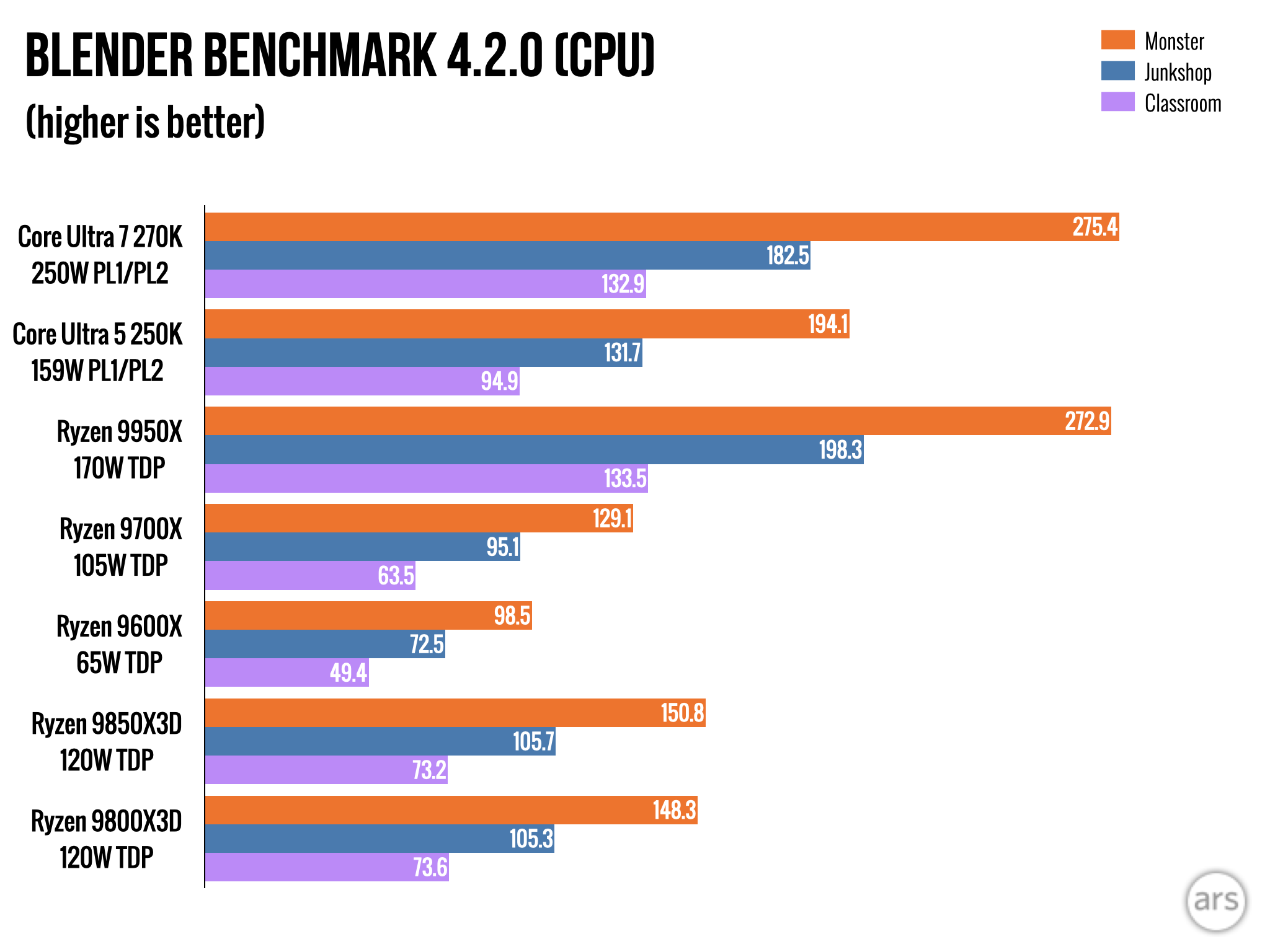
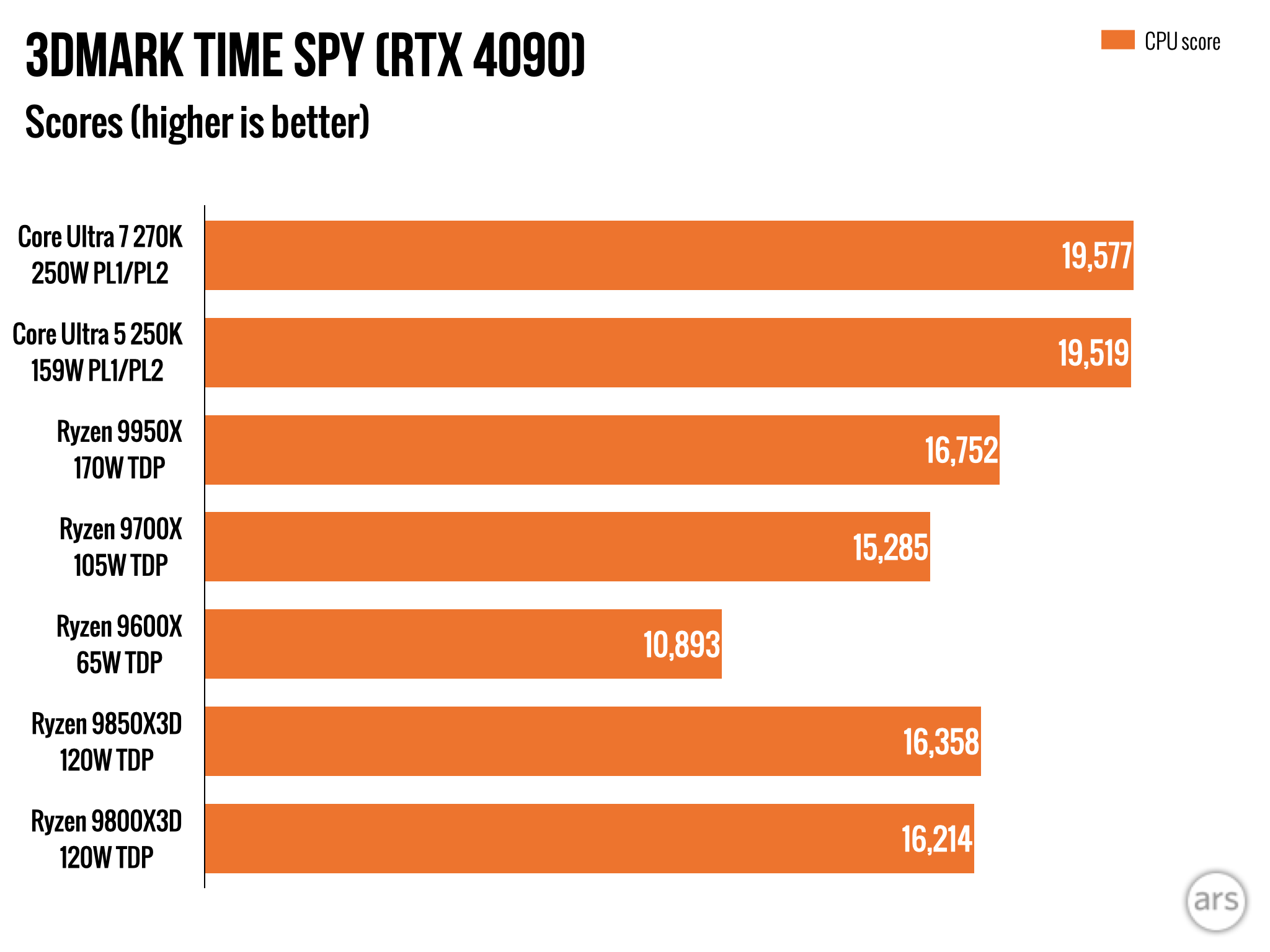
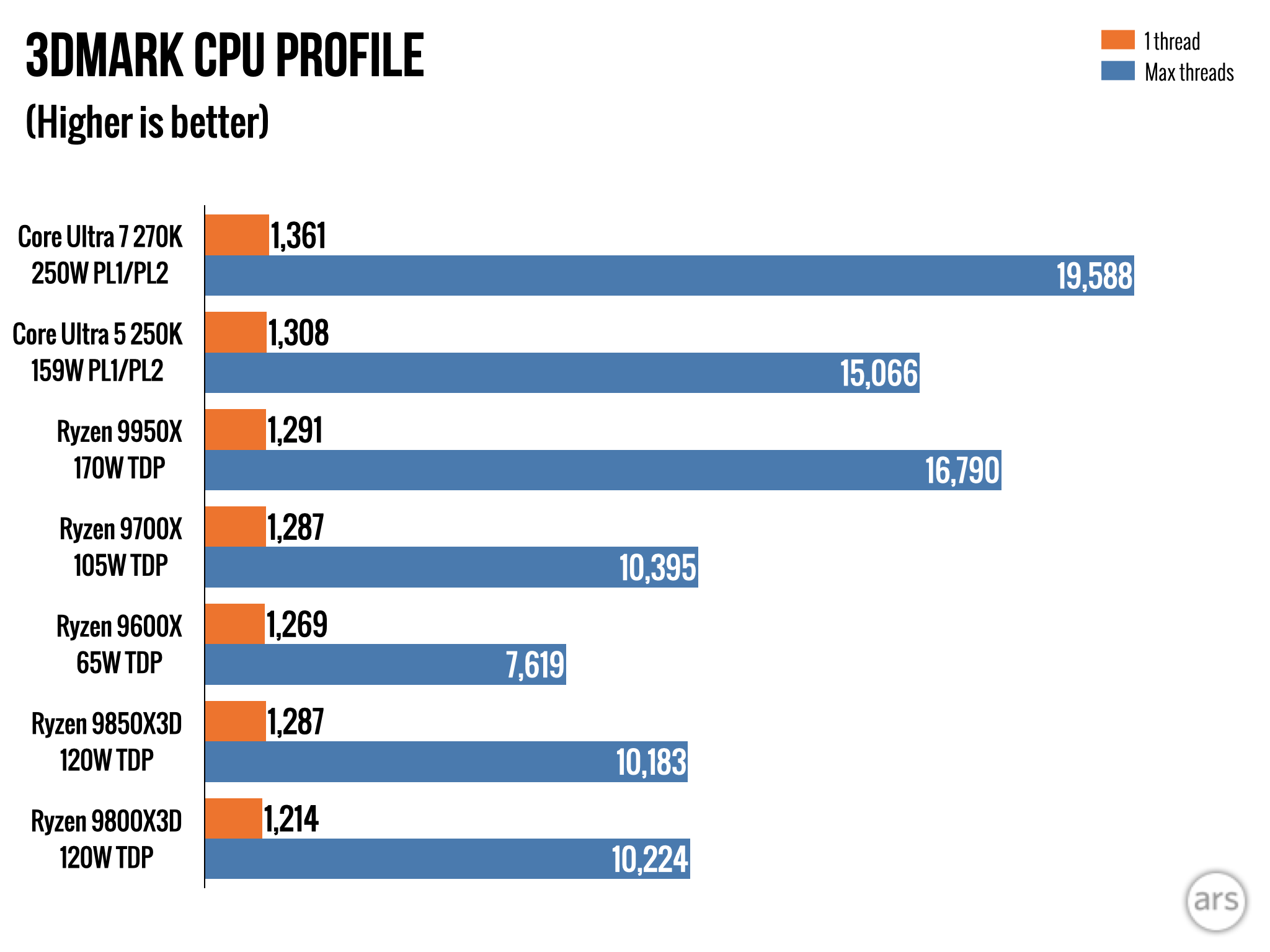
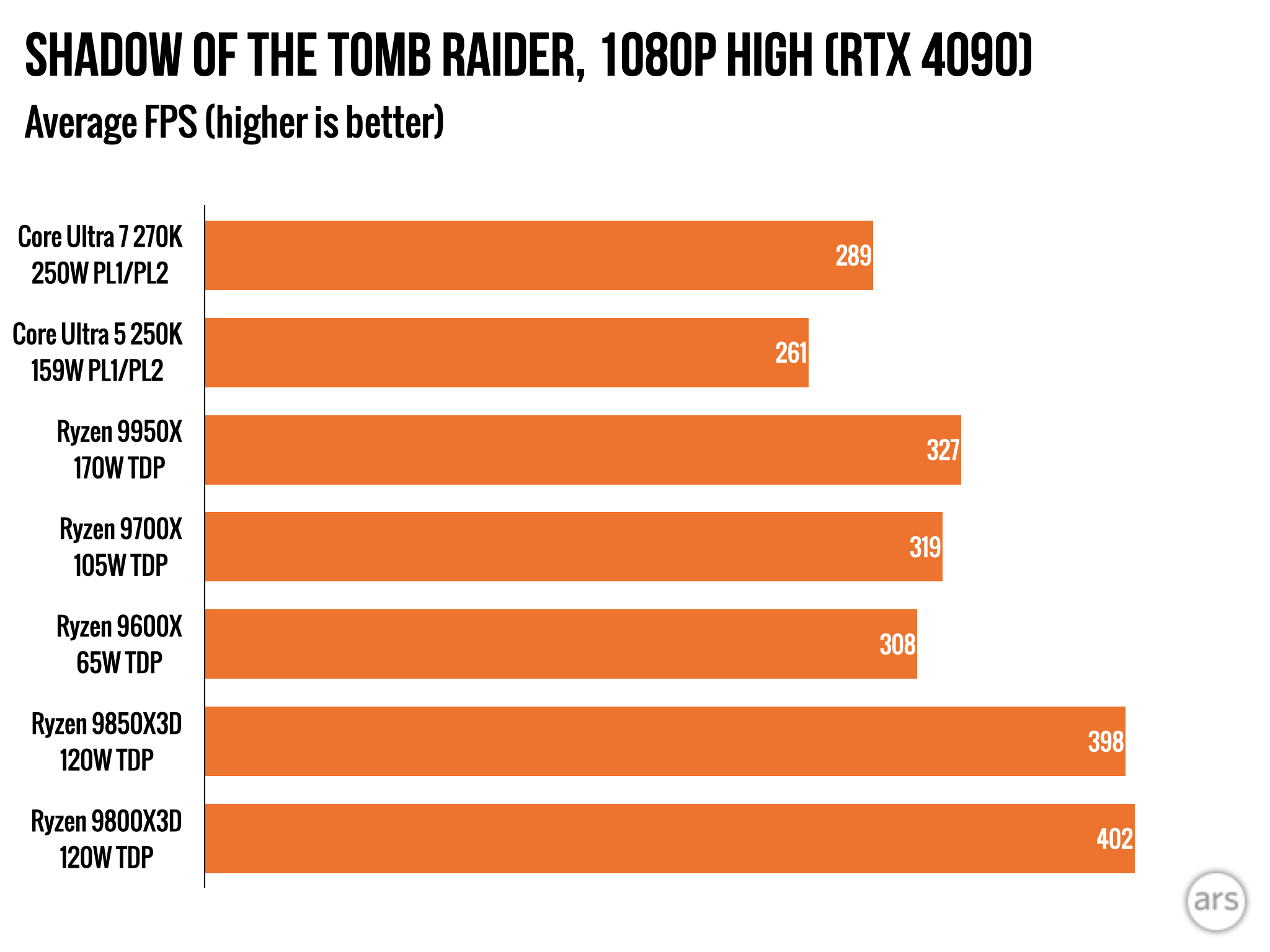
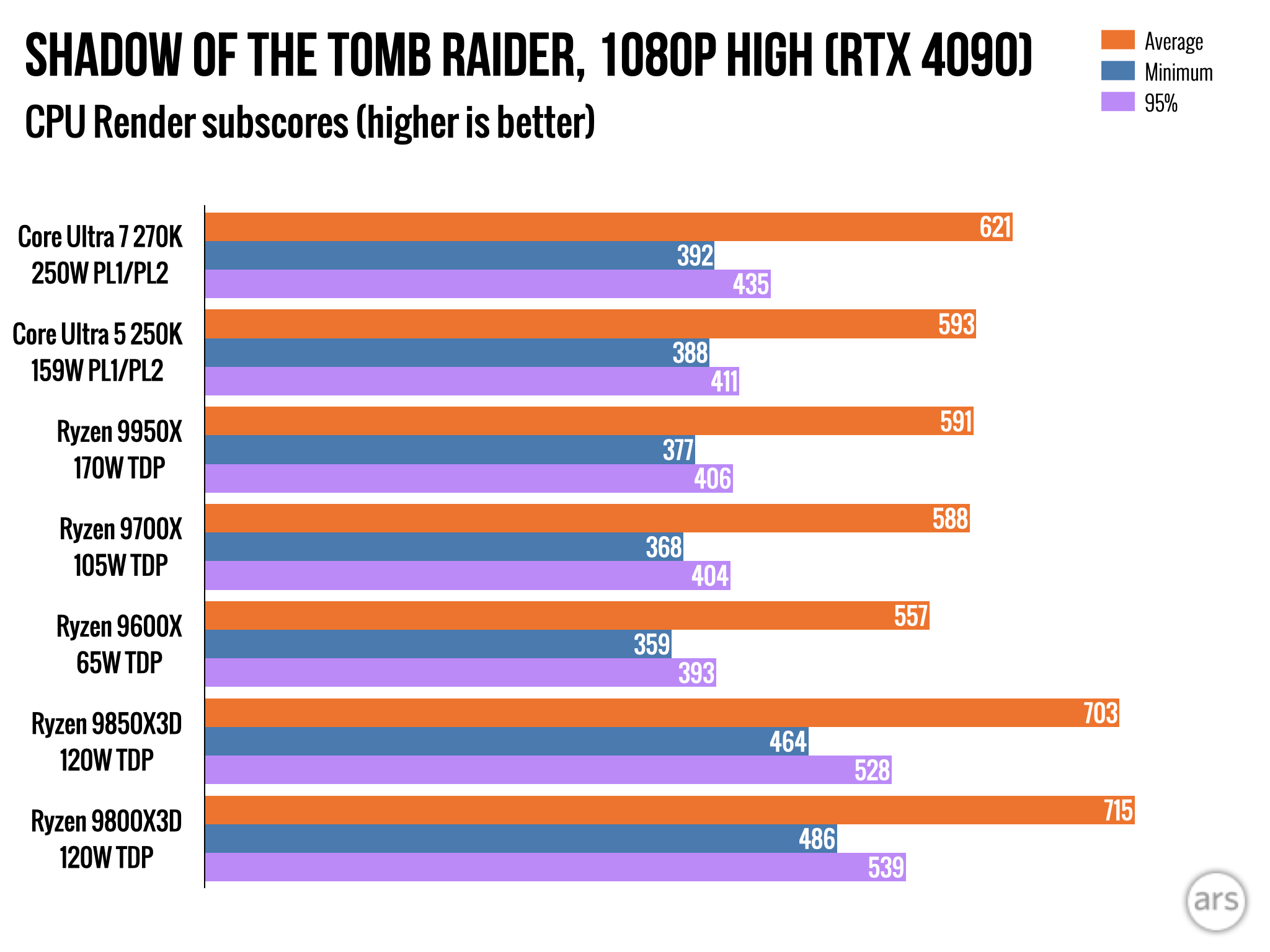
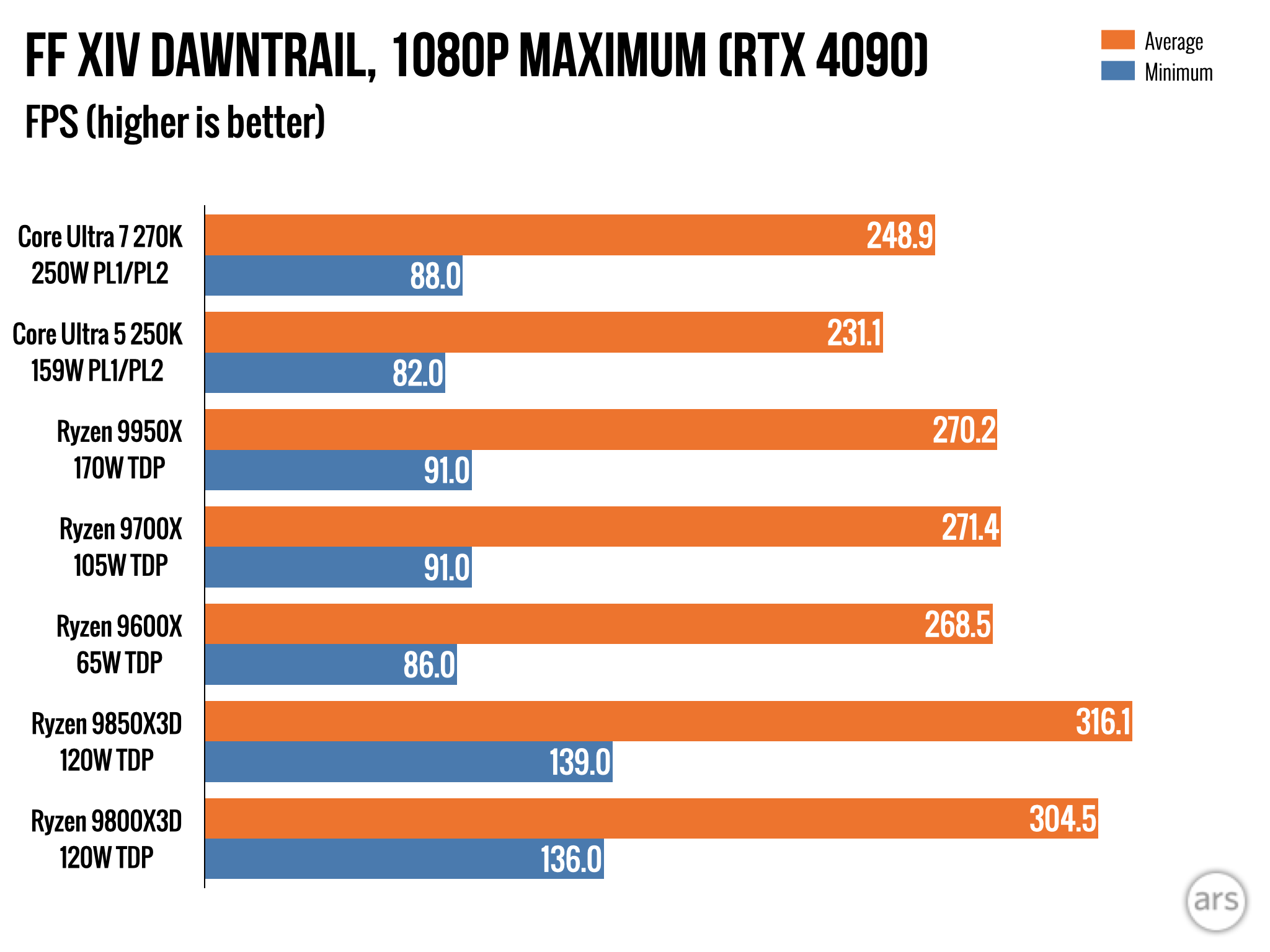
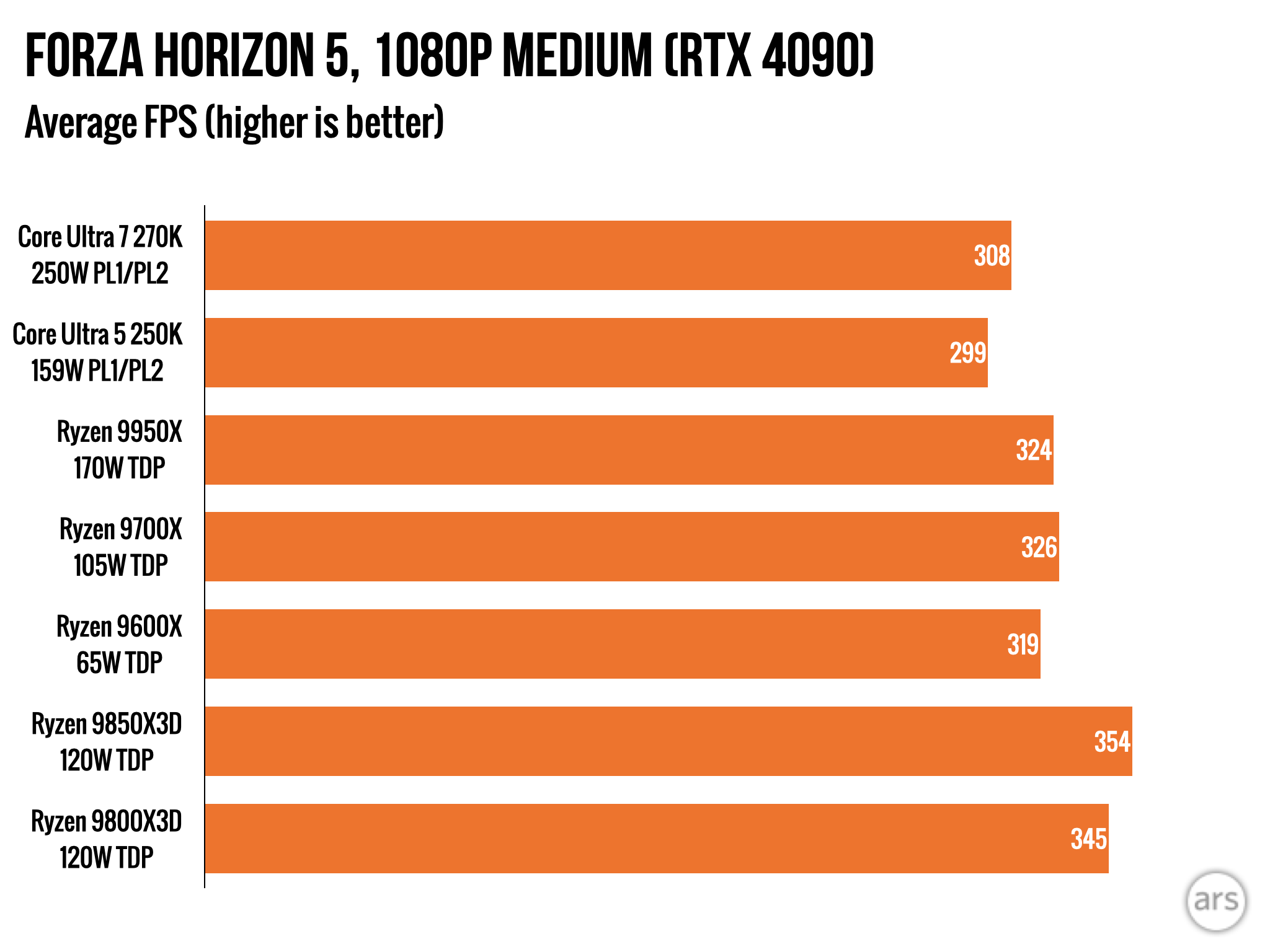
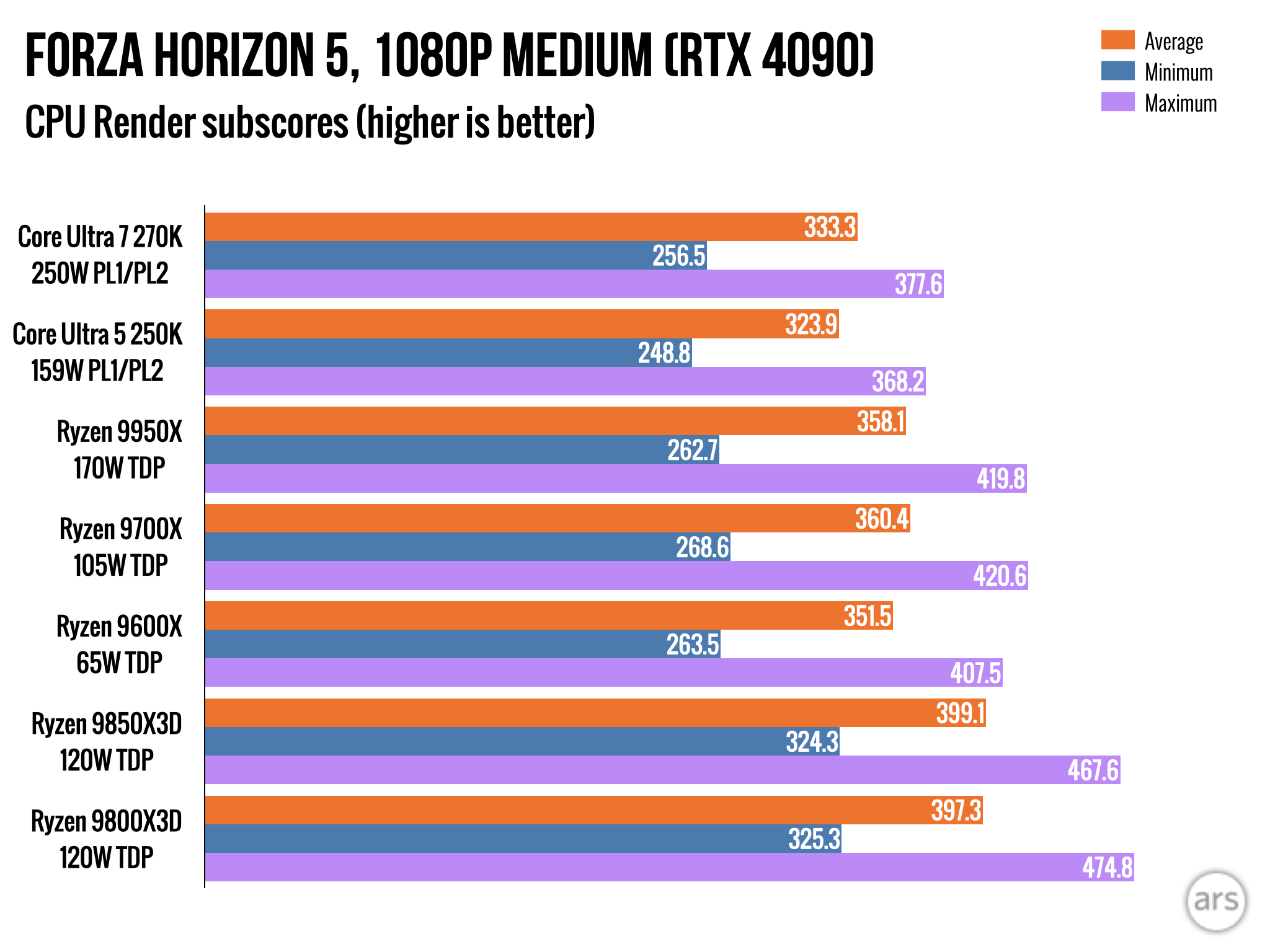
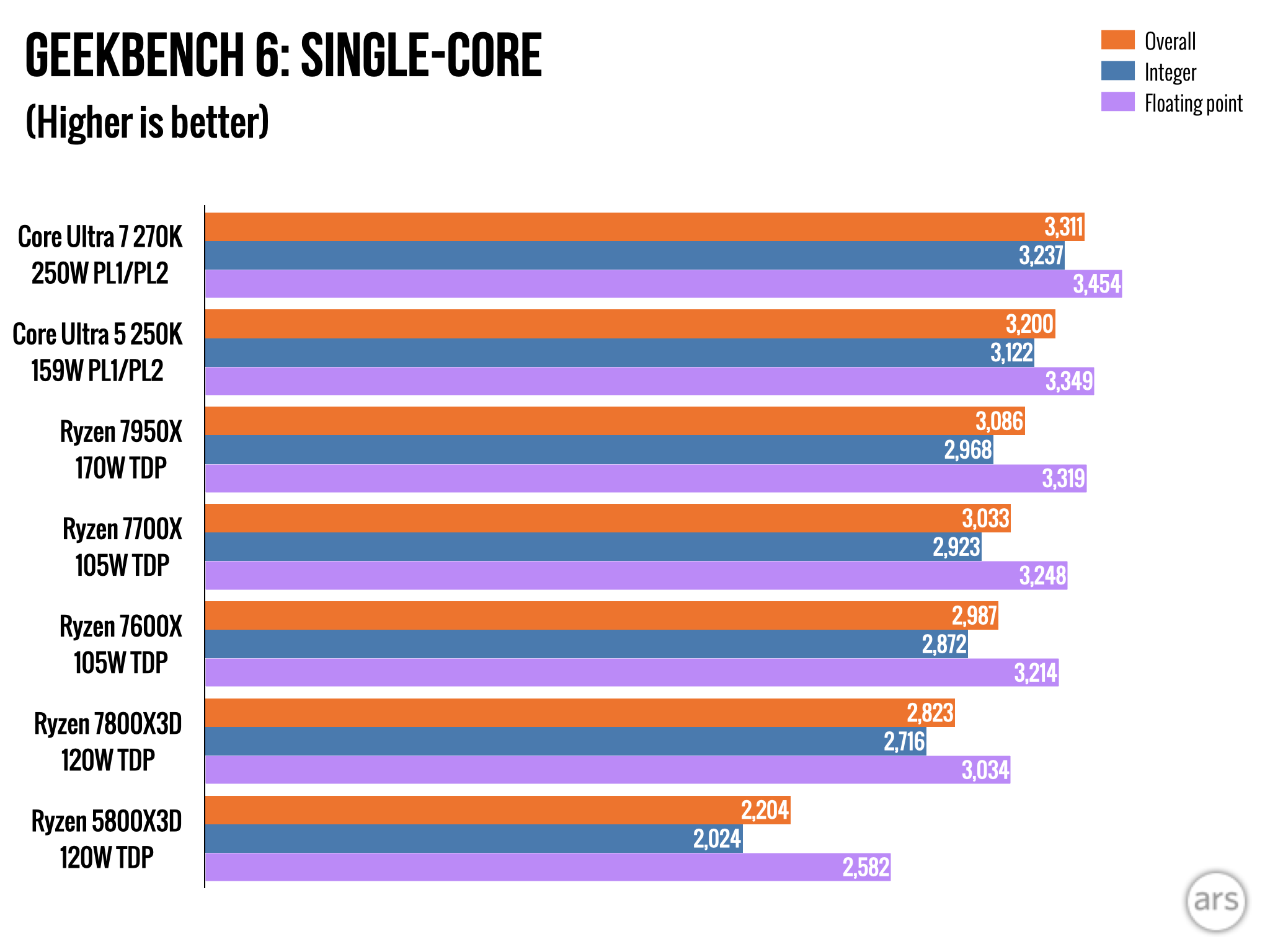
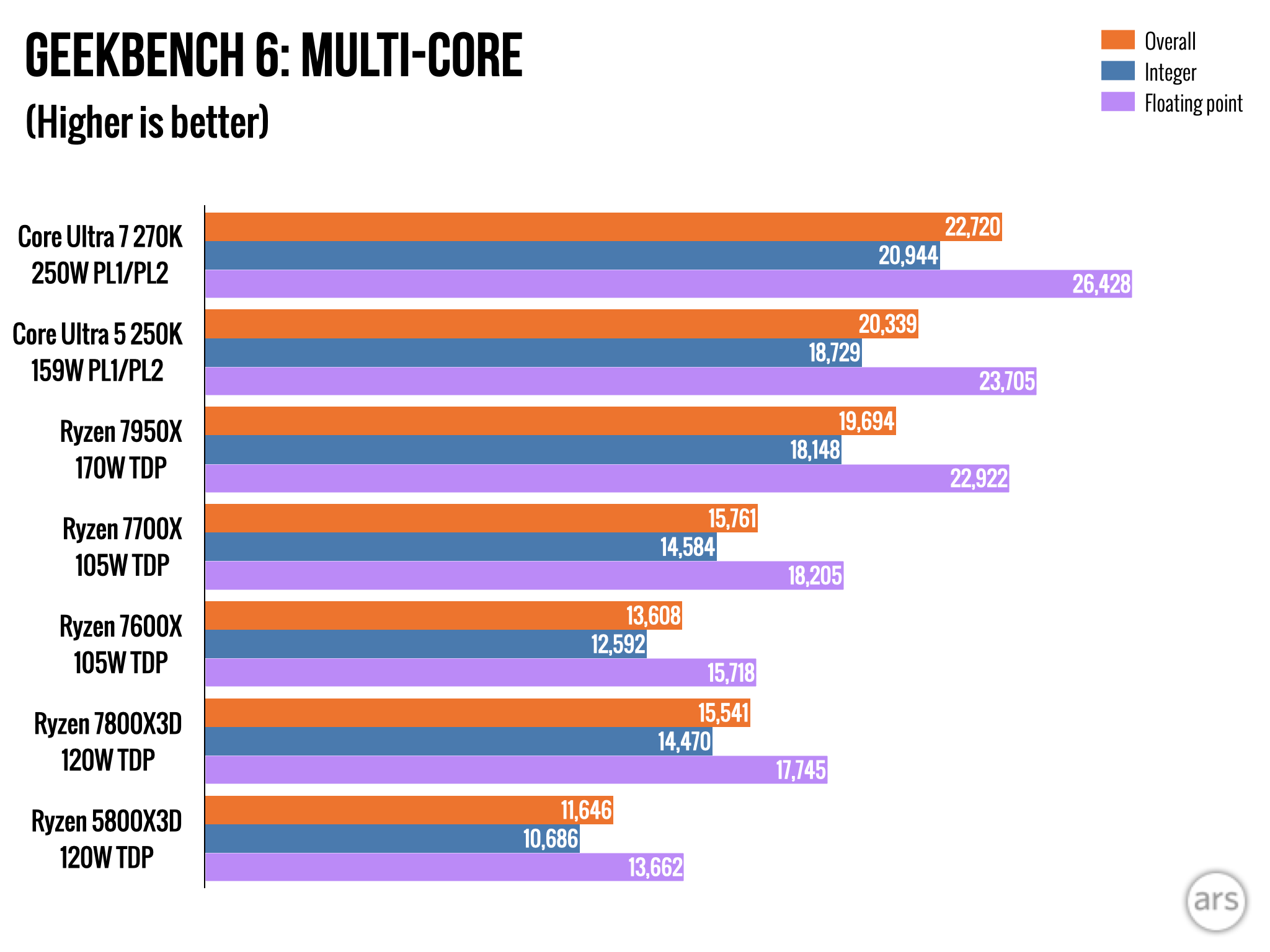
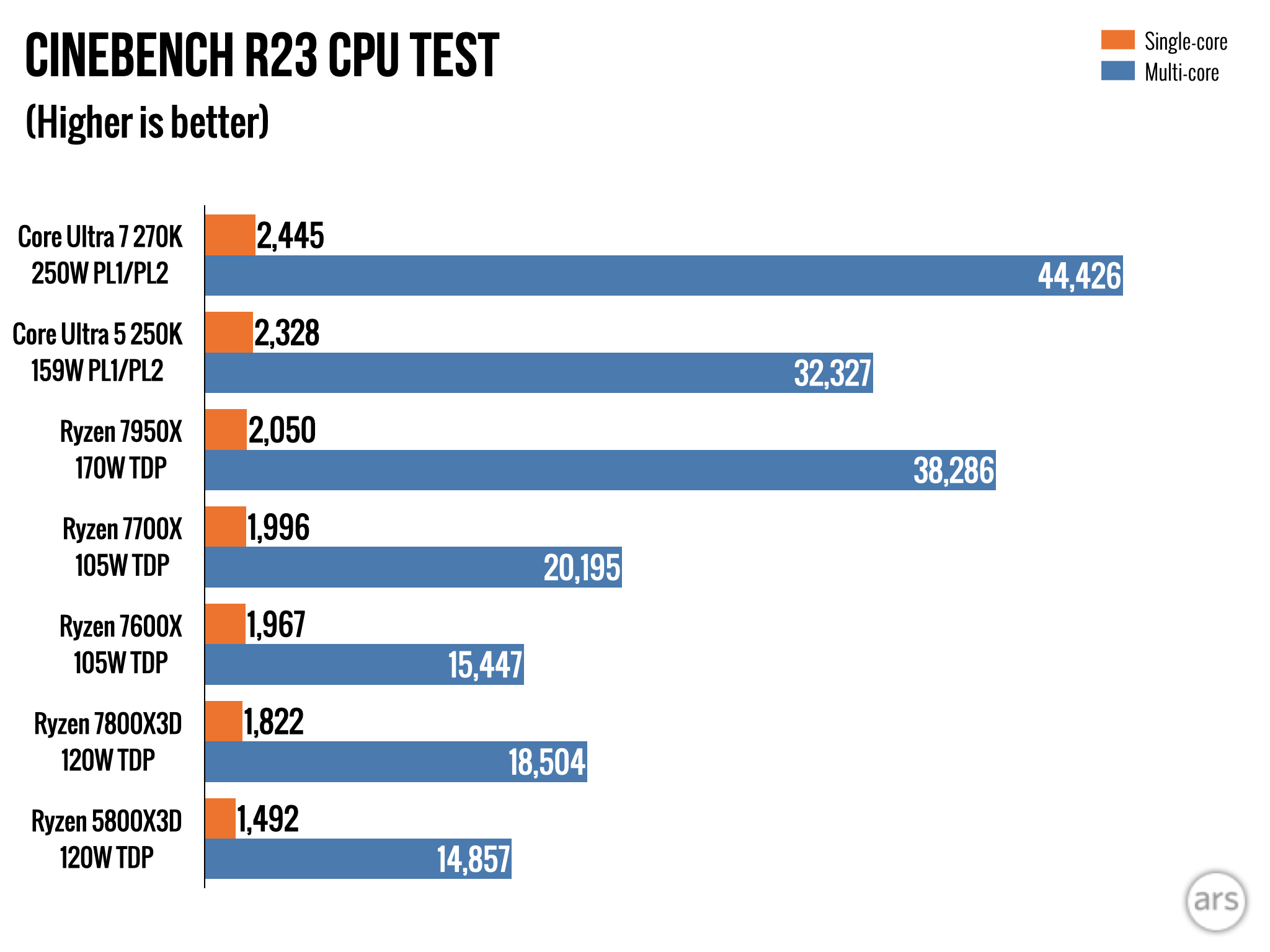
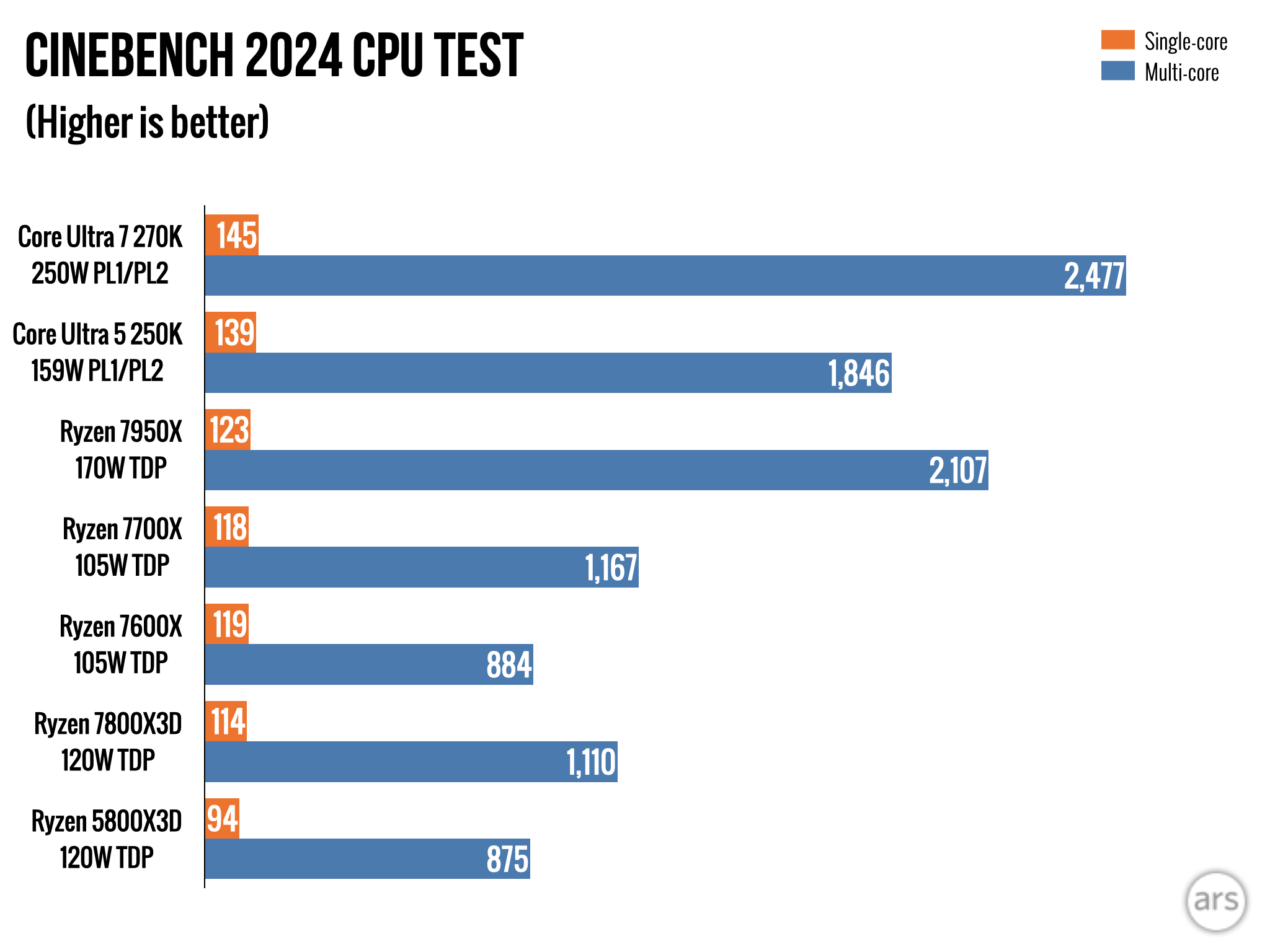
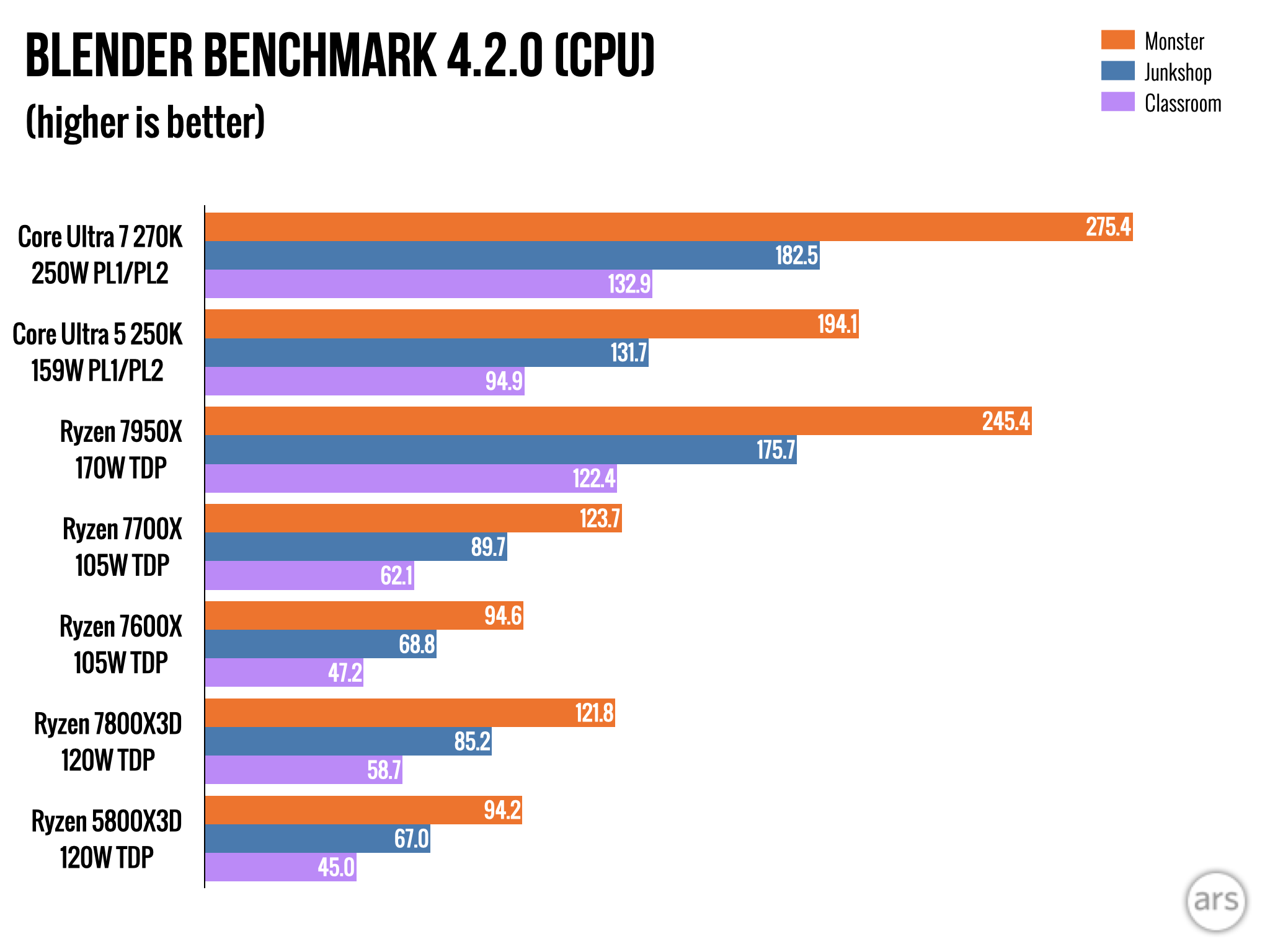
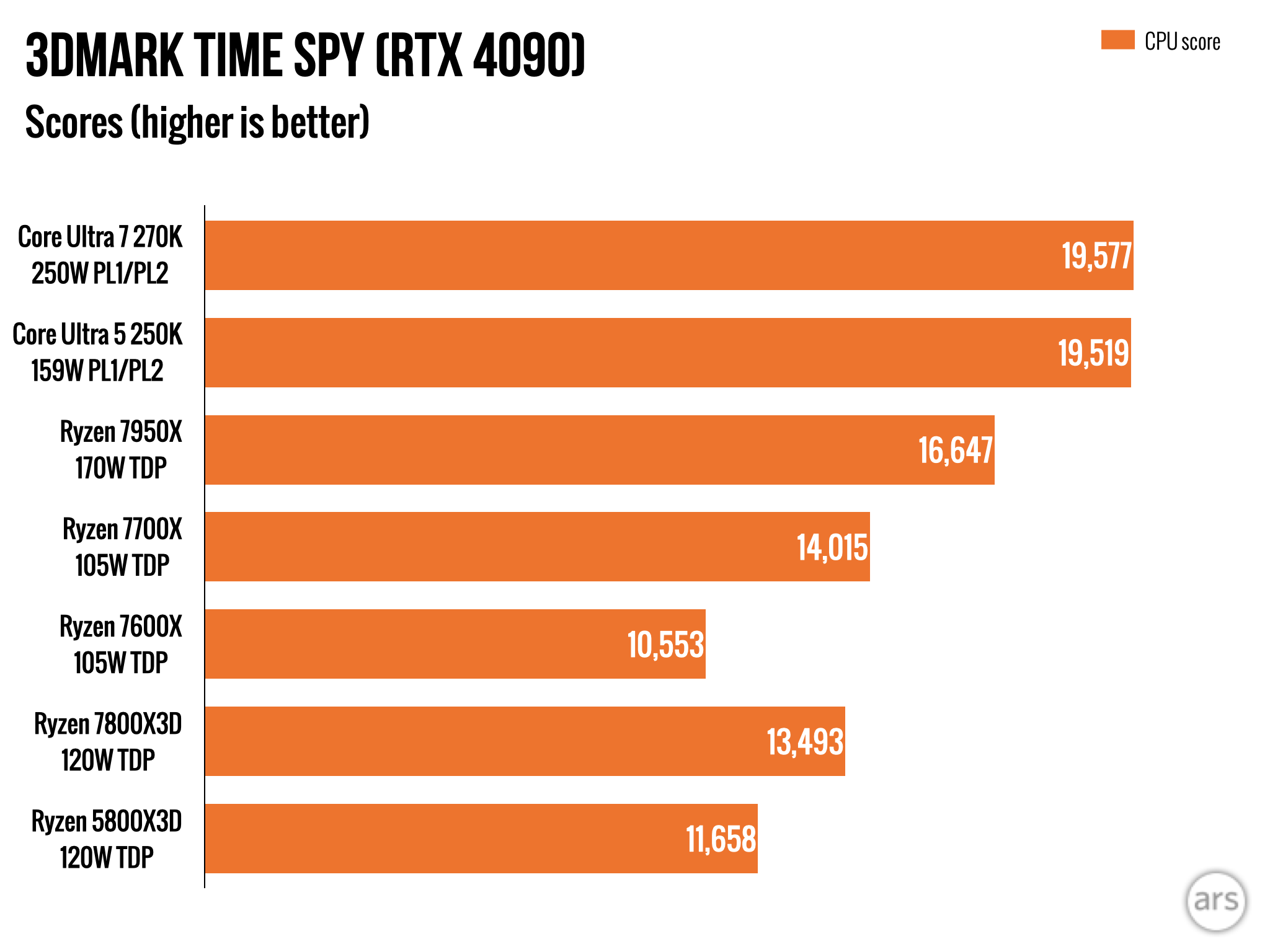
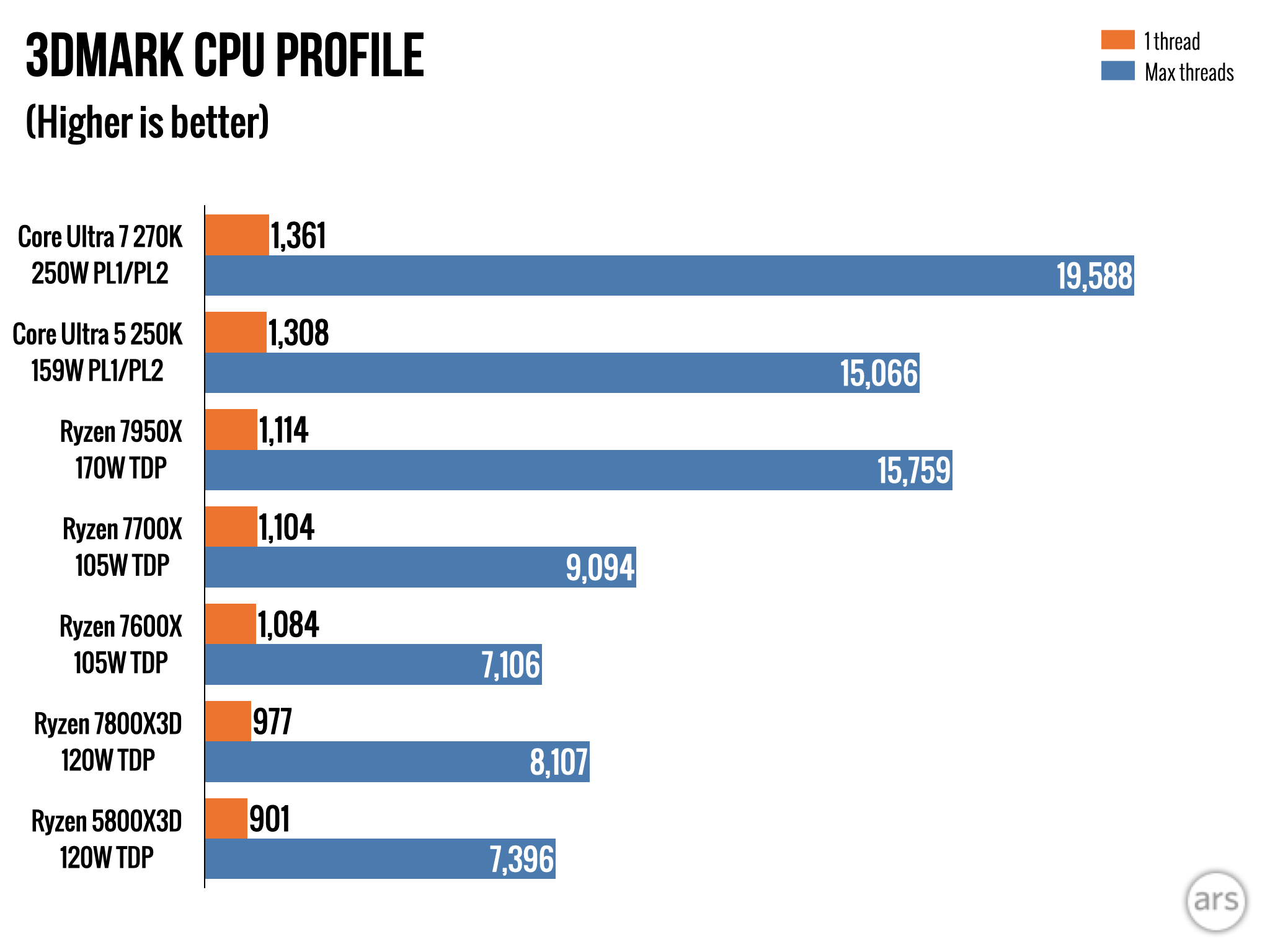
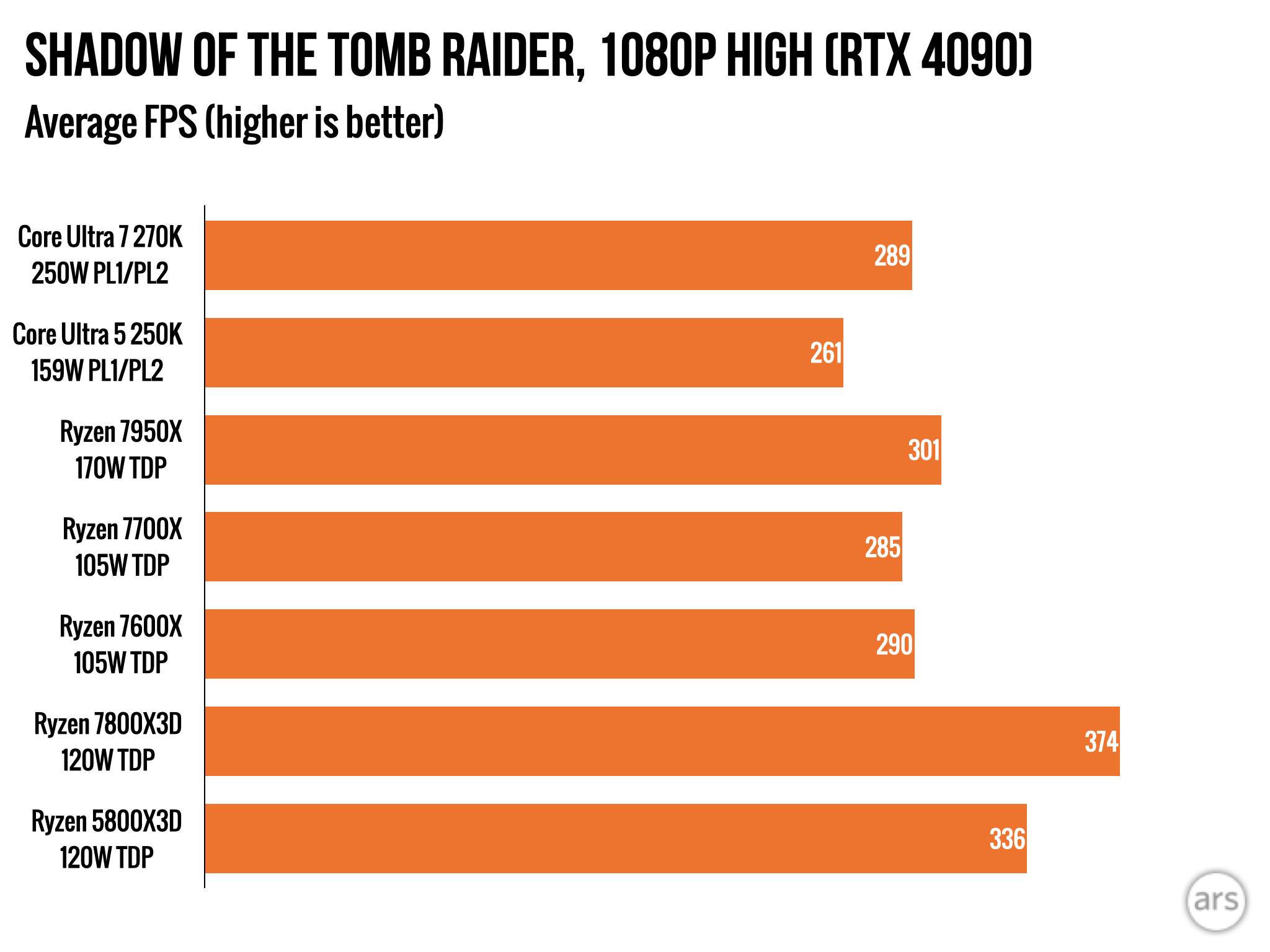
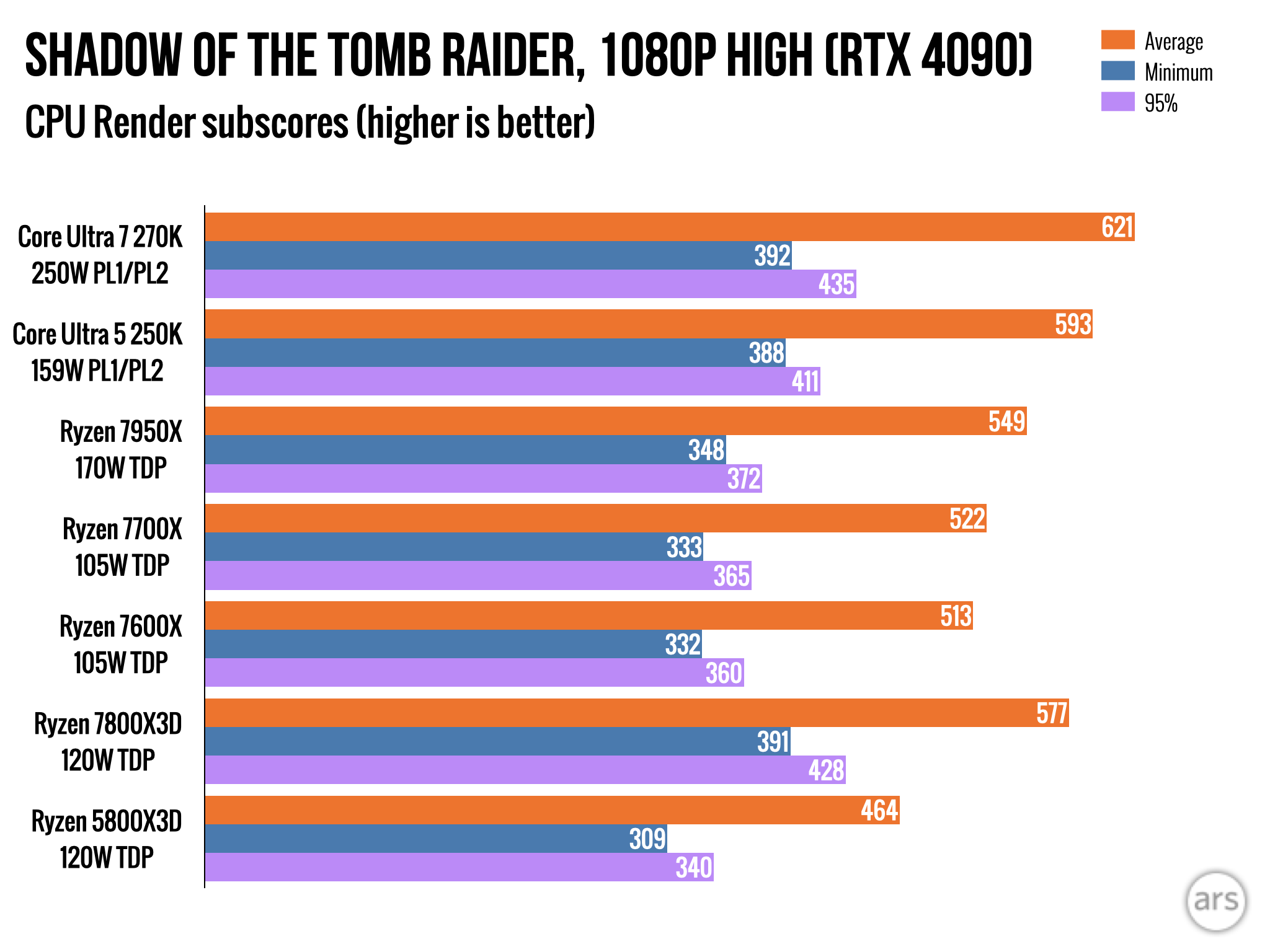
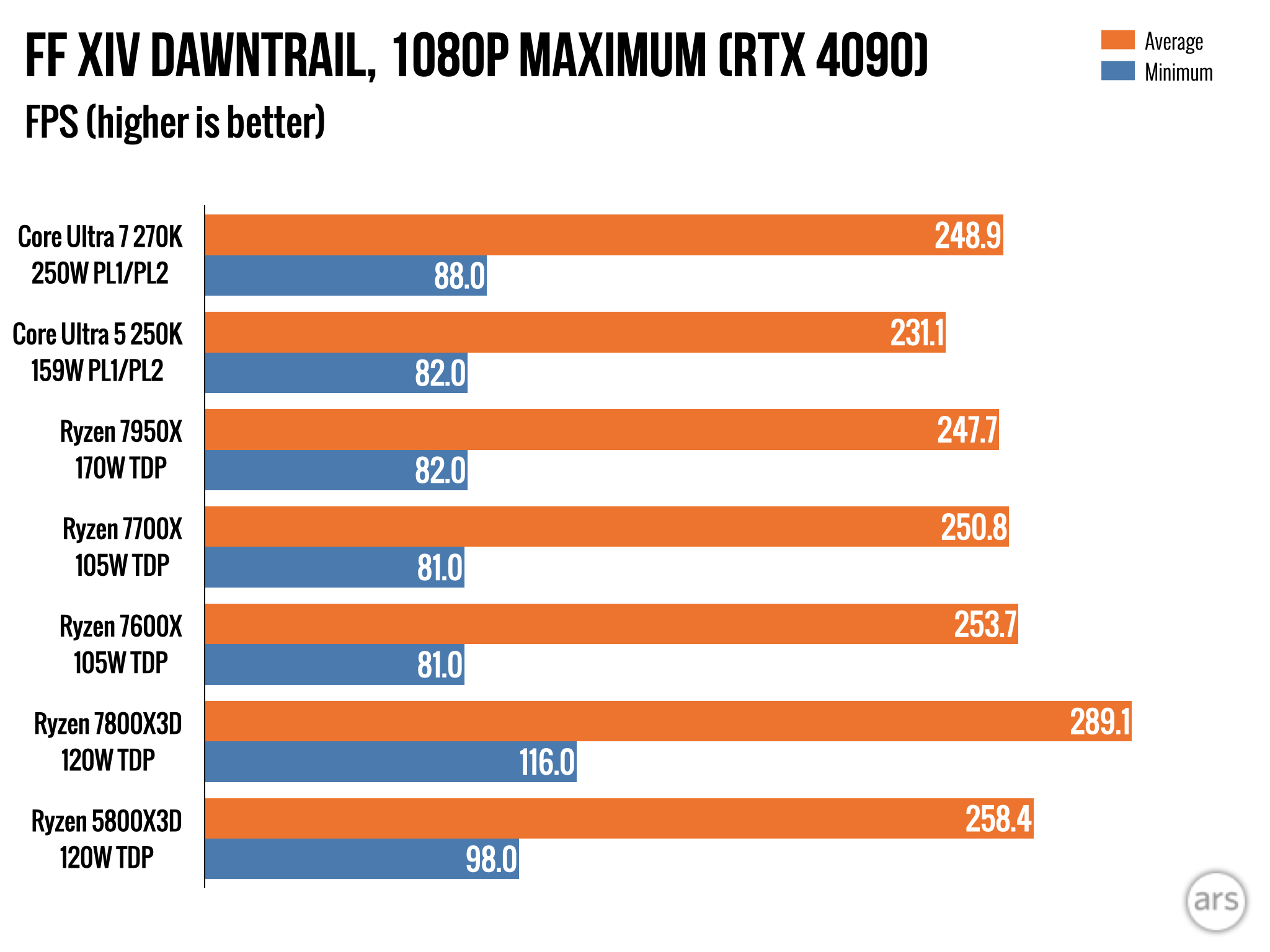
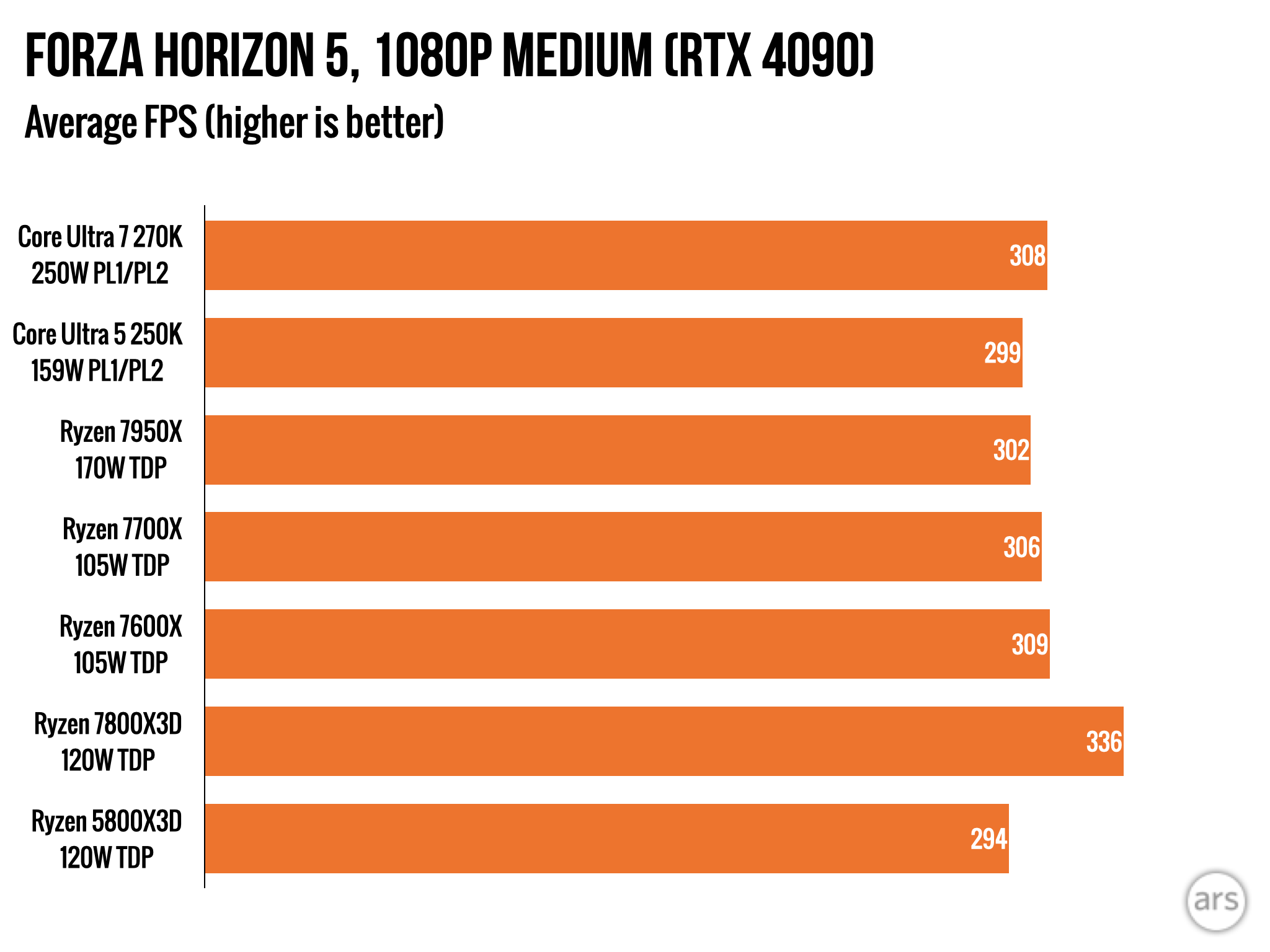
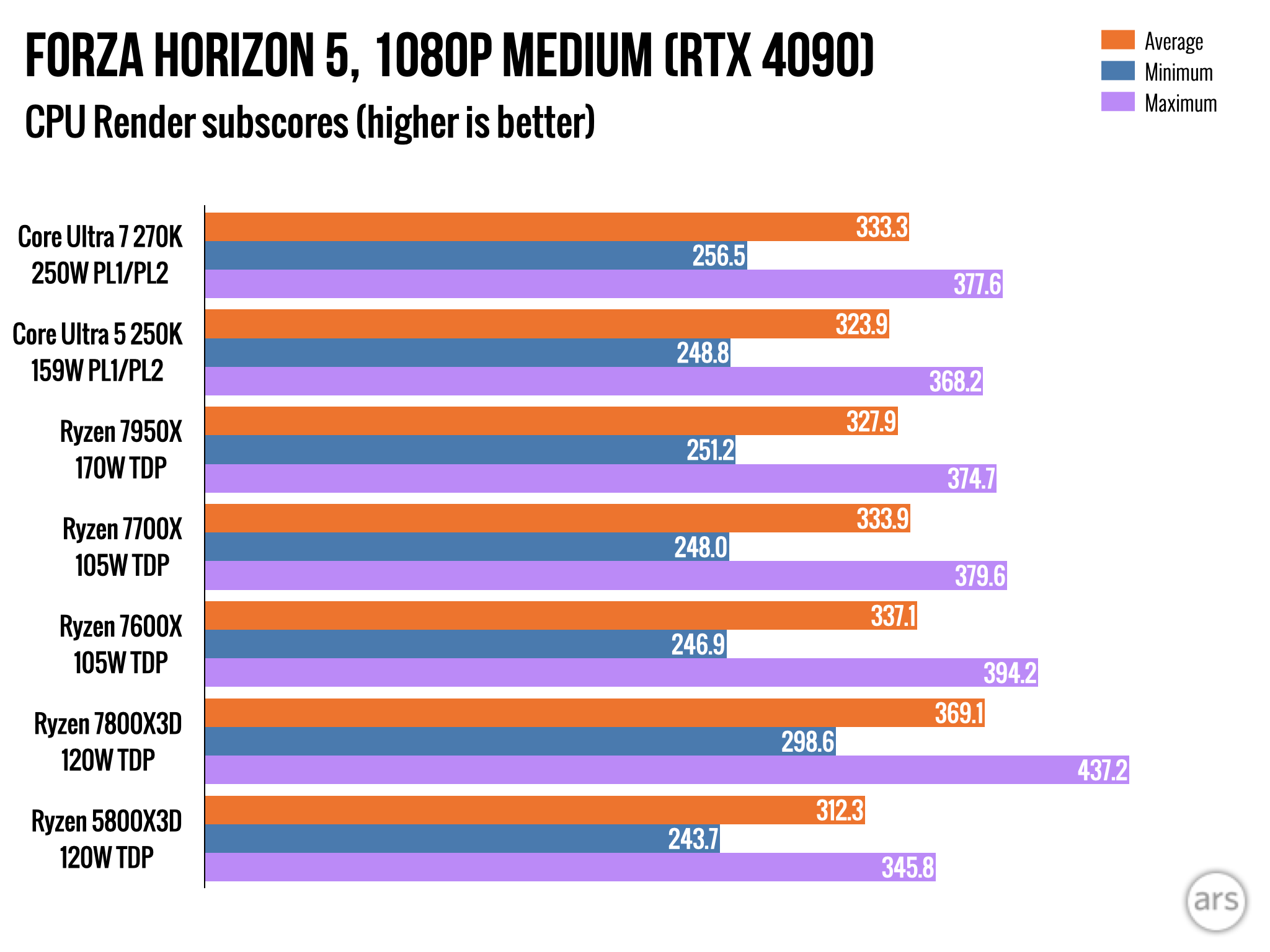
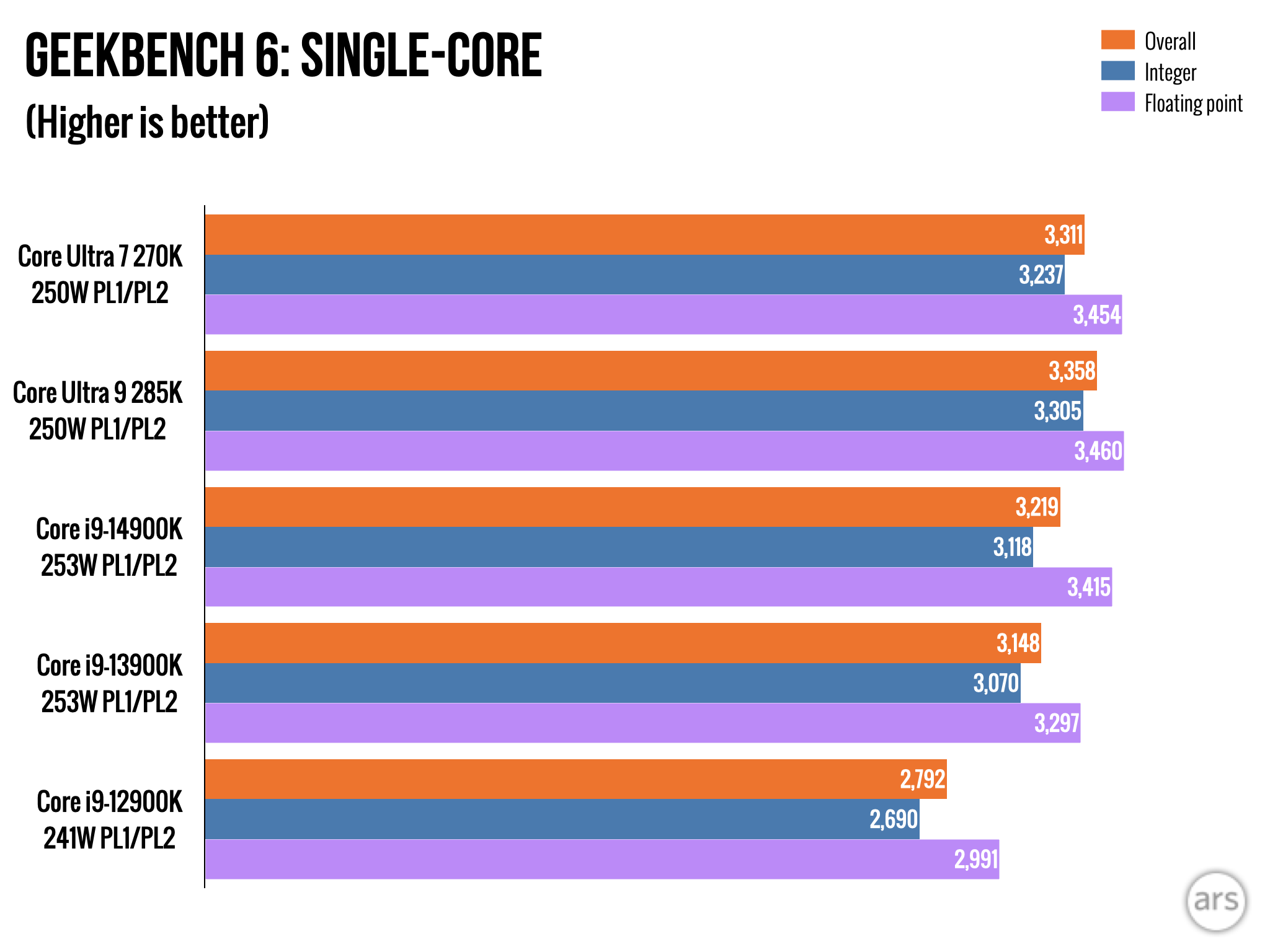
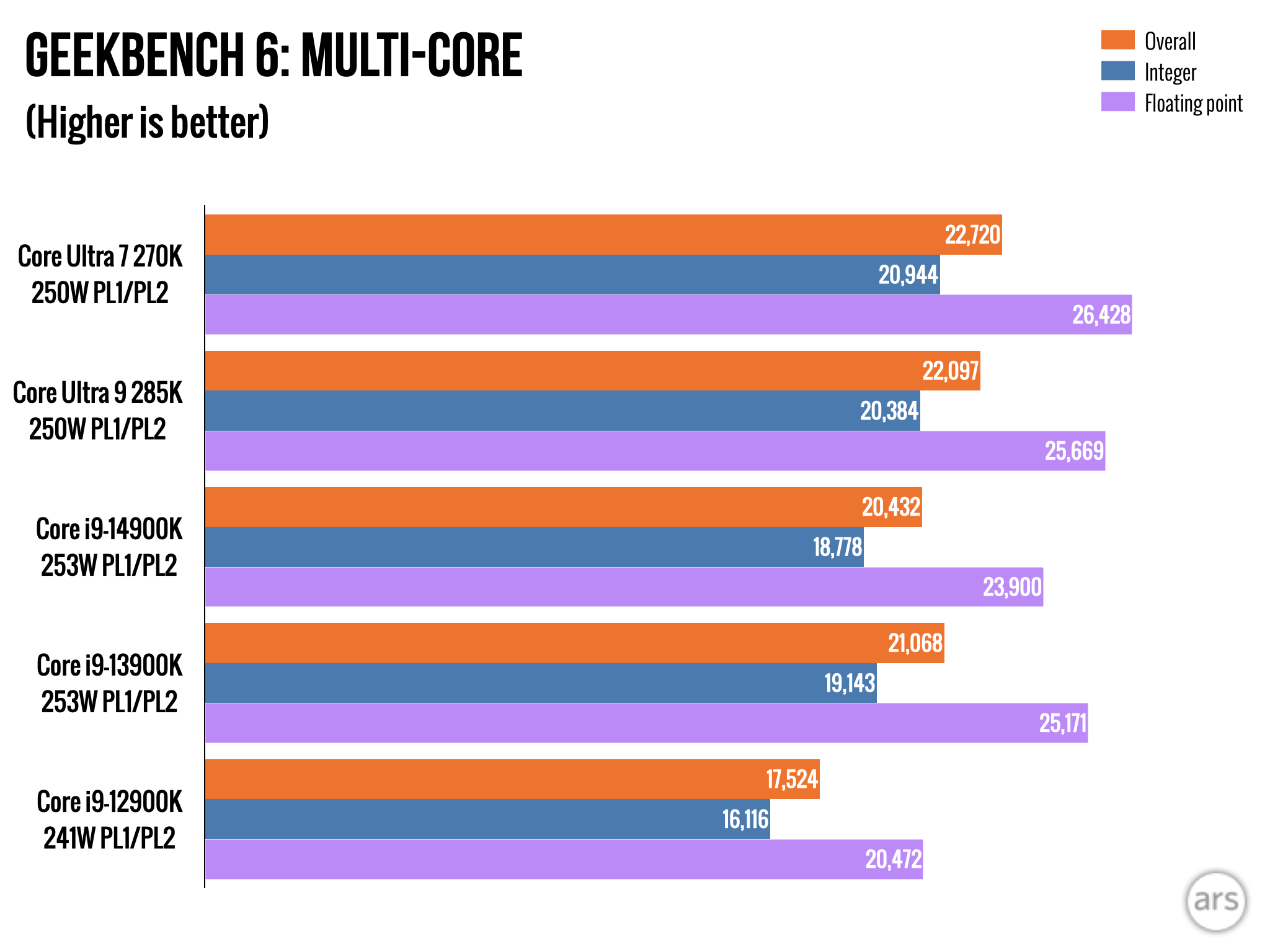
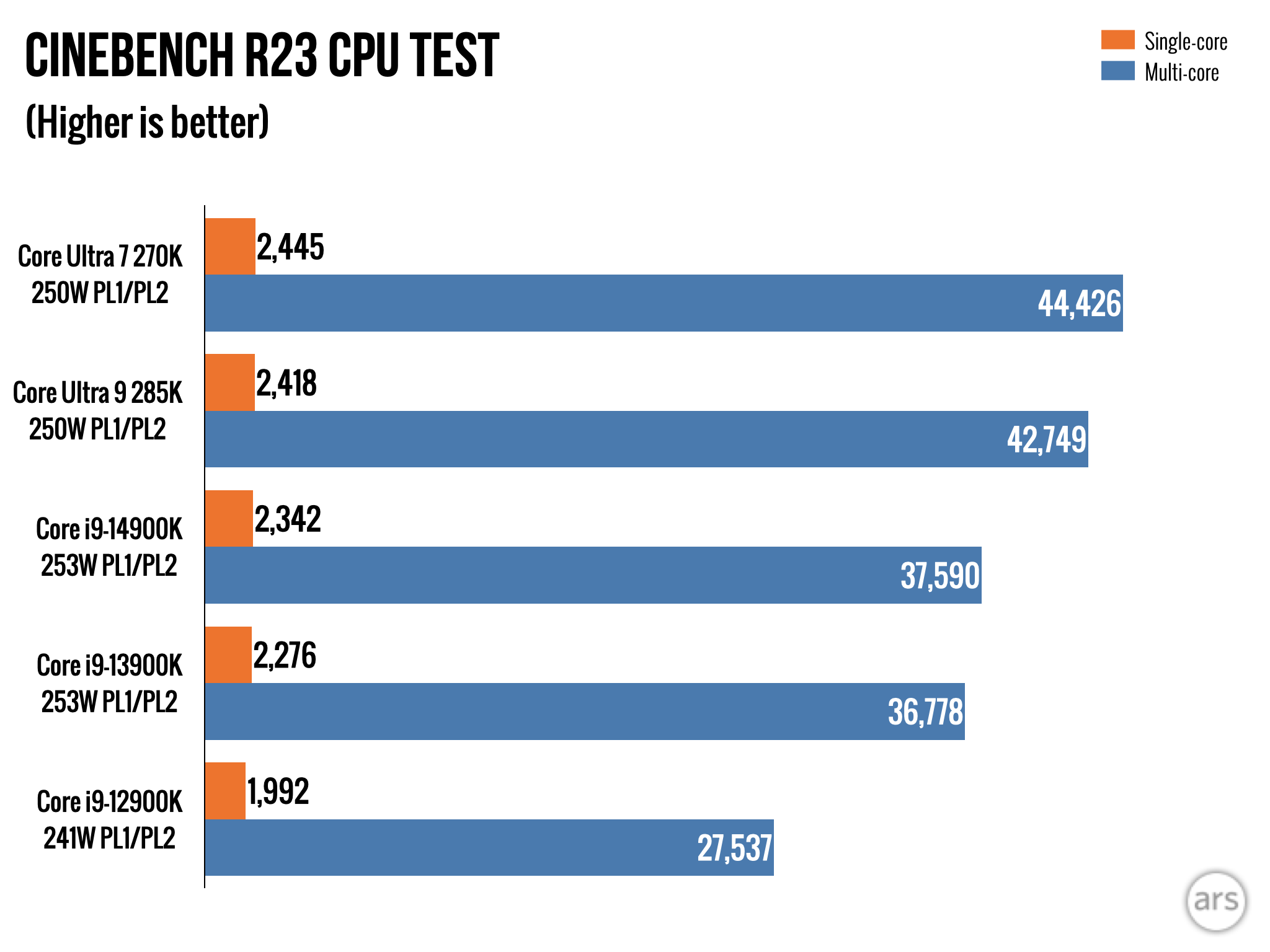
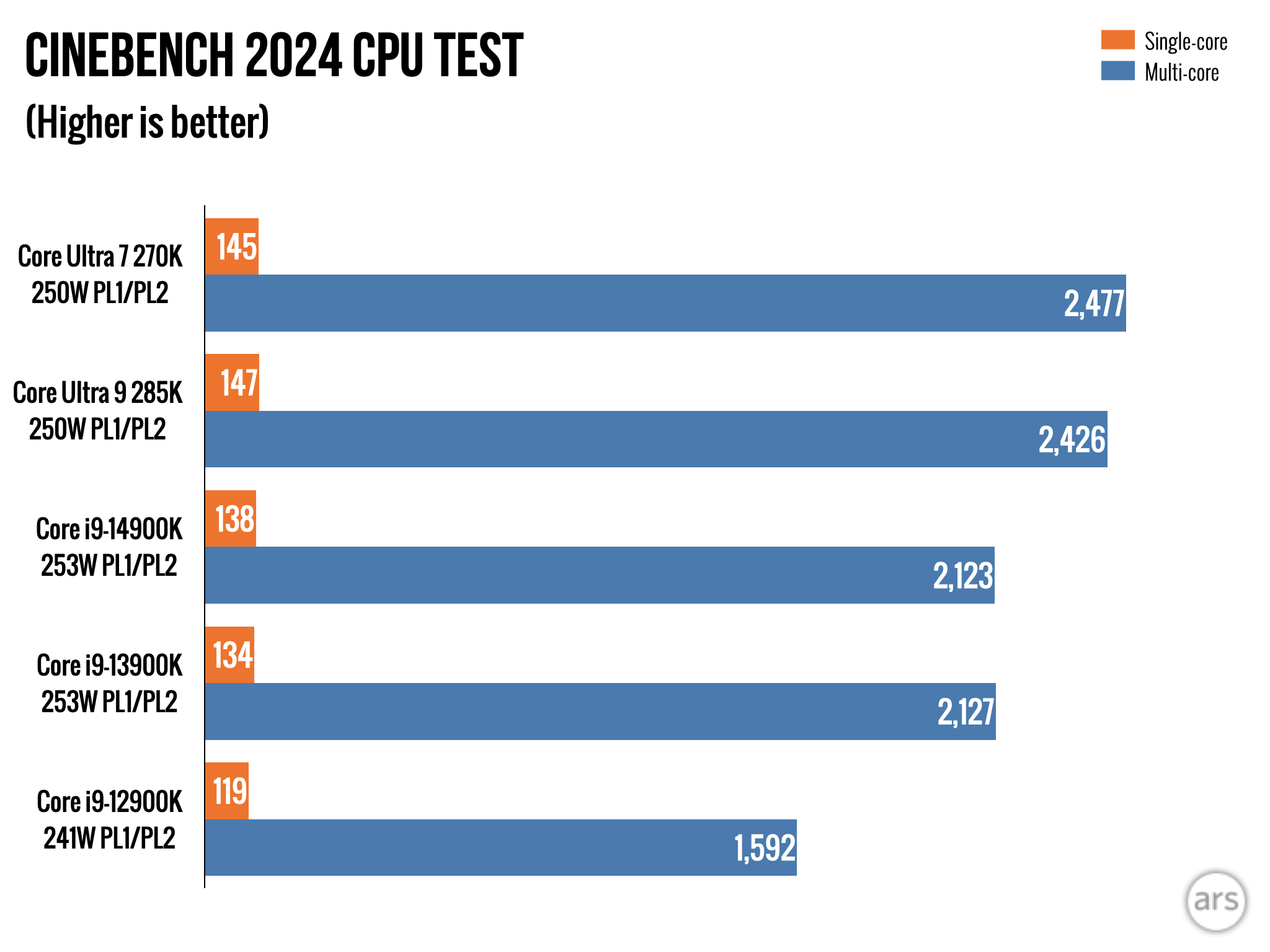
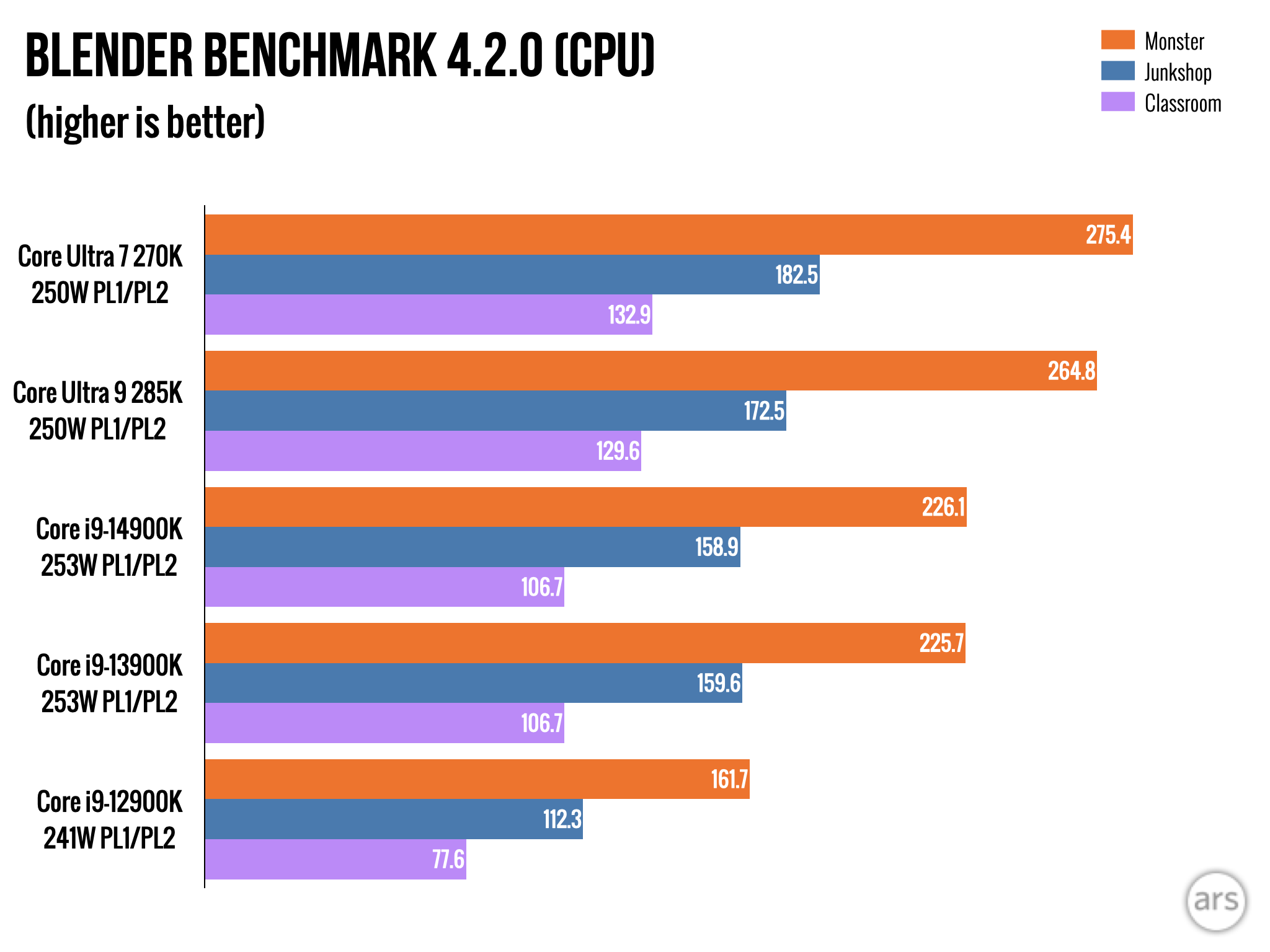
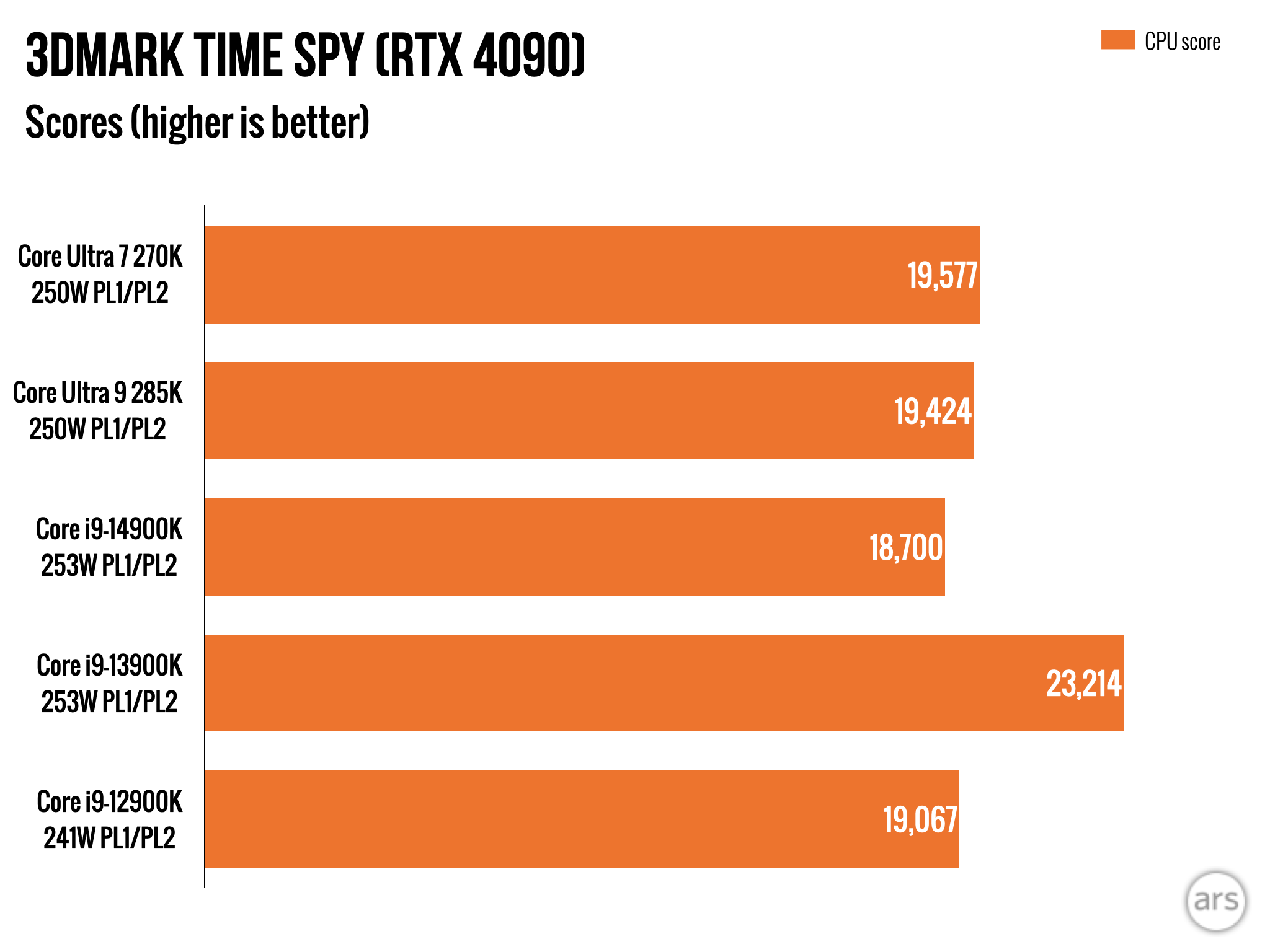
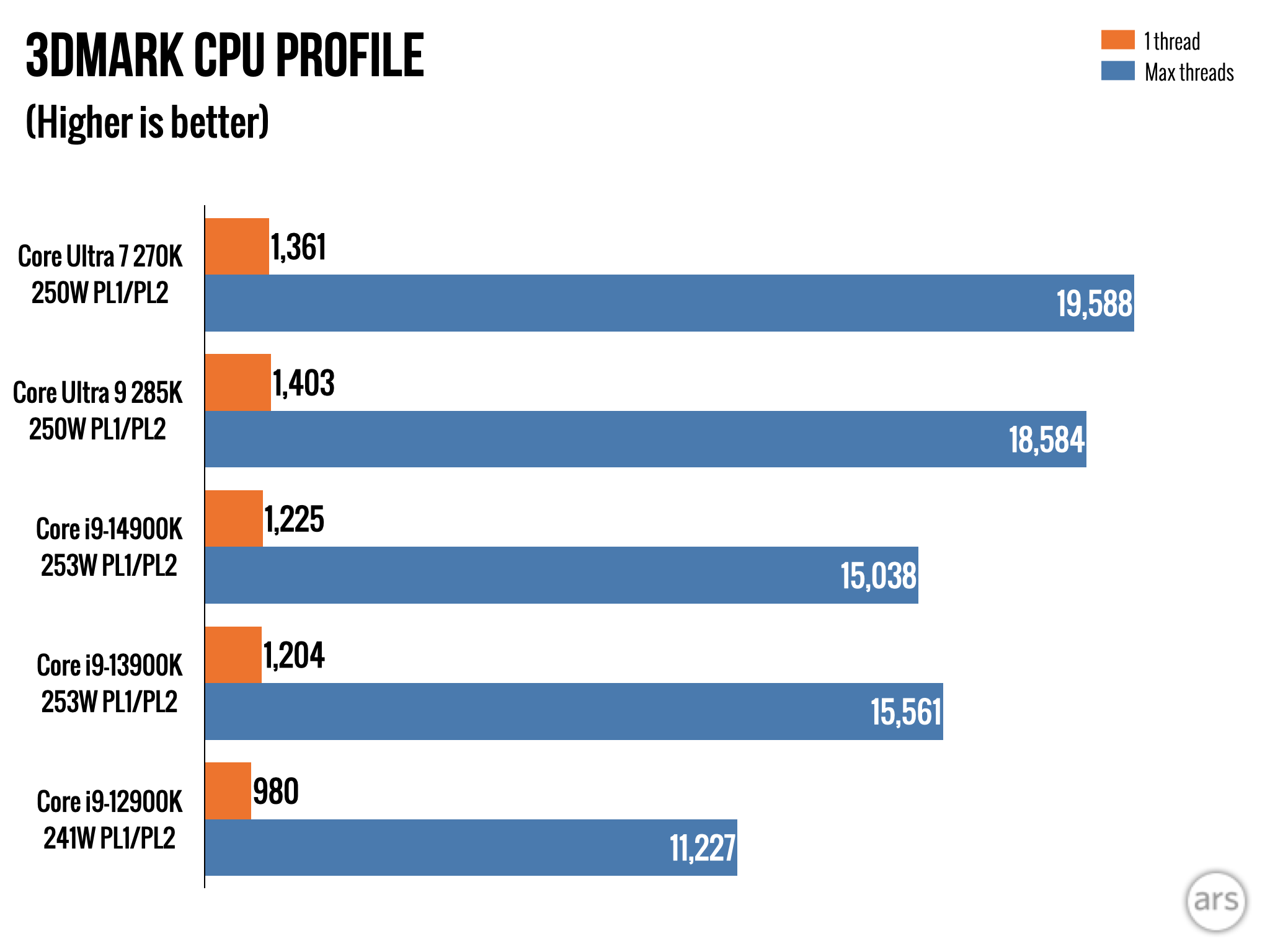
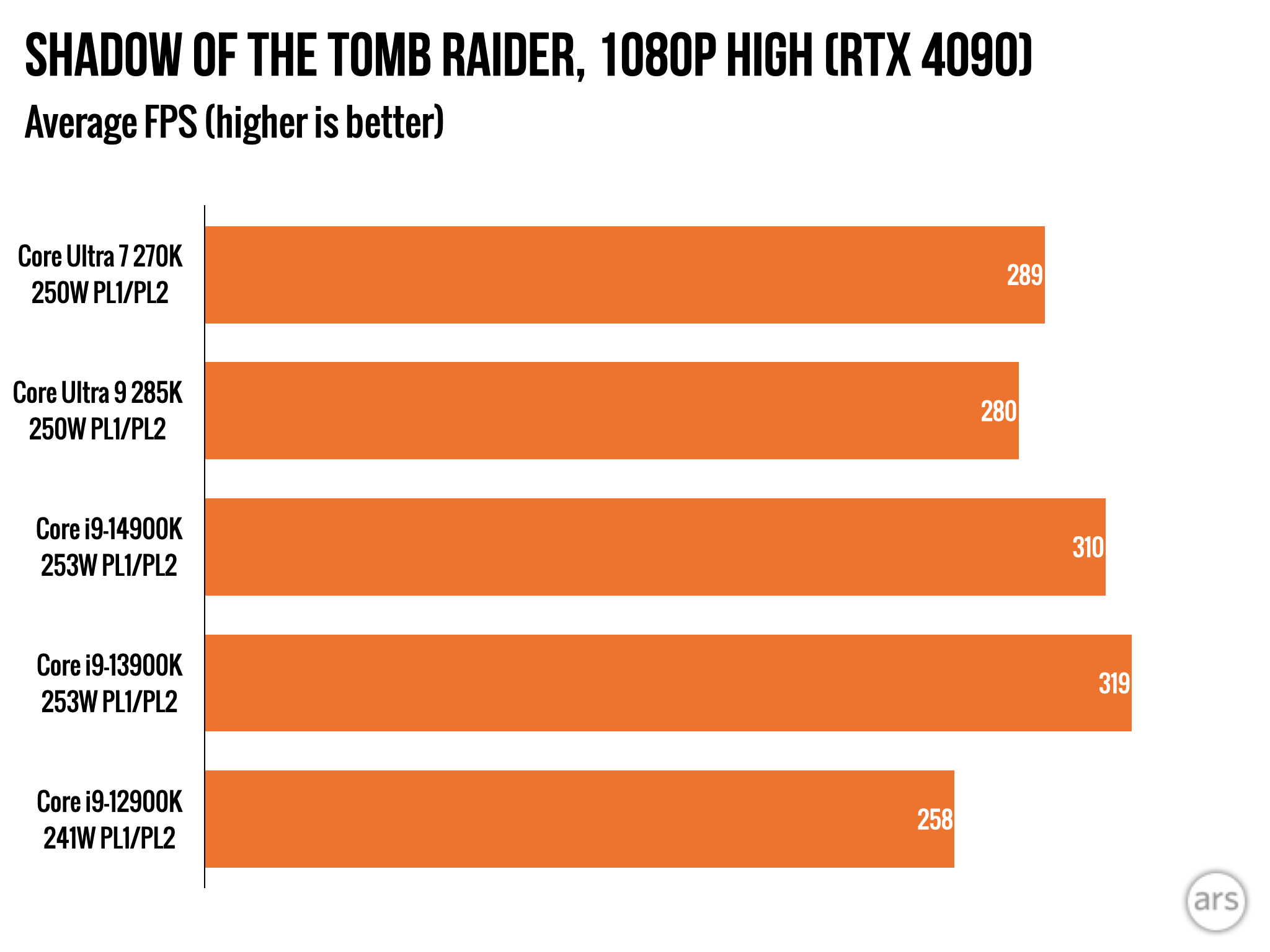
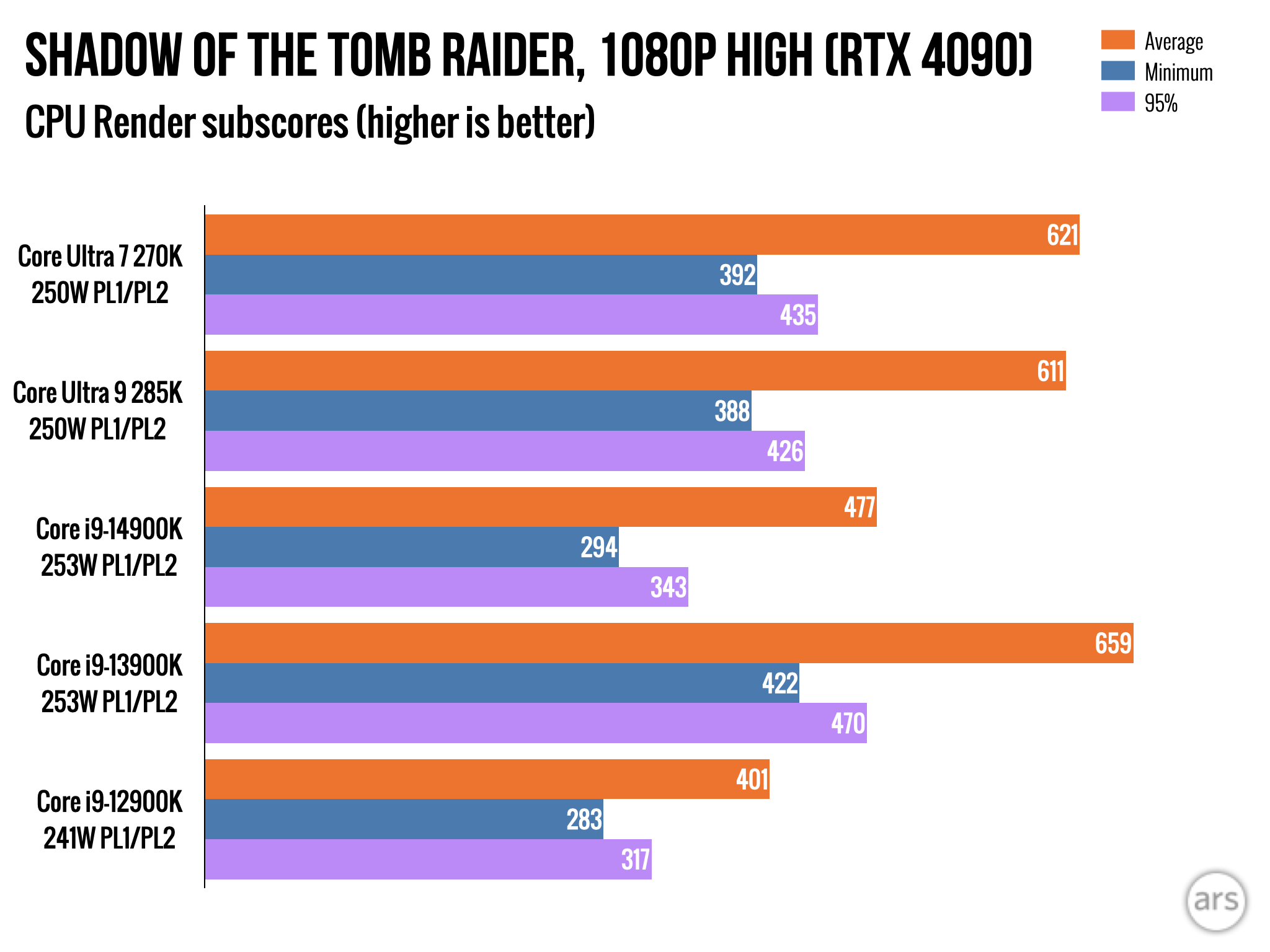
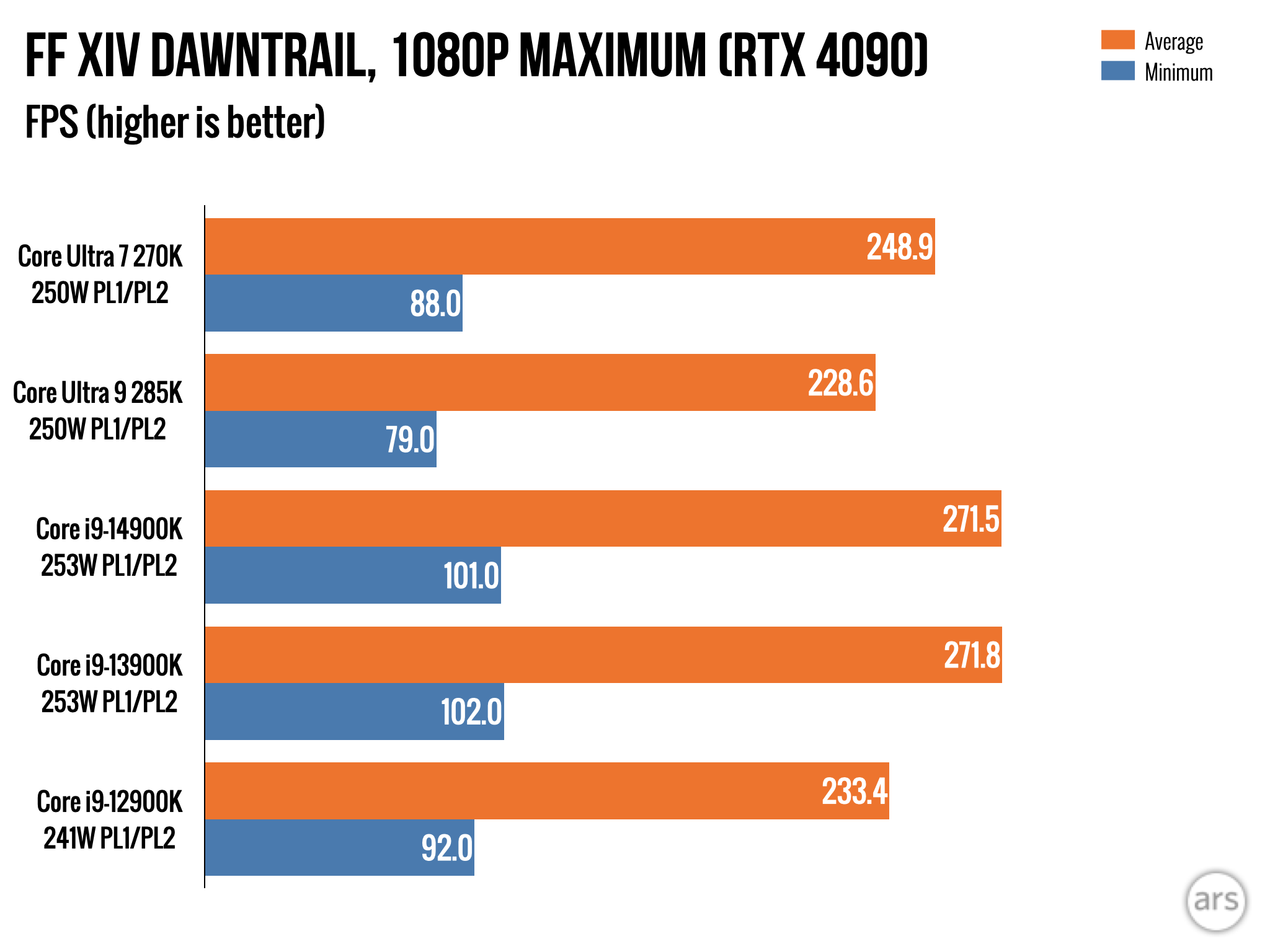
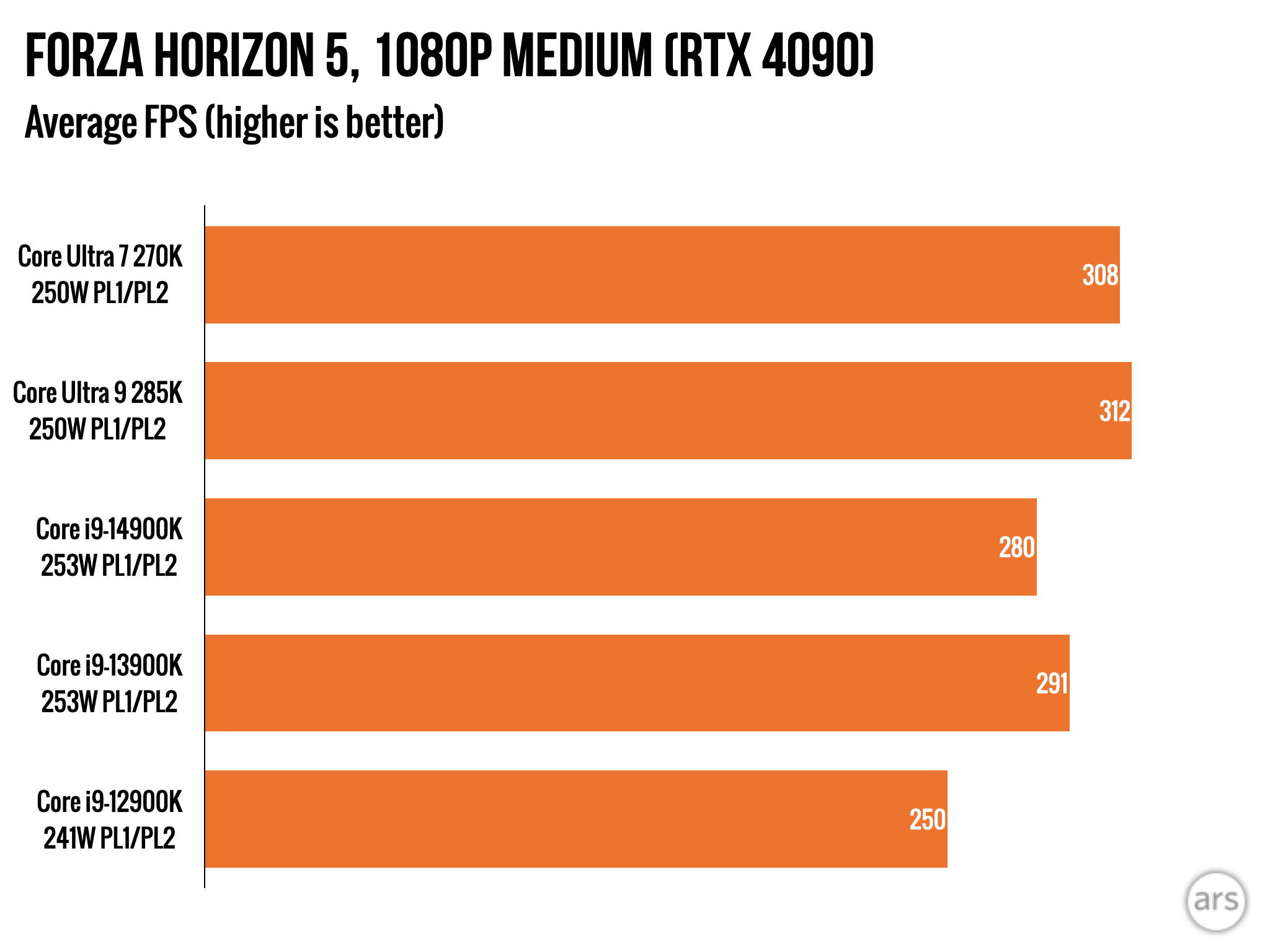
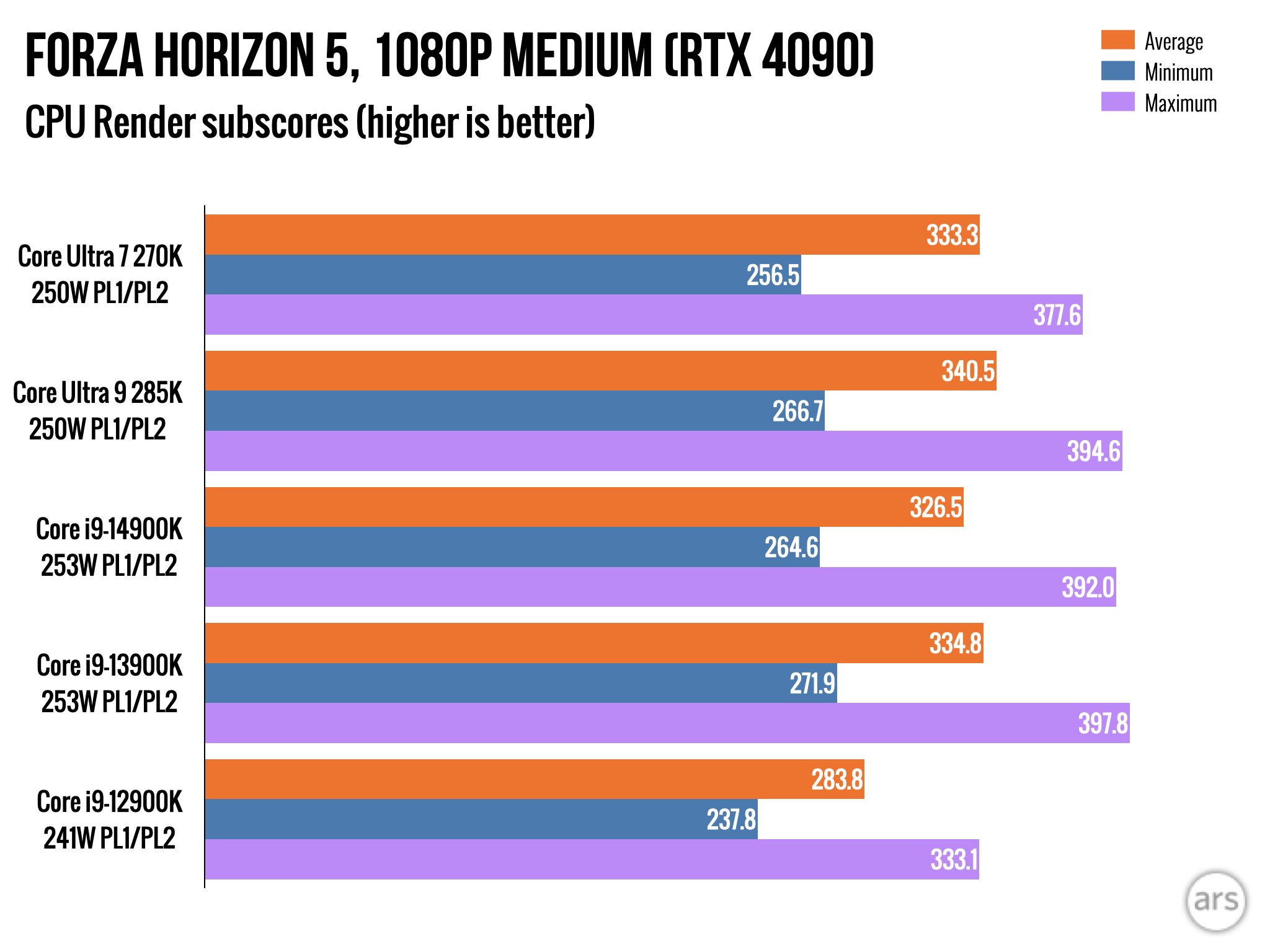
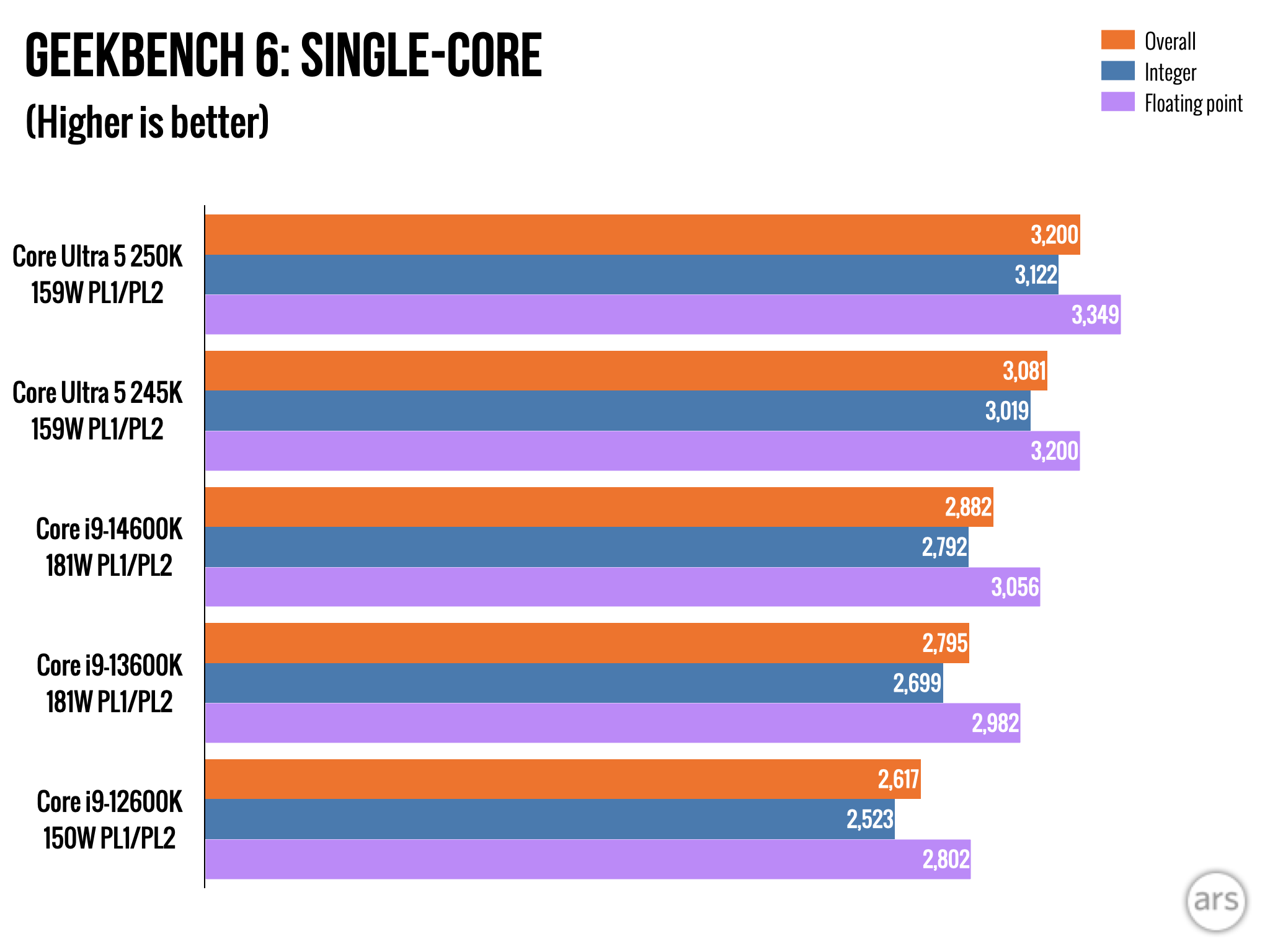
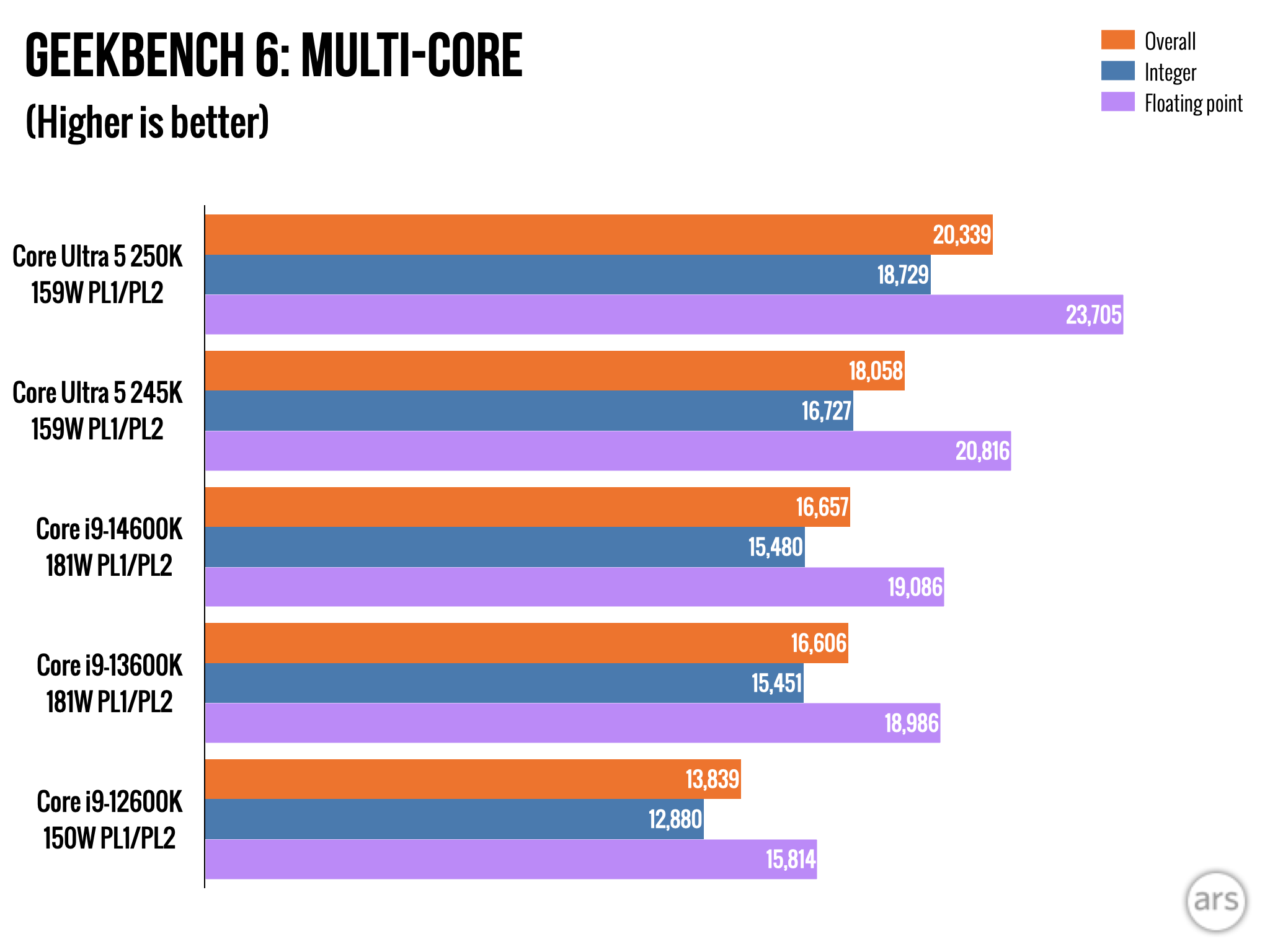
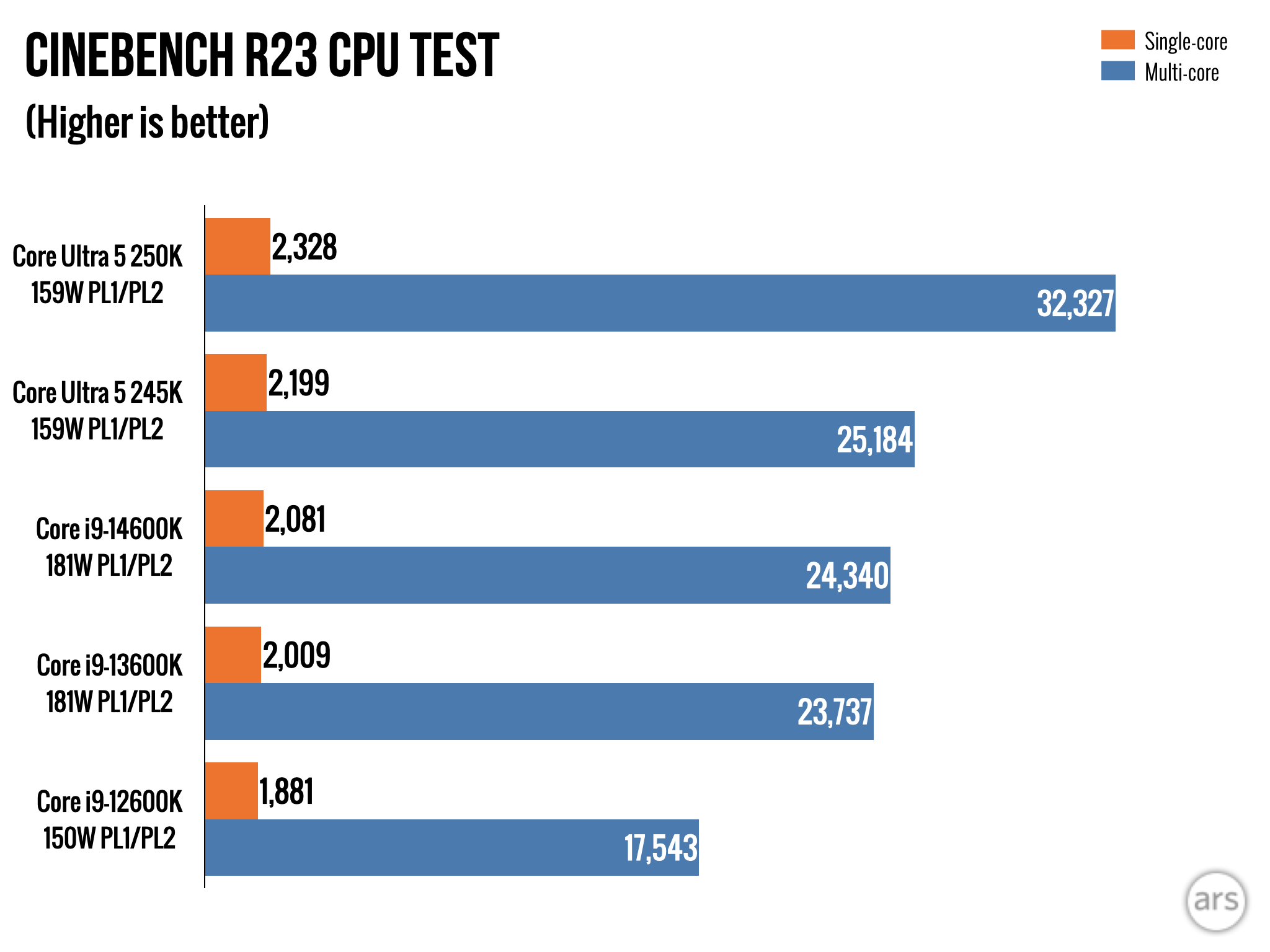
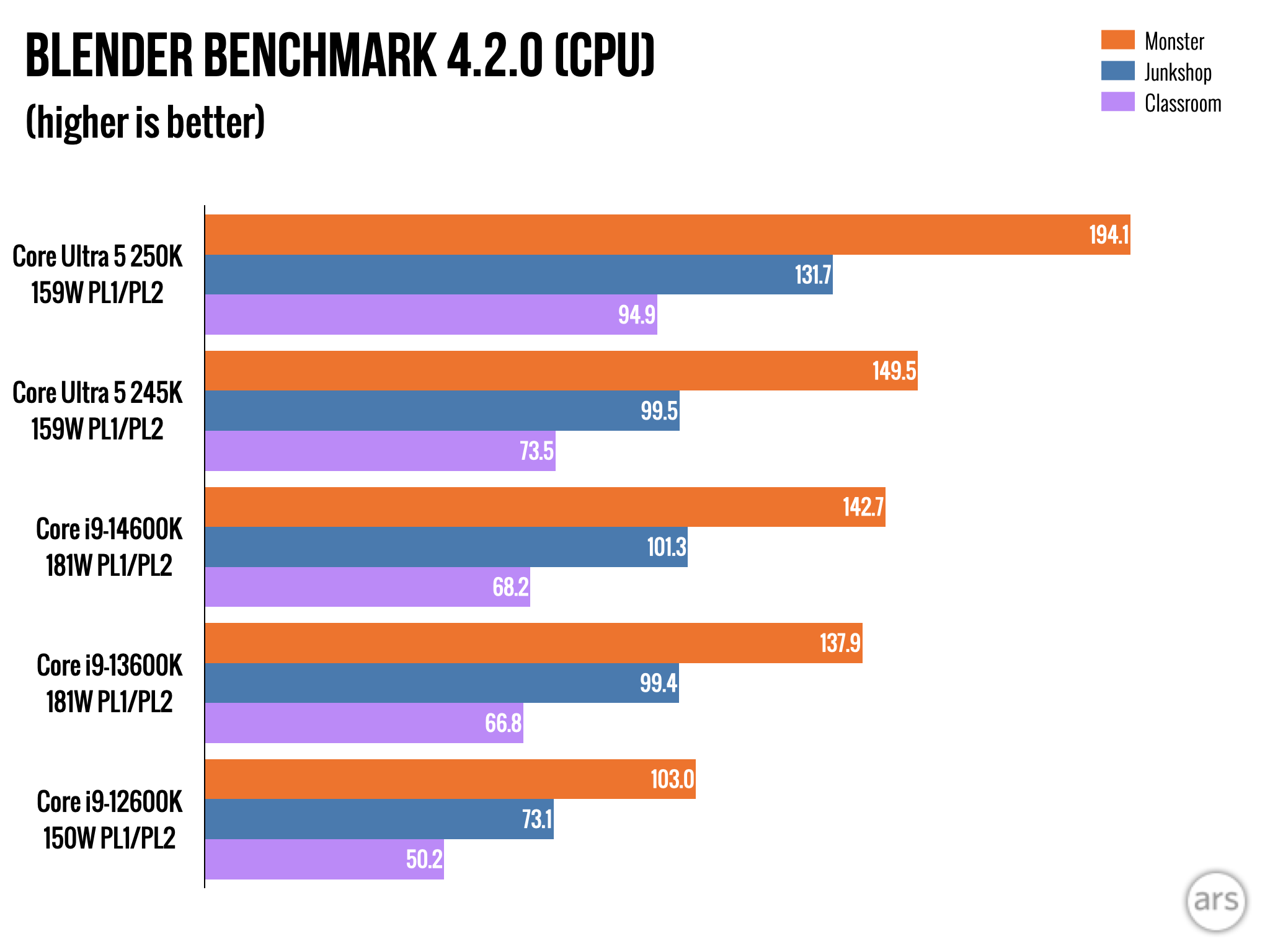
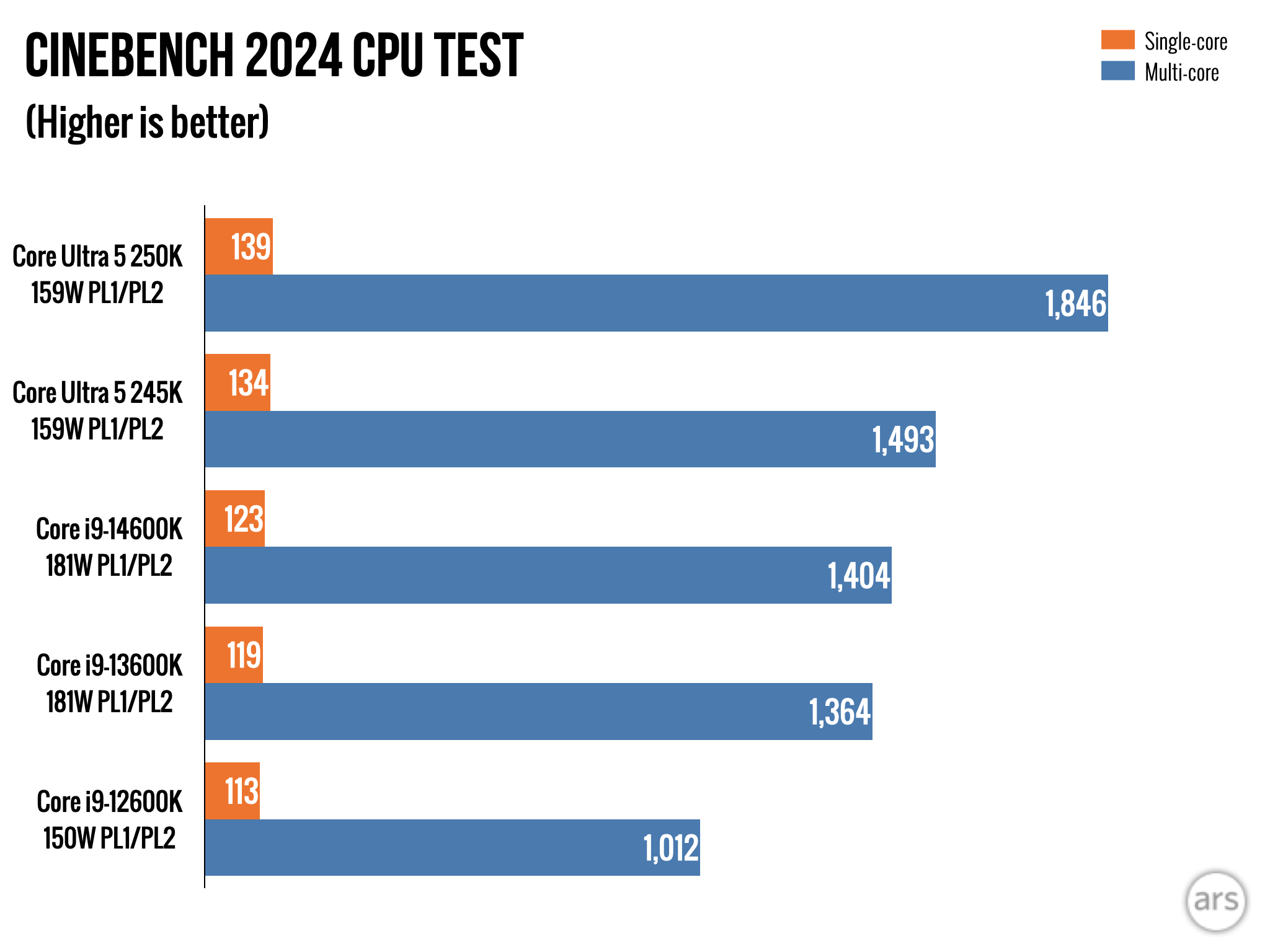
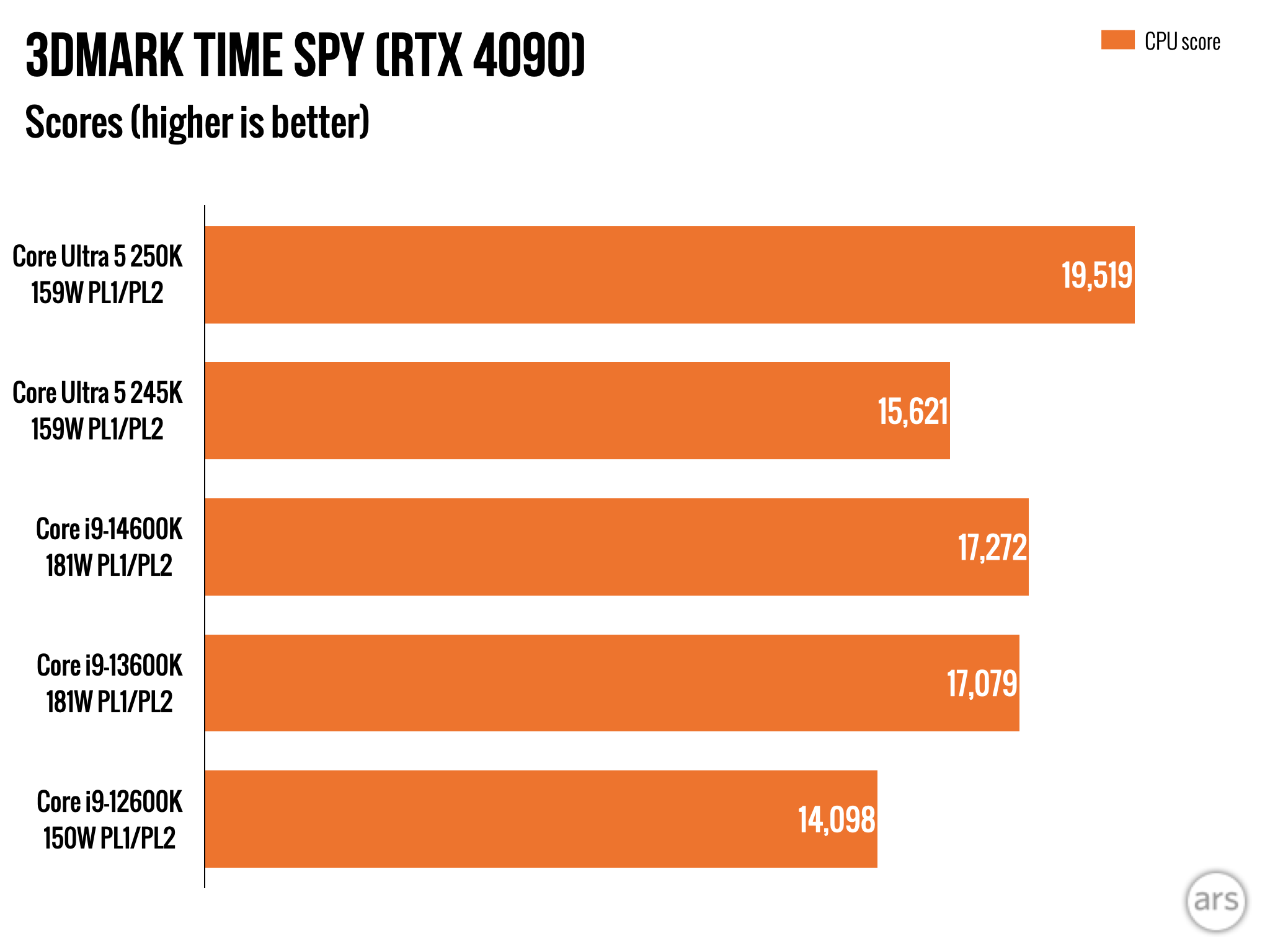
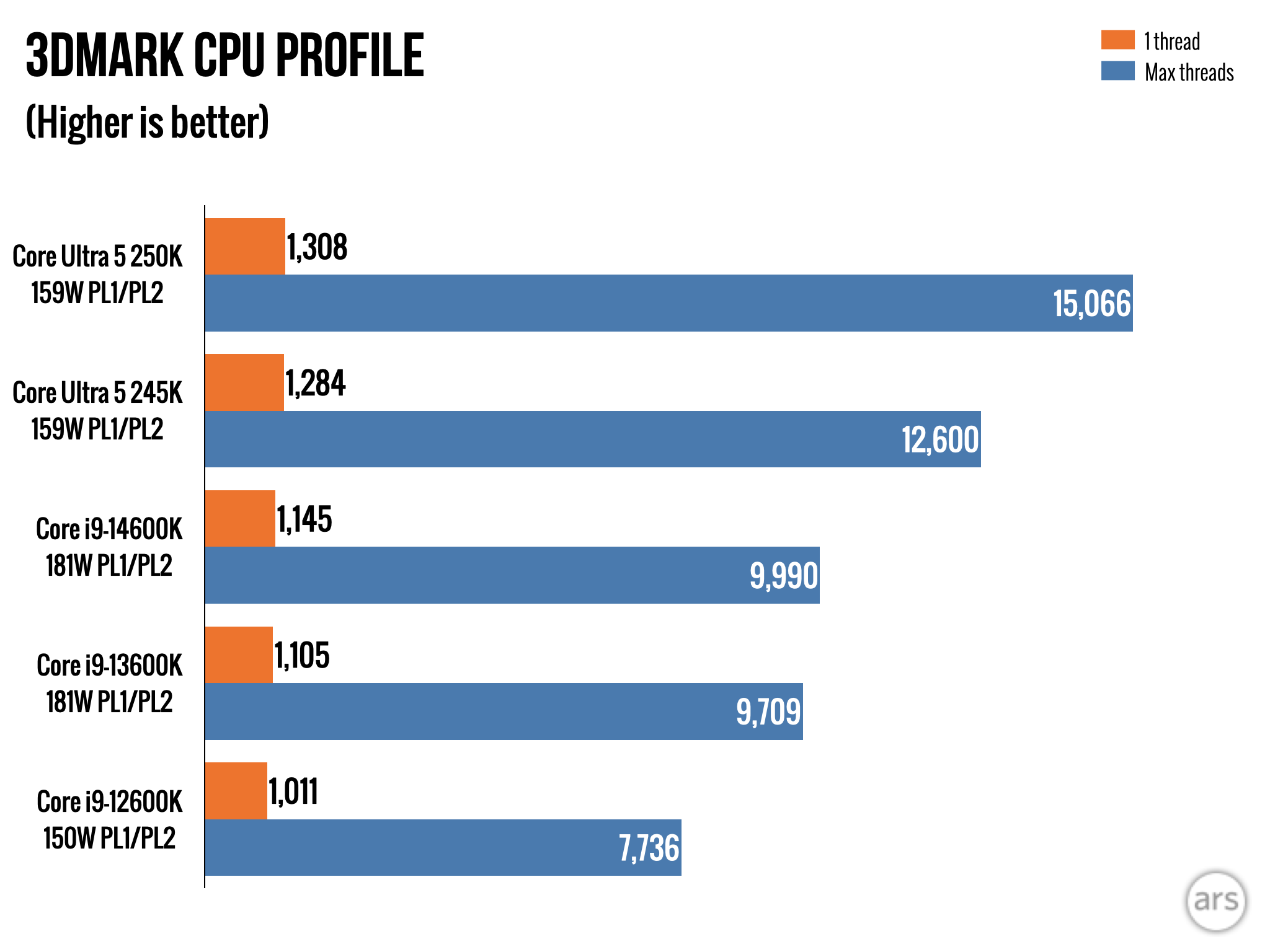
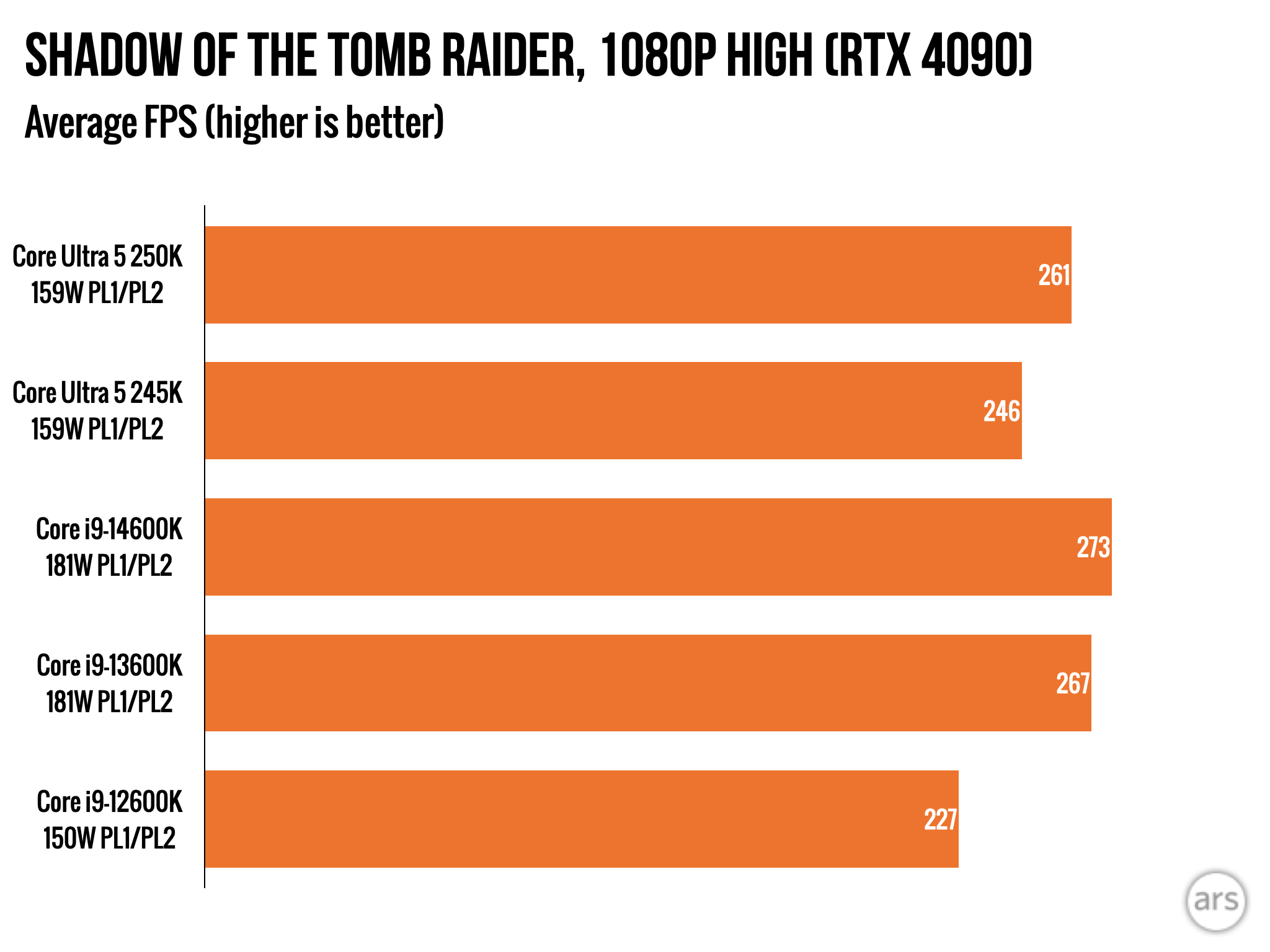
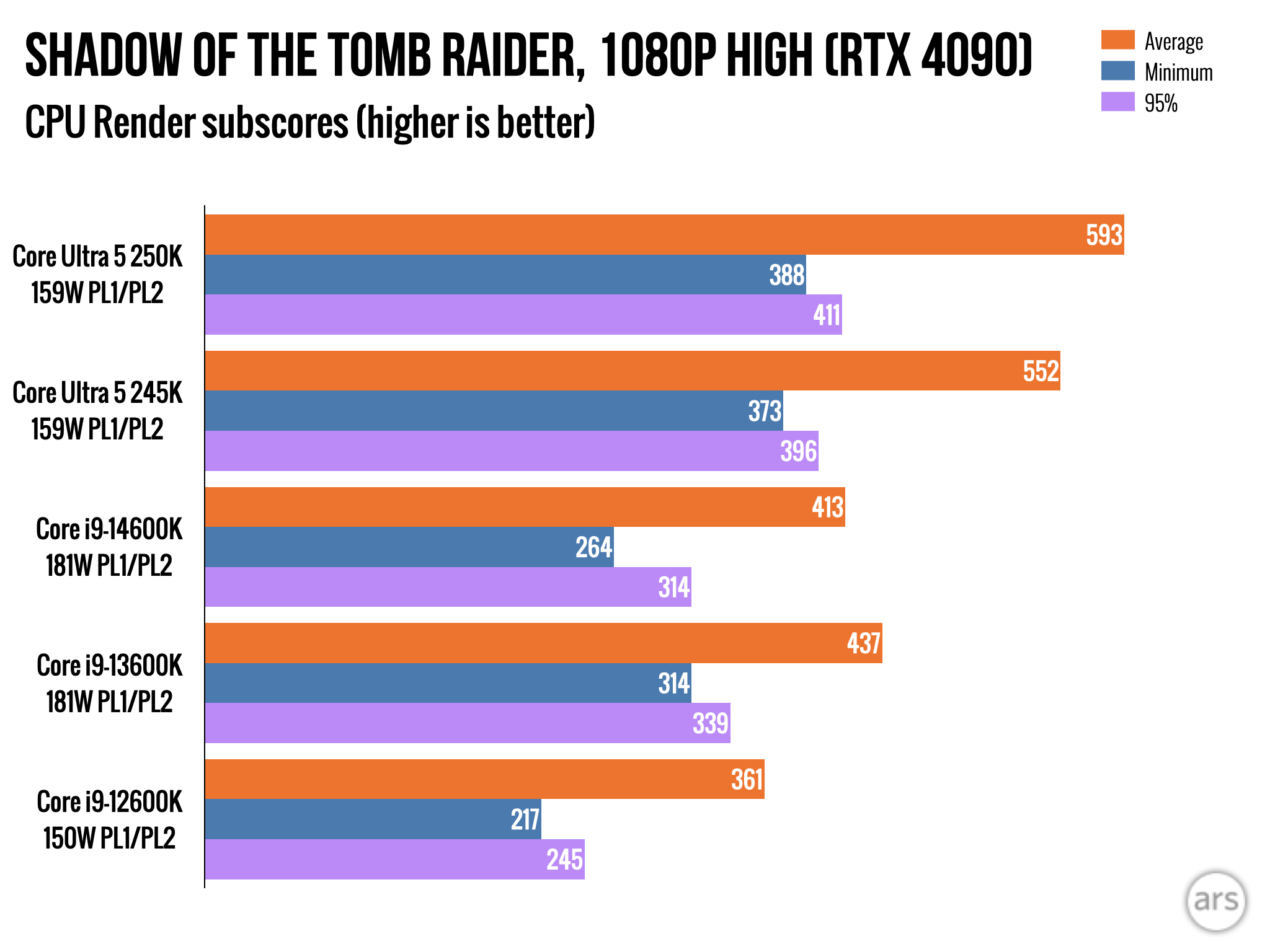
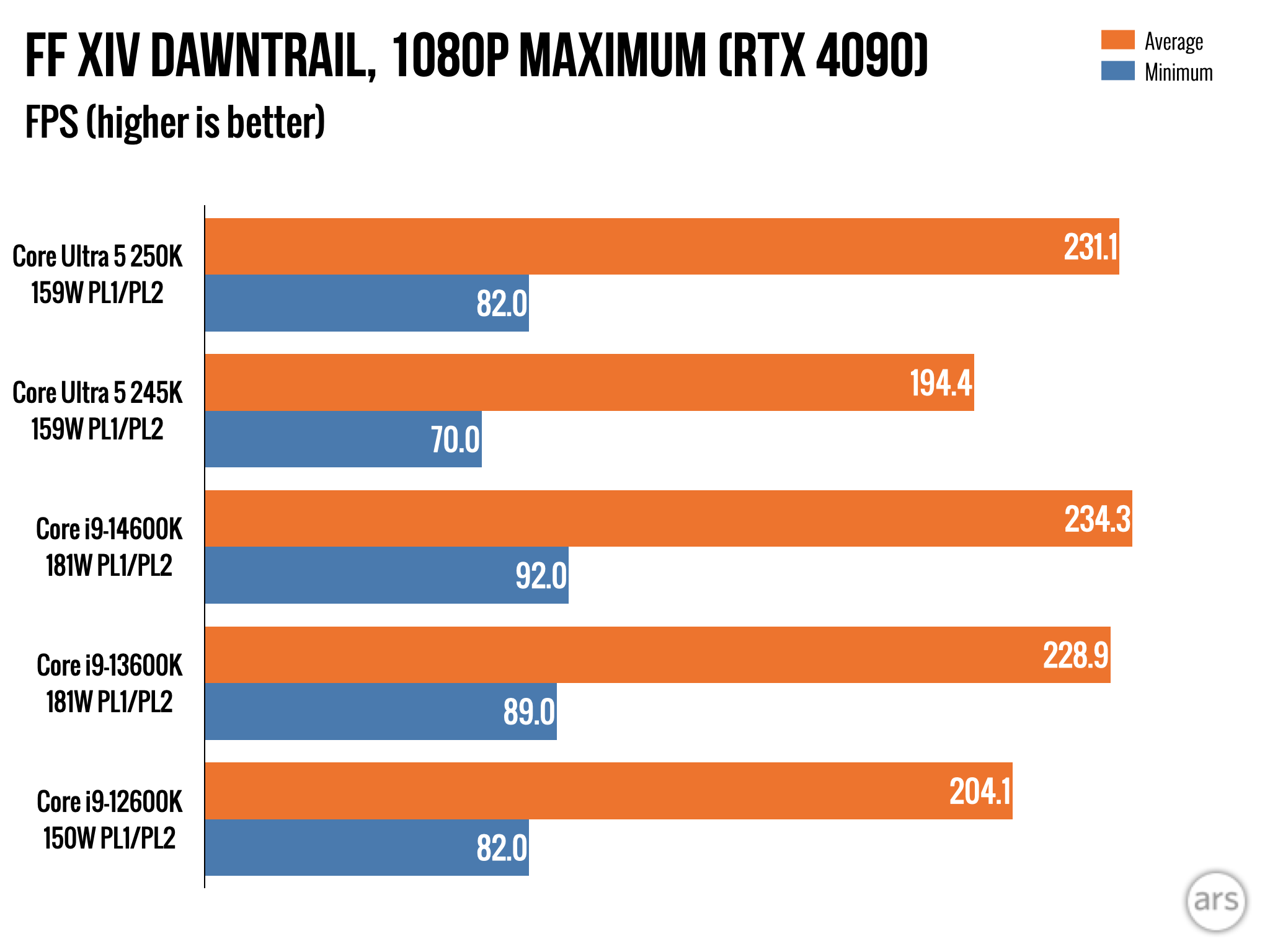
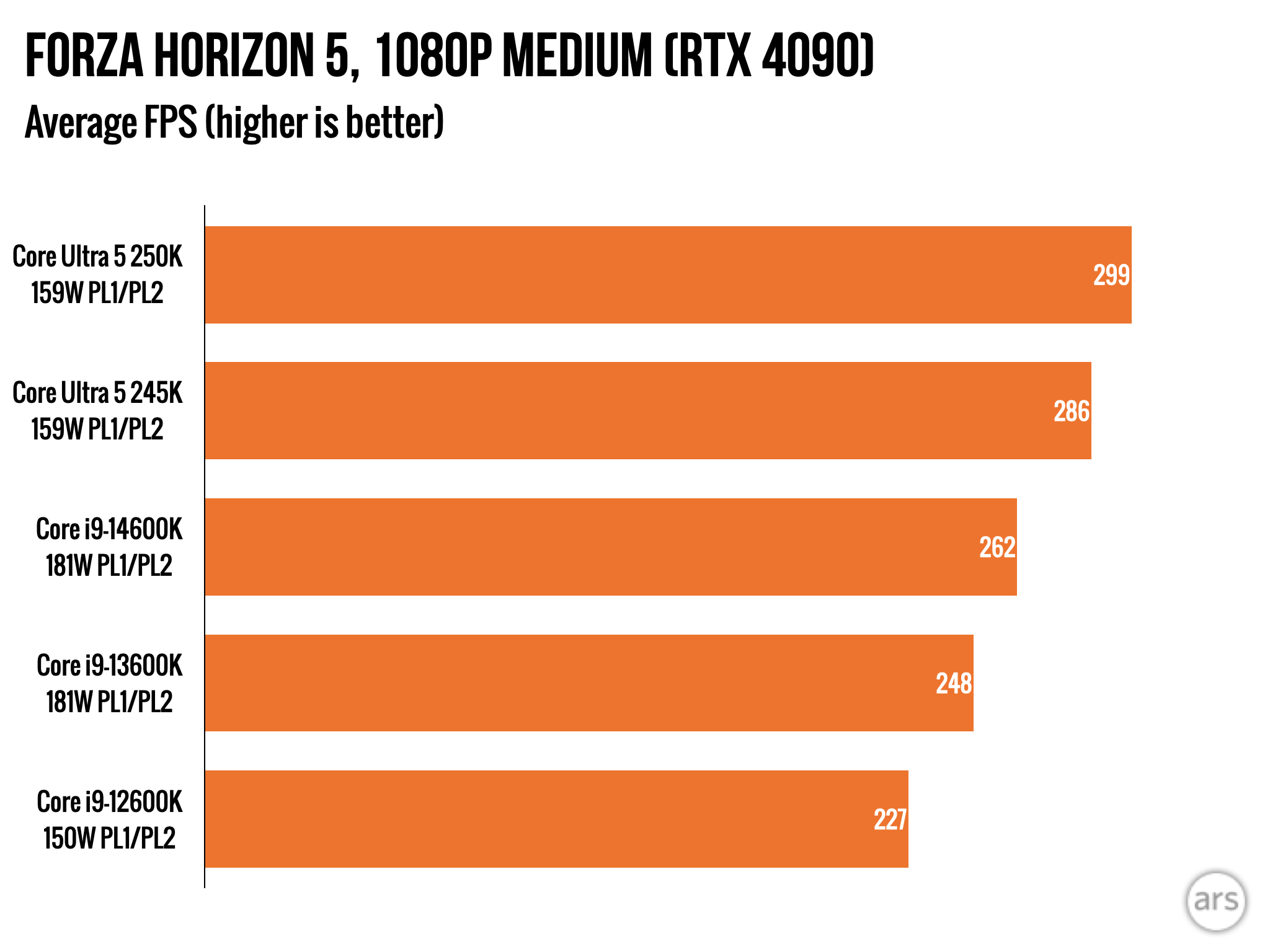
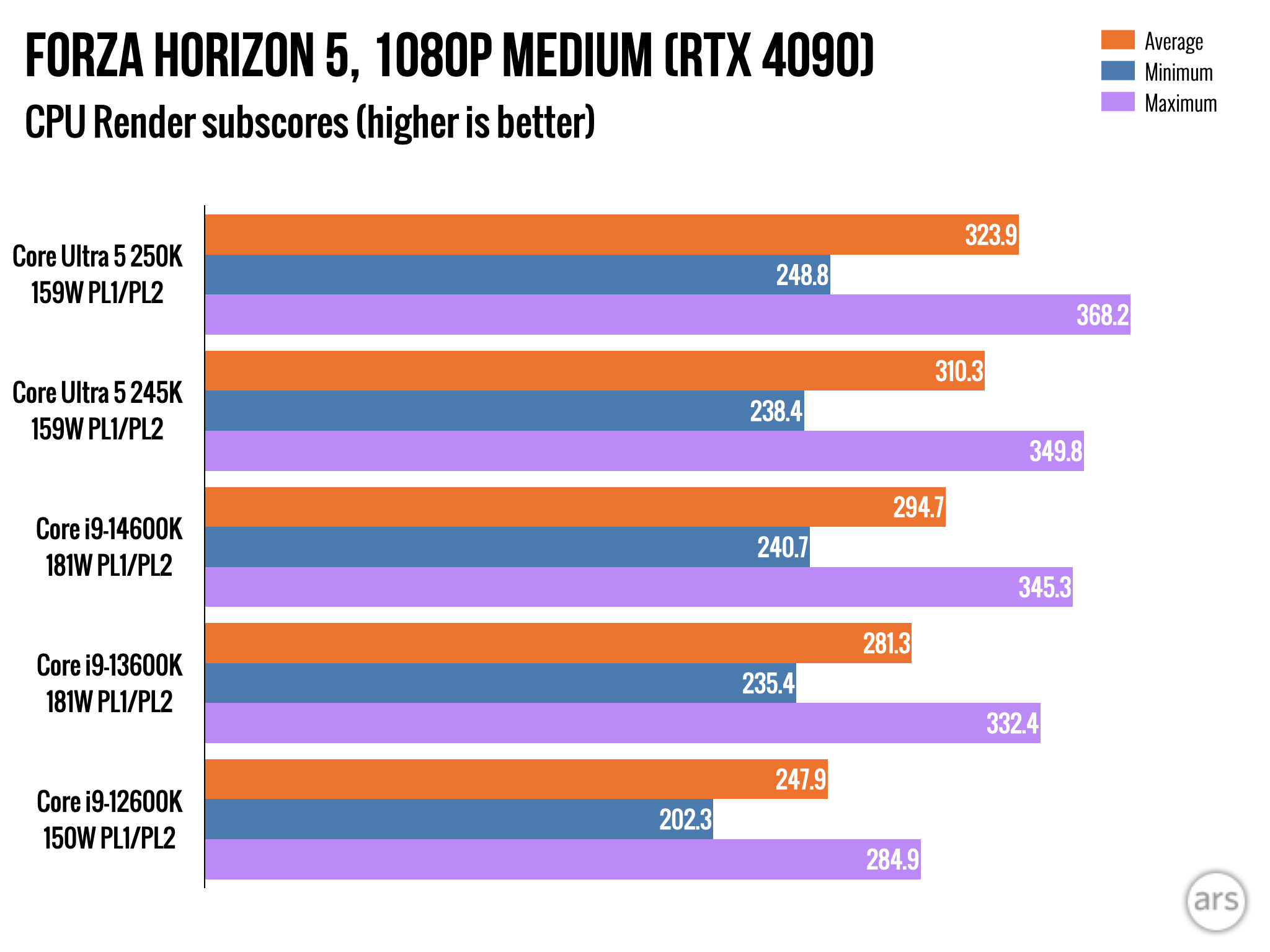
The refreshed Arrow Lake chips are respectable upgrades over the old ones, and despite the Core Ultra 7 branding, the 270K generally ends up beating the old Core Ultra 9 285K by a small amount in most of the tests we ran, effectively making it Intel’s flagship desktop CPU.
Multi-core tests like the Cinebench benchmarks and the Handbrake video encoding tests show especially large gains for the Core Ultra 5 250K relative to the old 245K, thanks to the extra cluster of E-cores. And it runs circles around the 7700X and 9700X, which currently sell for $50 and $100 more than their MSRP. It thoroughly trounces the Ryzen 9600X, which is selling for around the same $200 price.
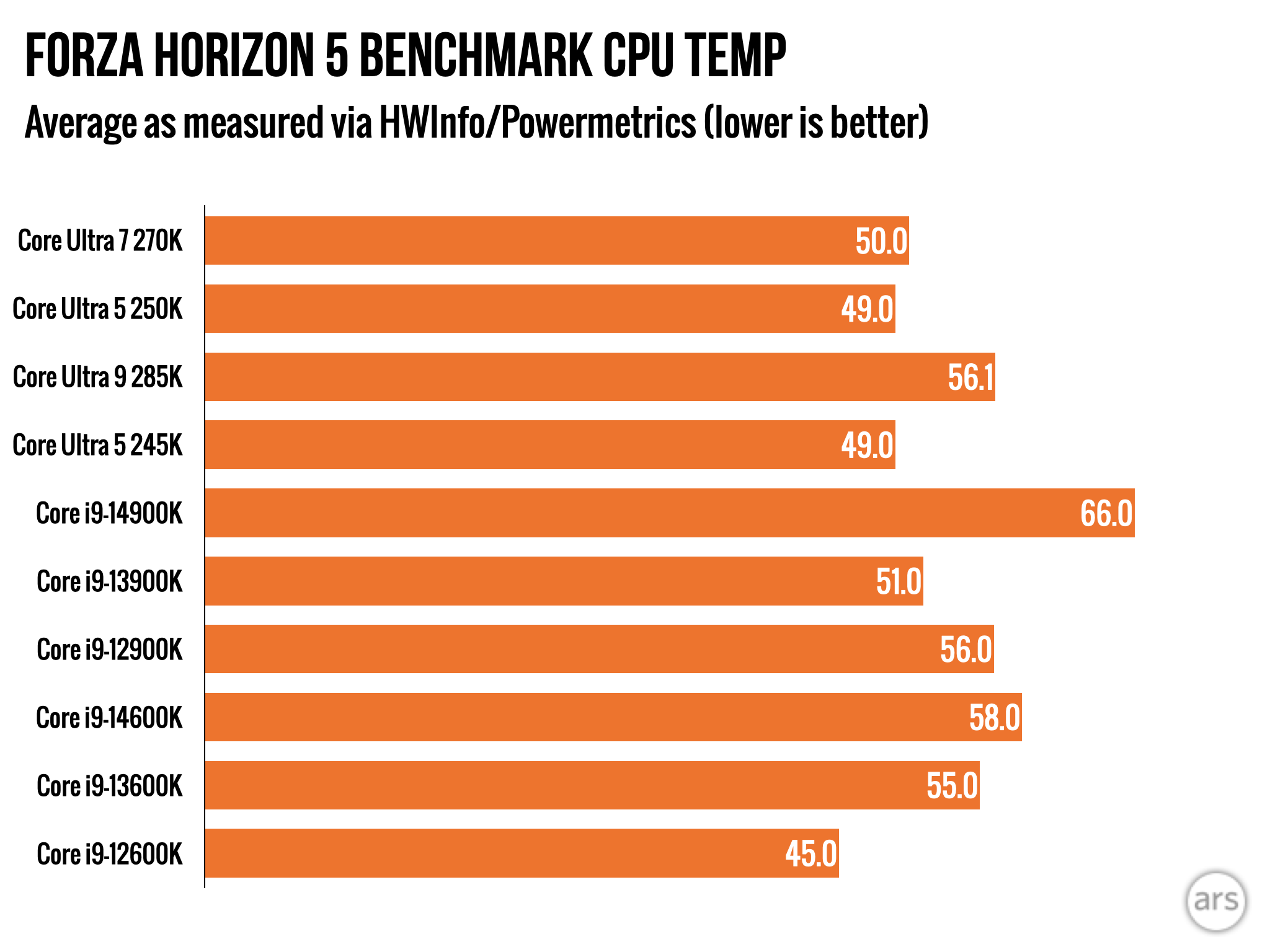
The Core Ultra 7 270K’s multi-core performance also puts it ahead of both the Ryzen 7950X and 9950X, chips that sell for quite a bit more than $300. Compared to previous-generation Intel chips, the 270K and 250K are definitely faster than their 14th- and 13th-generation equivalents in multi-core performance tests, but the more significant improvement is still temperature and power efficiency under load. While both the 270K and 250K consume more power under load than the 285K and 245K, they’re still way more efficient (and run much cooler) than 13th- and 14th-generation chips in heavy multi-core workloads and while gaming.
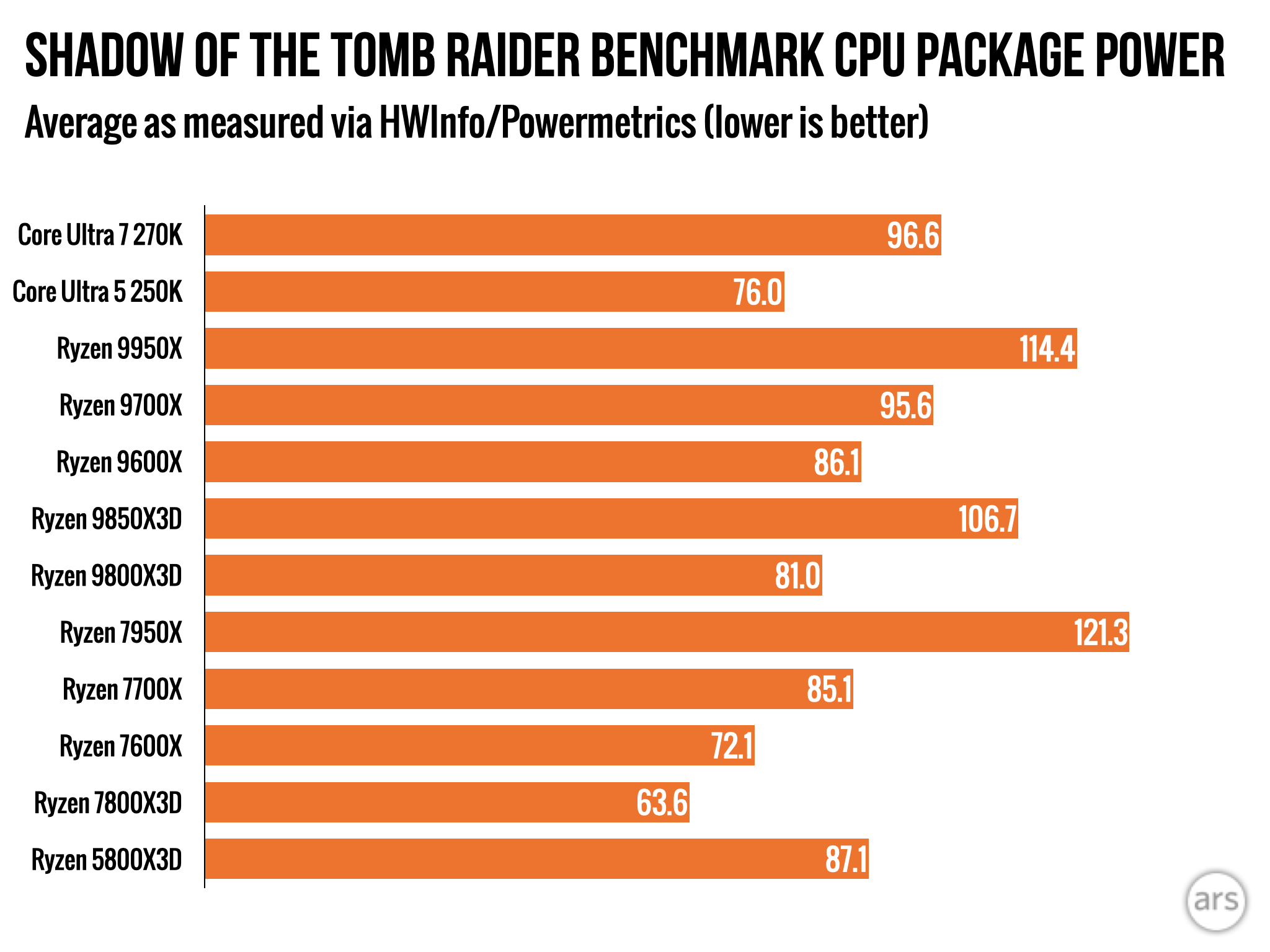
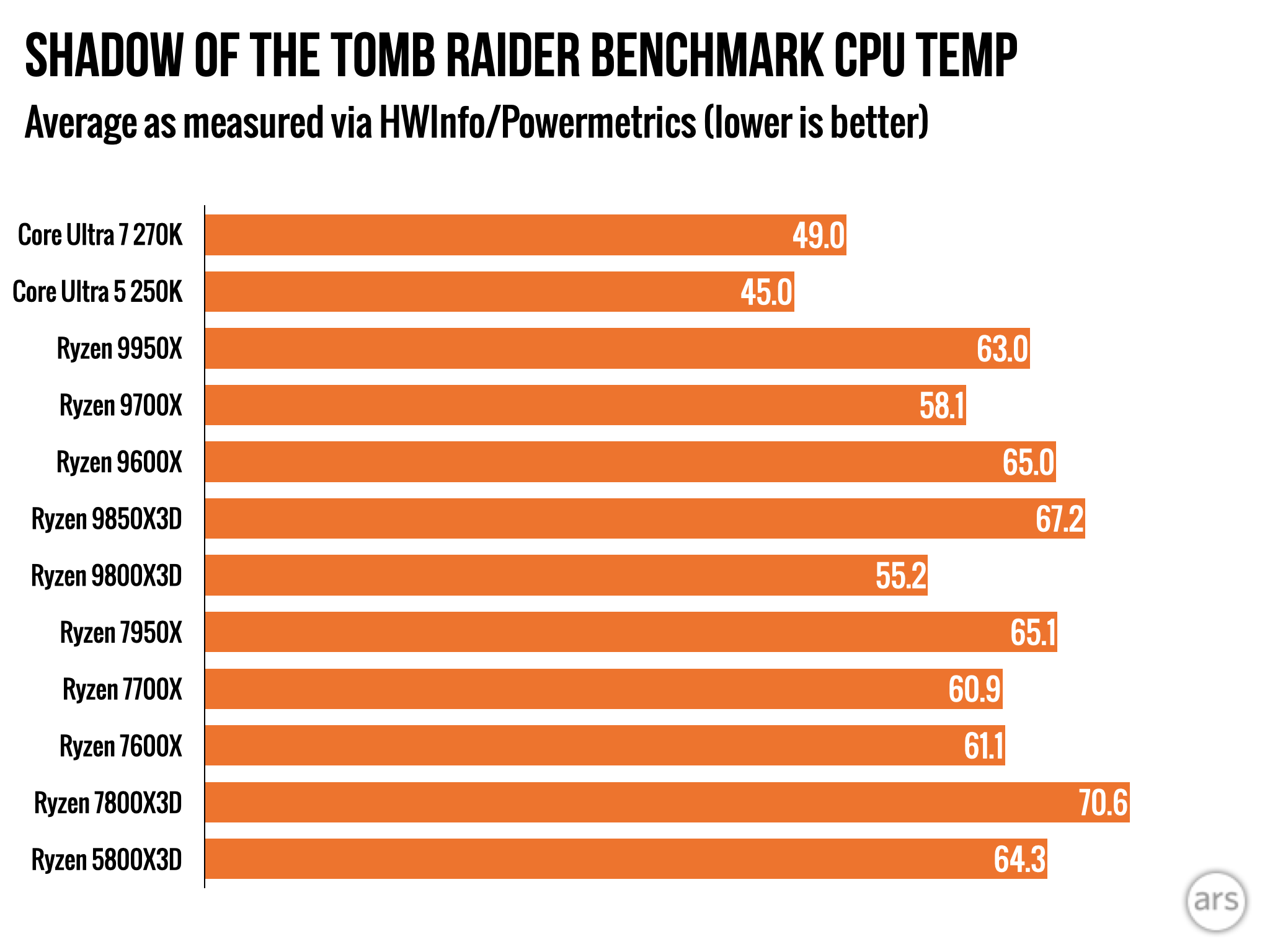
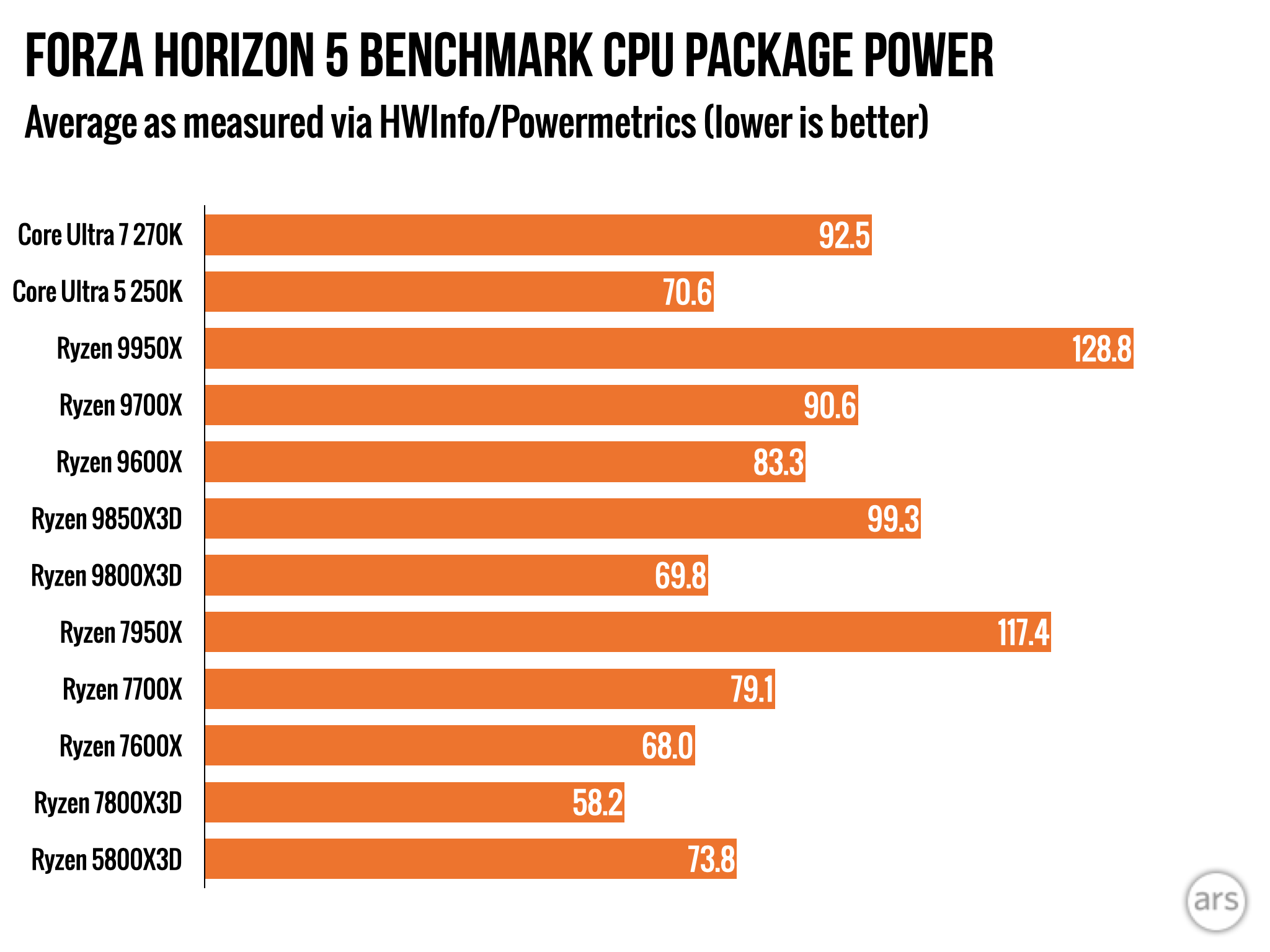
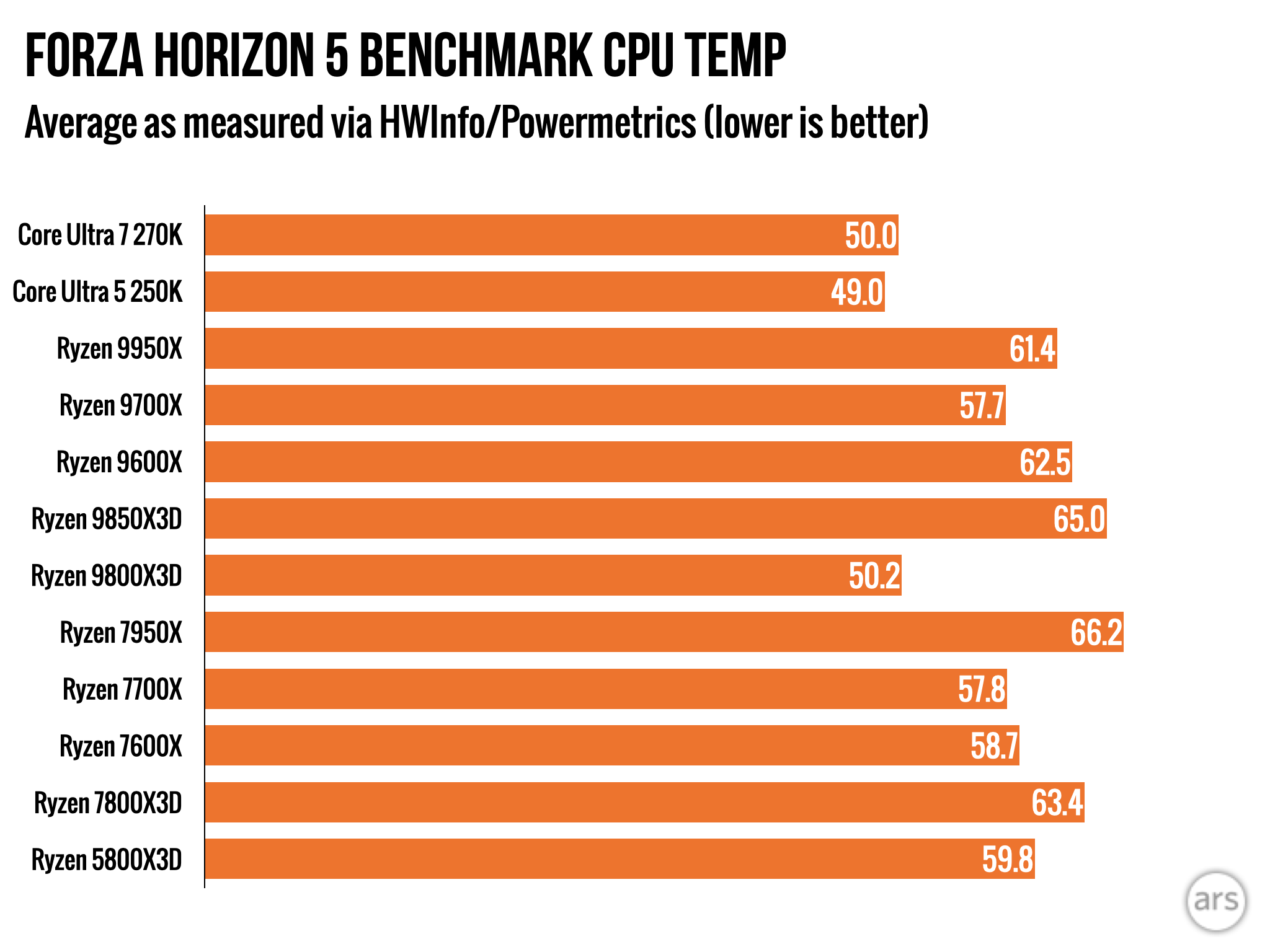
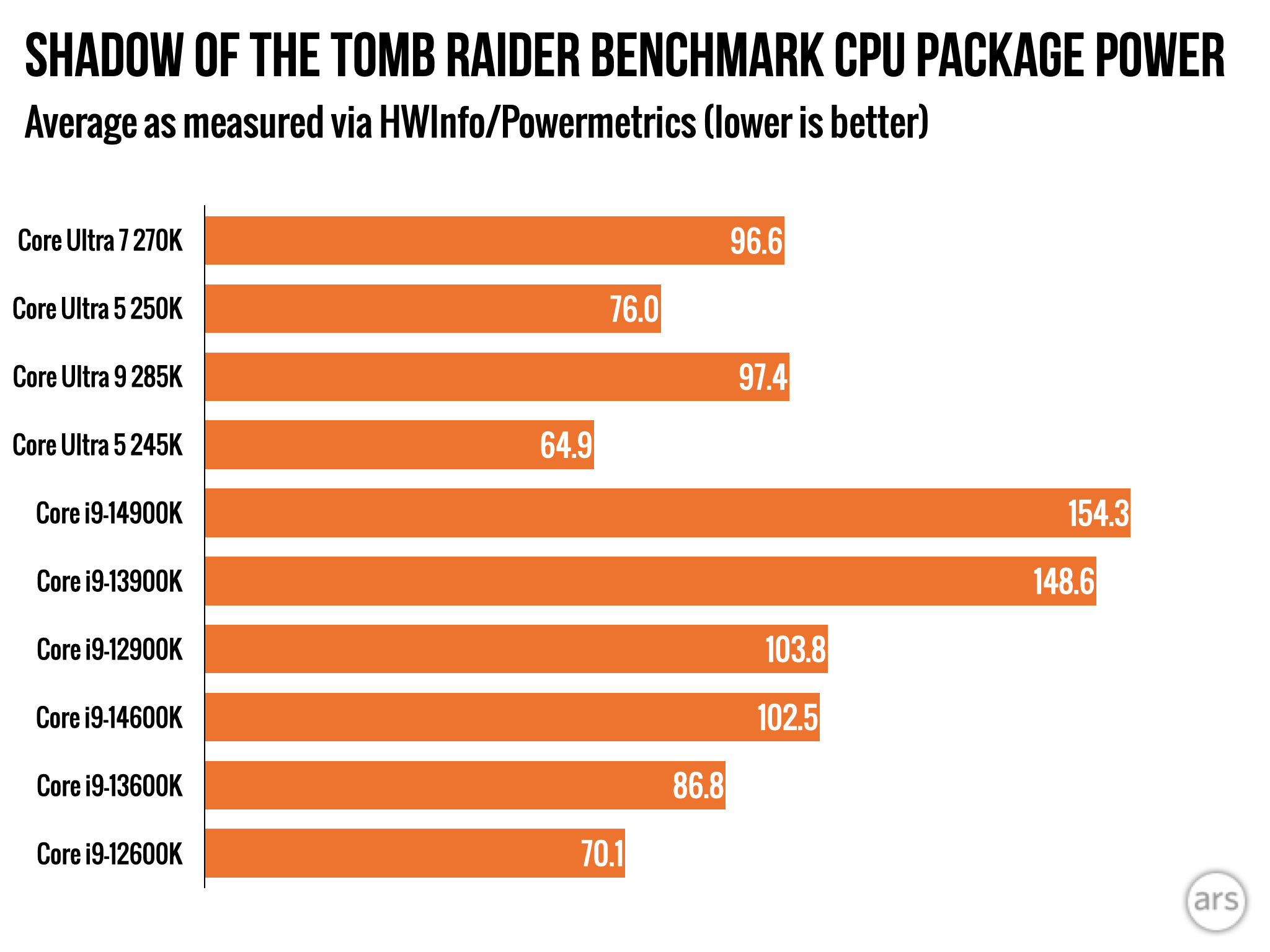
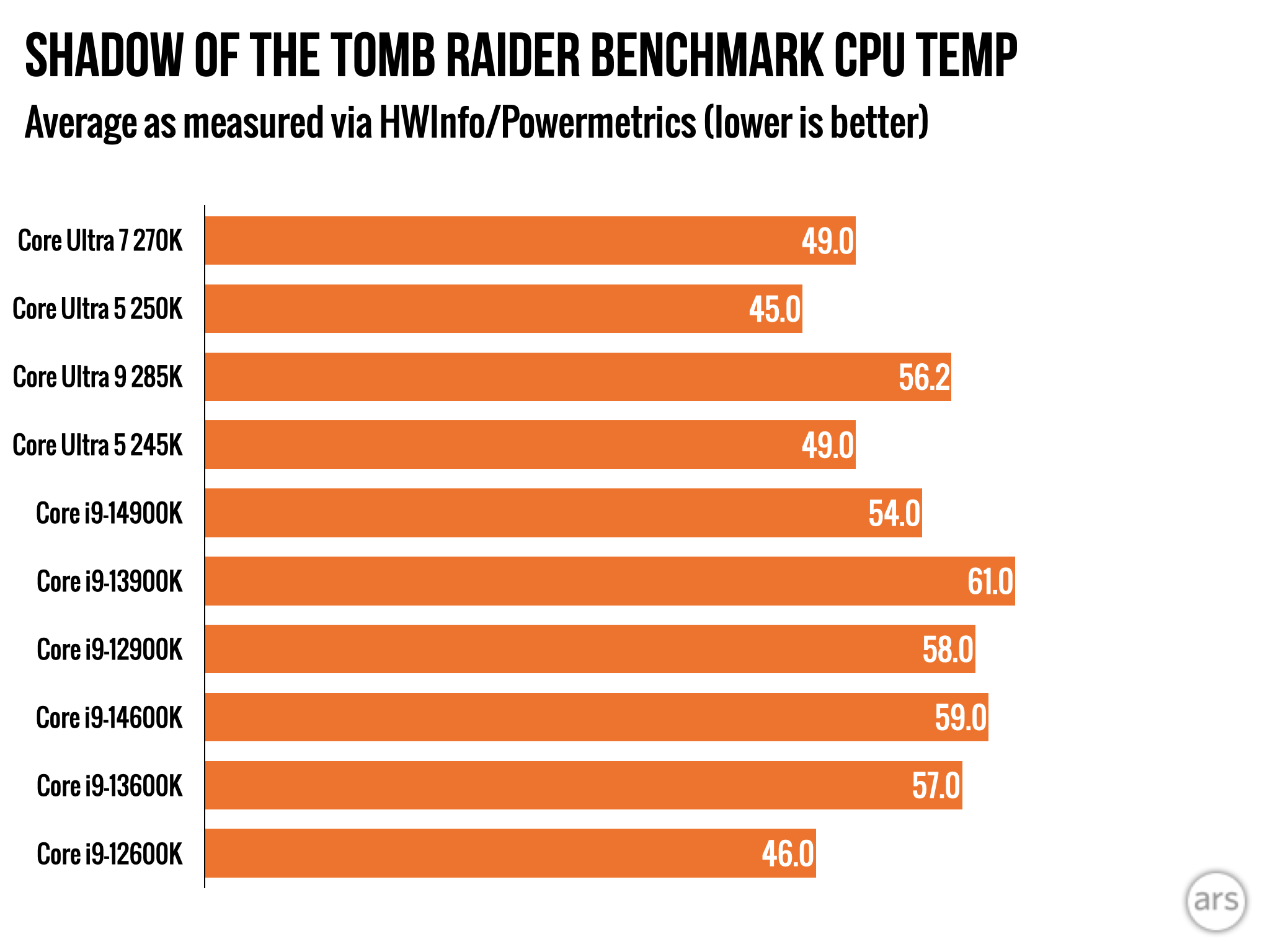
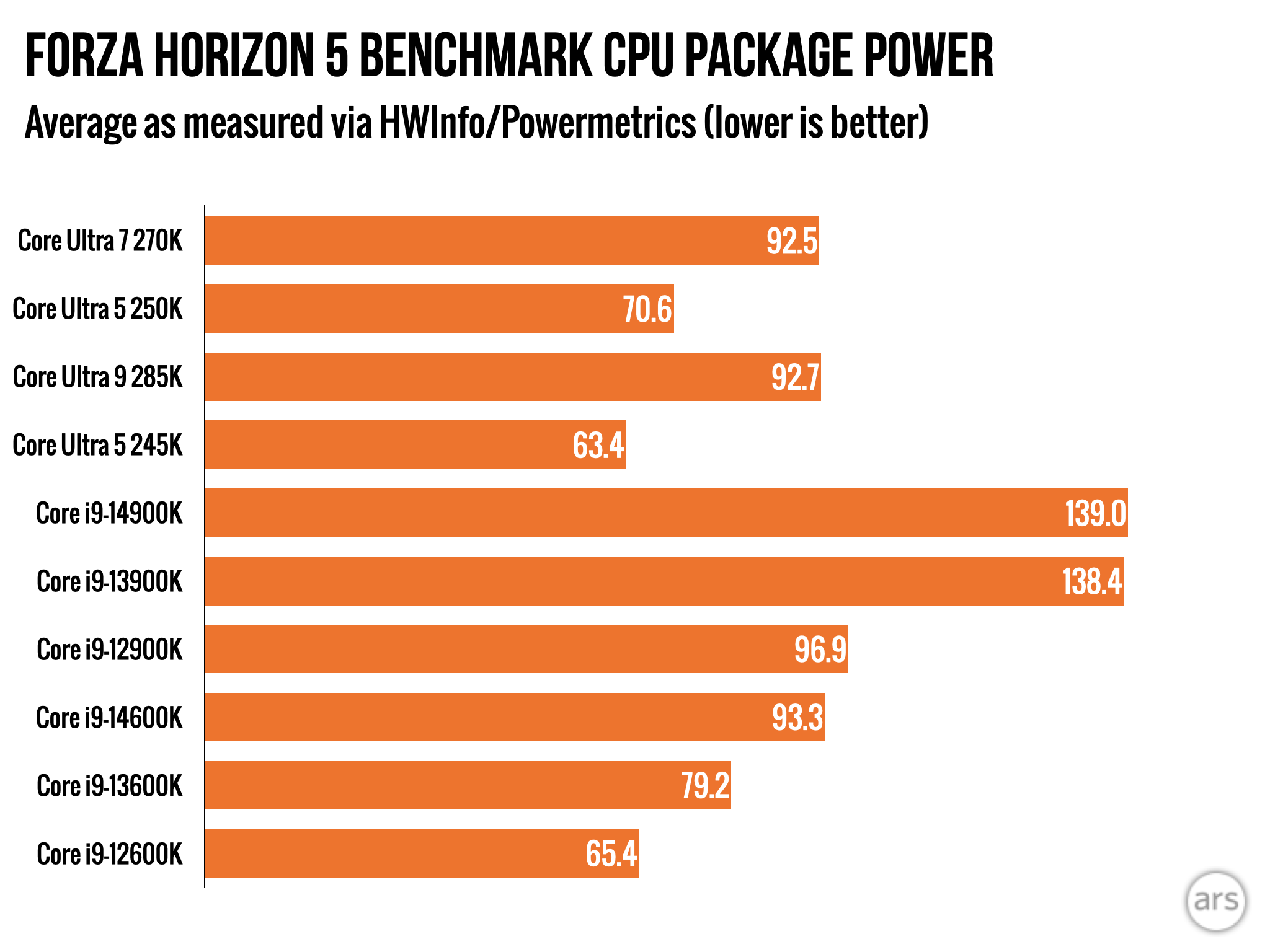
But one reason Intel is pricing these chips so aggressively is that their performance in games still falls a little short of AMD’s non-X3D chips, and a lot short of the X3D chips with the extra 3D V-Cache—even the old Ryzen 5800X3D’s average frame rates are usually a bit higher than the 270K’s. With some effort, you can grab a 7800X3D priced in the $300-to-$350 range, and if you’re looking for the cheapest CPU you could reasonably pair with a high-end GPU, it’s still a hard chip to argue with (the 9800X3D is even better, though it’s also a little more expensive).
But if you’re thinking about a cost-efficient midrange build, or what passes for one in today’s PC market, the 250K Plus is so good for the price that it’s probably where I’d start. It offers much better performance in CPU-heavy workloads, and if you’re just throwing it in a box with an RTX 5070 or 5060 or a Radeon RX 9700 or 9600 XT, you’ll be perfectly happy with its gaming performance, too.
(I think this gets lost in gaming-centric CPU reviews sometimes—you use a high-end GPU and run games at lower resolutions and settings to ensure that you’re measuring the CPU’s performance without being bottlenecked by the graphics card, but are real people playing games that way? Mostly not, right? There is value in doing that sort of testing because it gives you some idea of how a CPU will age as you upgrade your GPU over time, but GPU upgrades are also slower and milder than they used to be.)
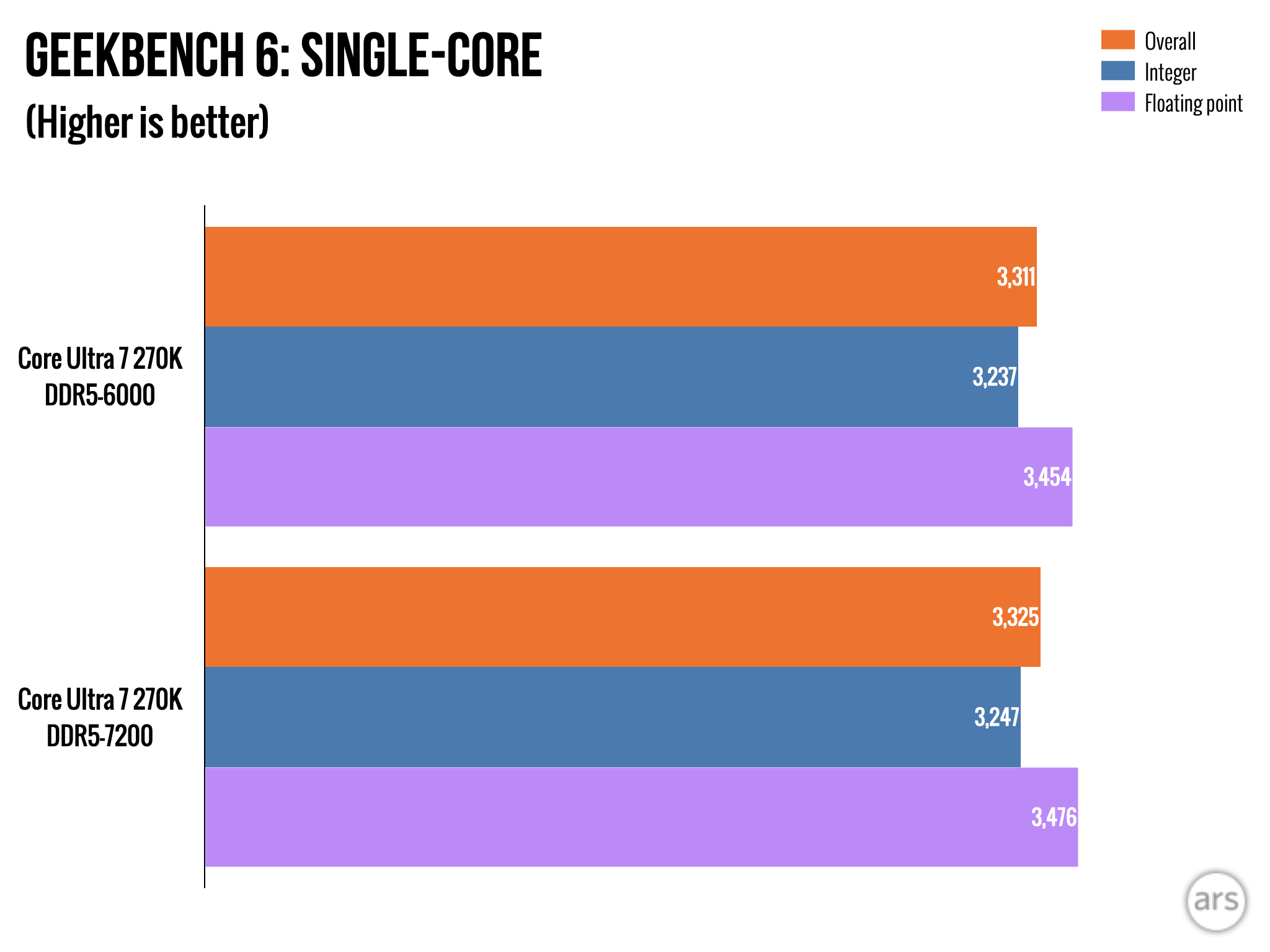
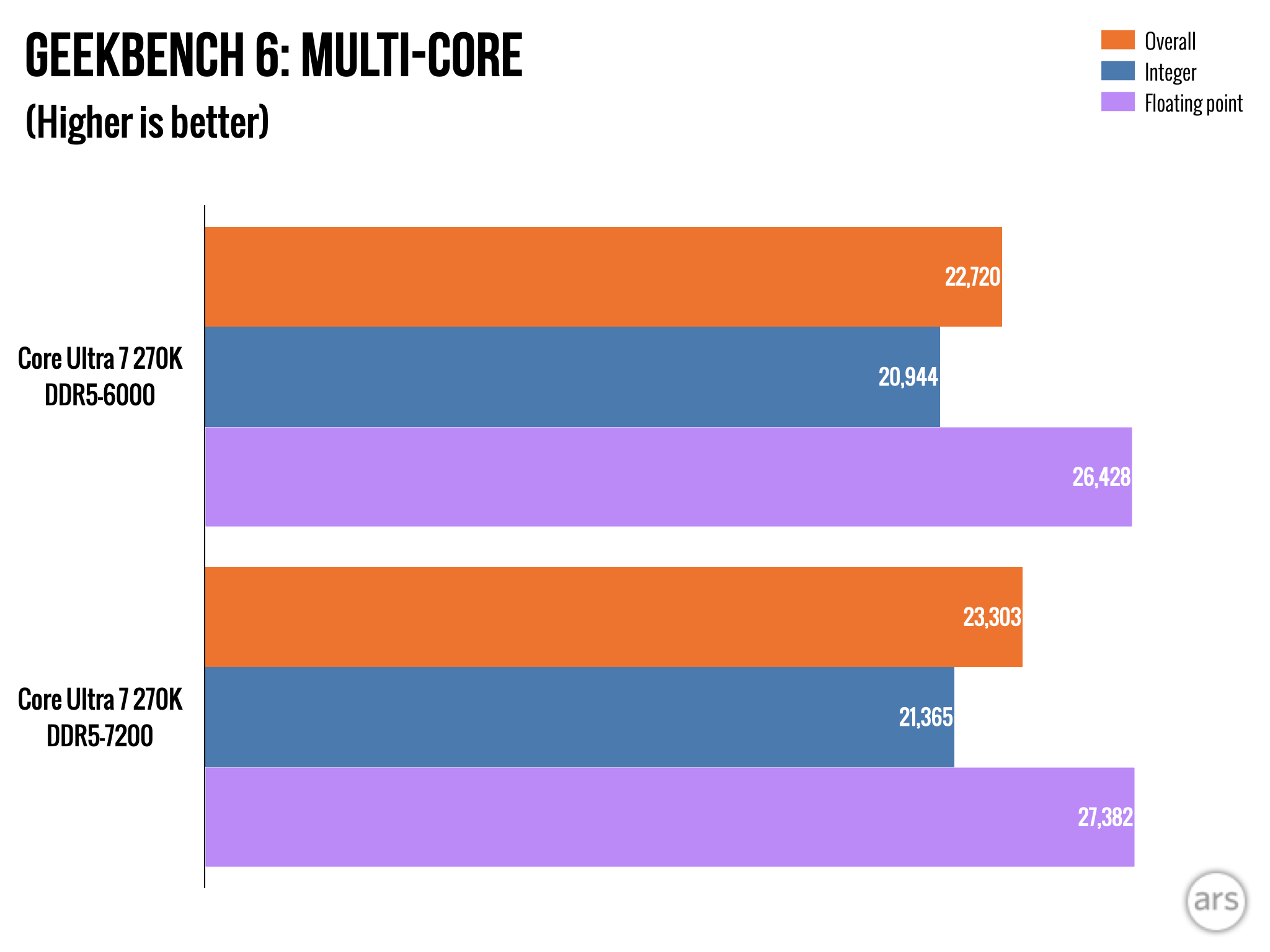
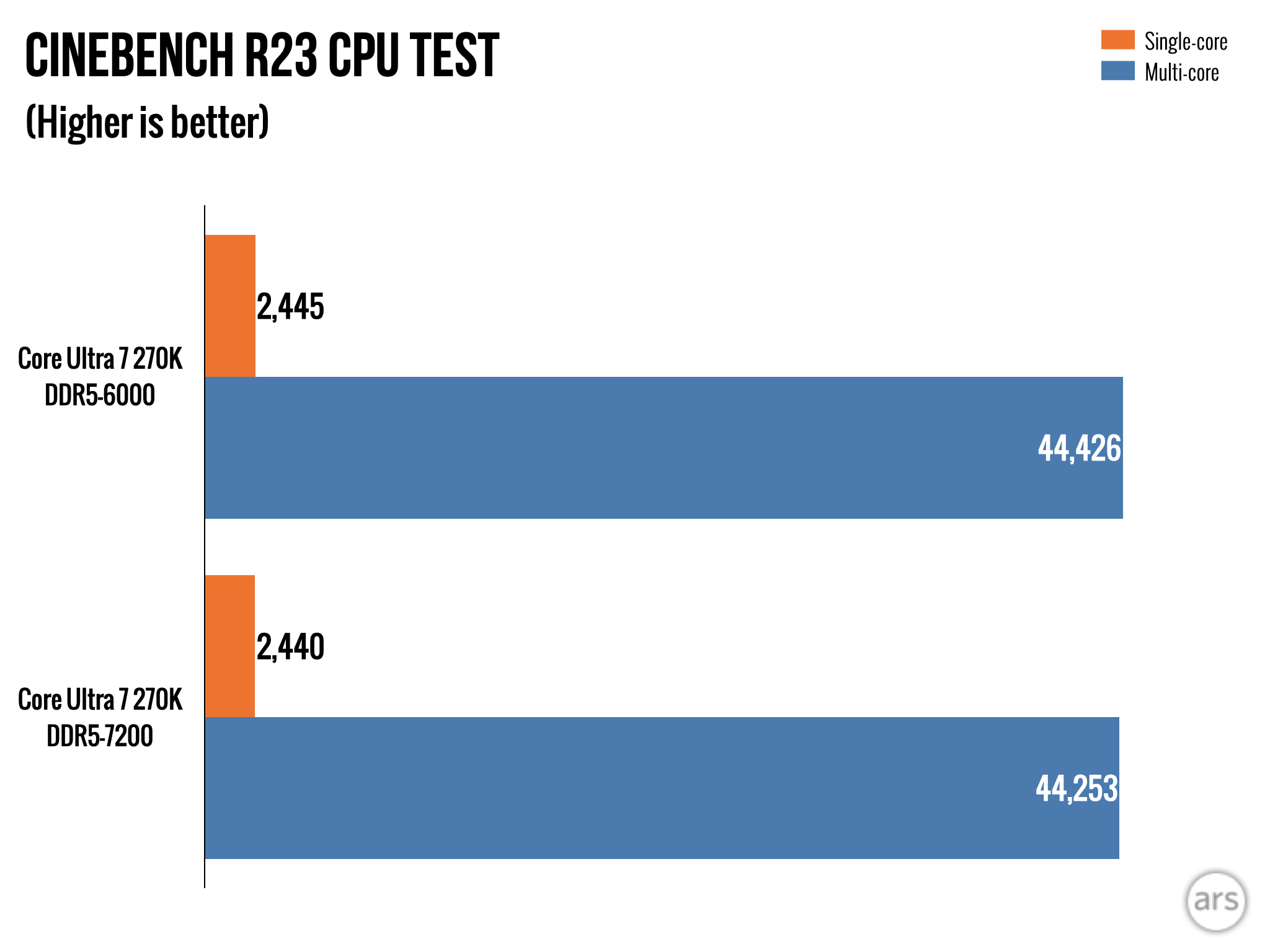
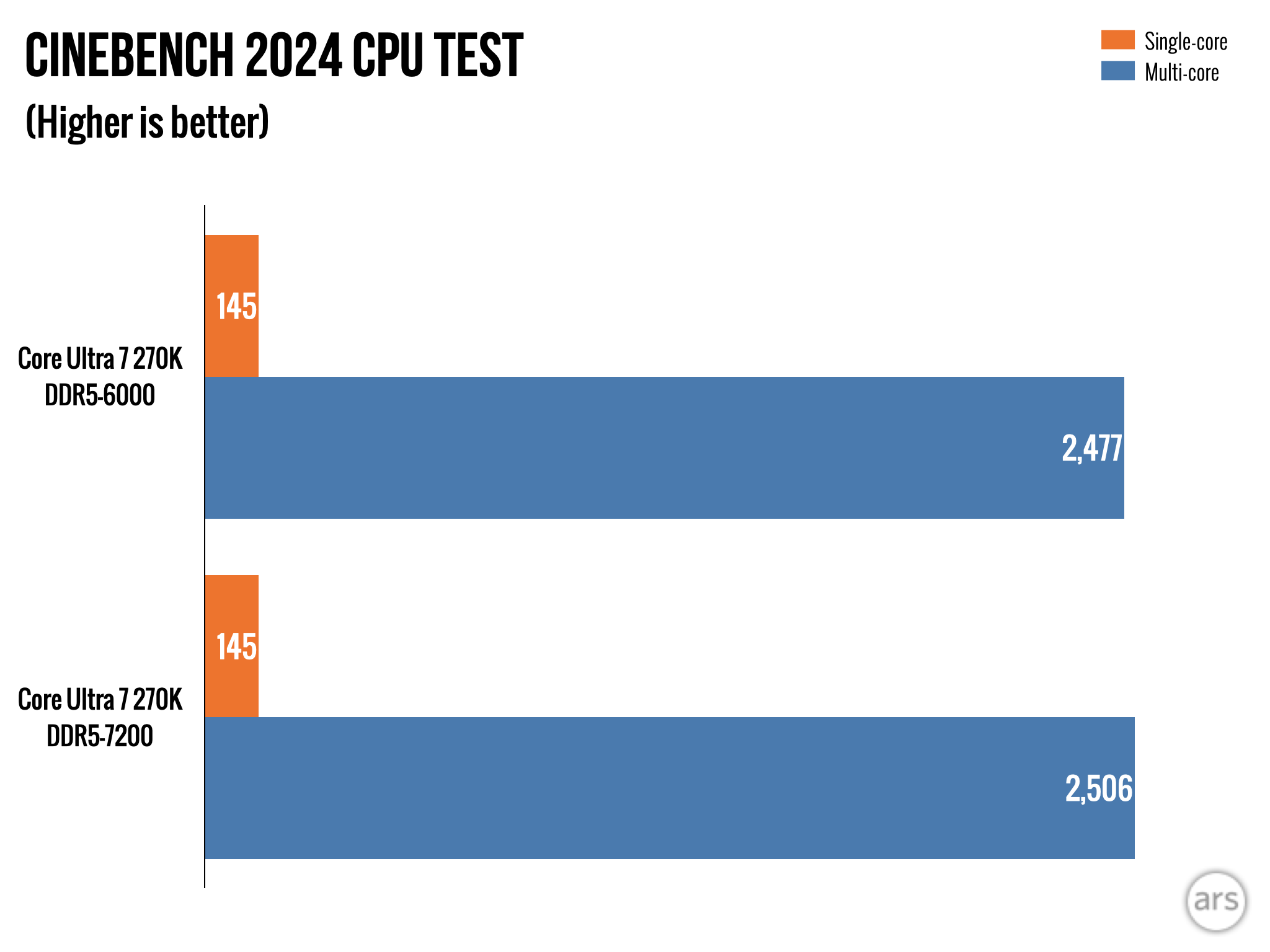
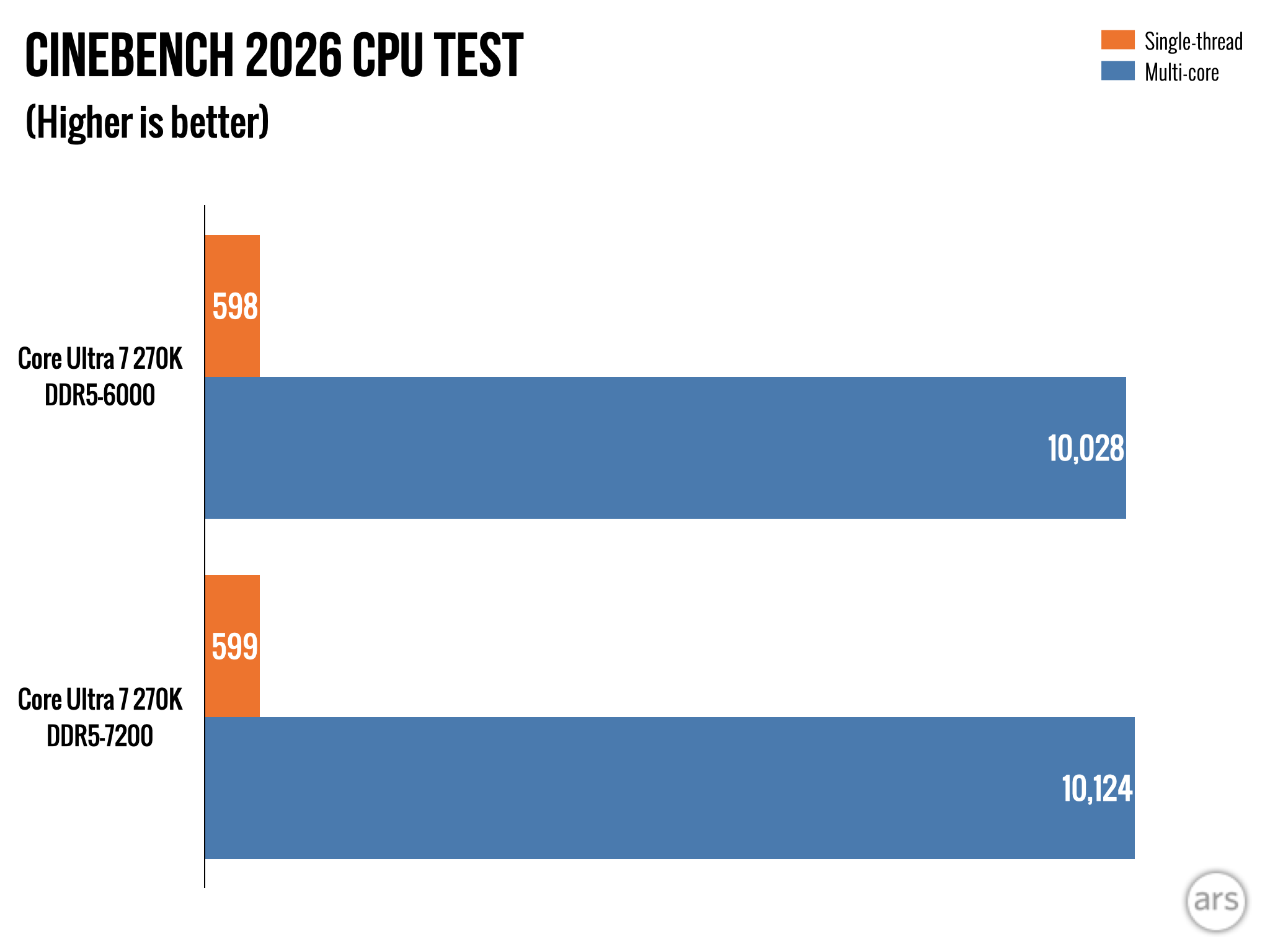
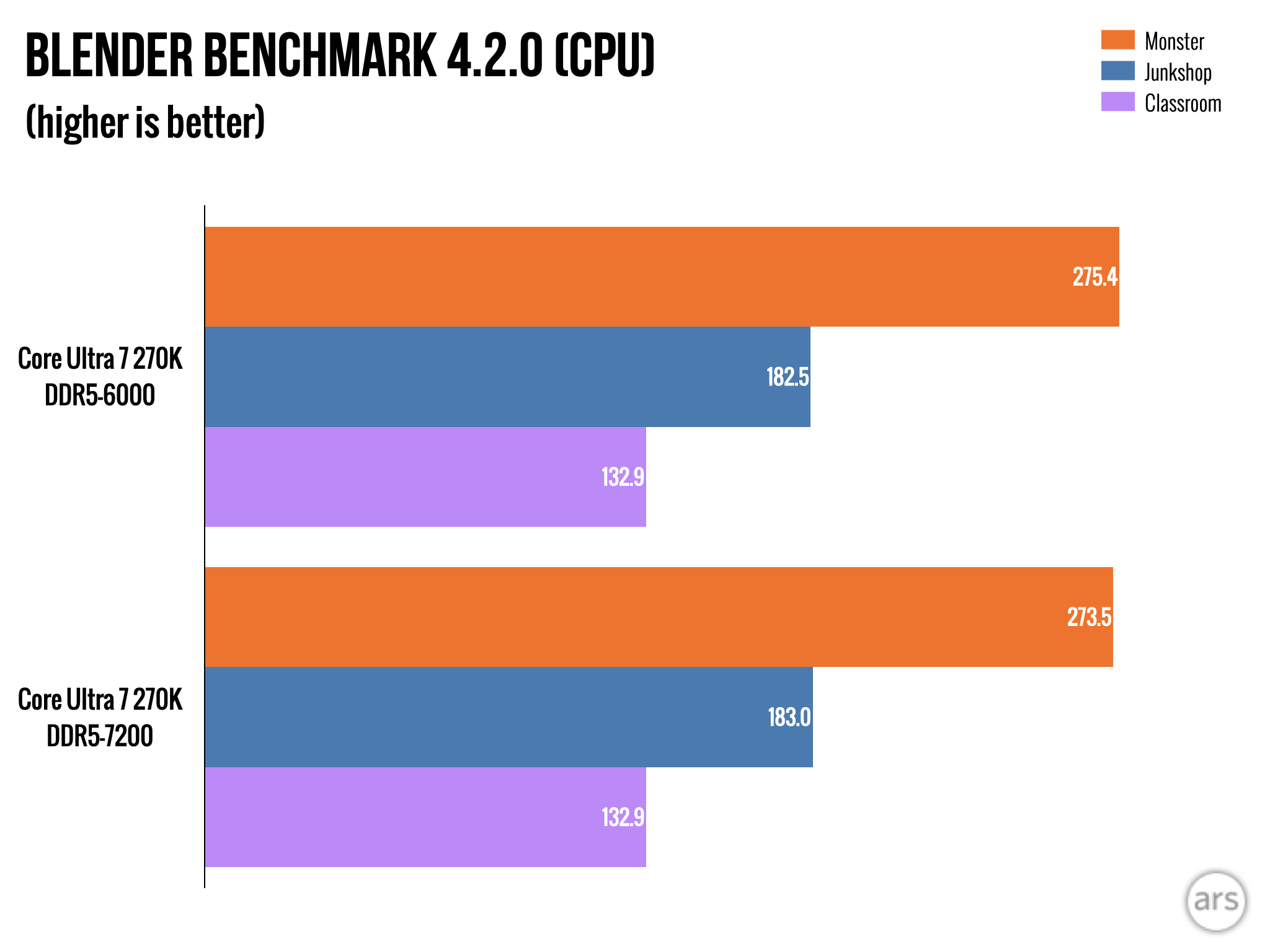
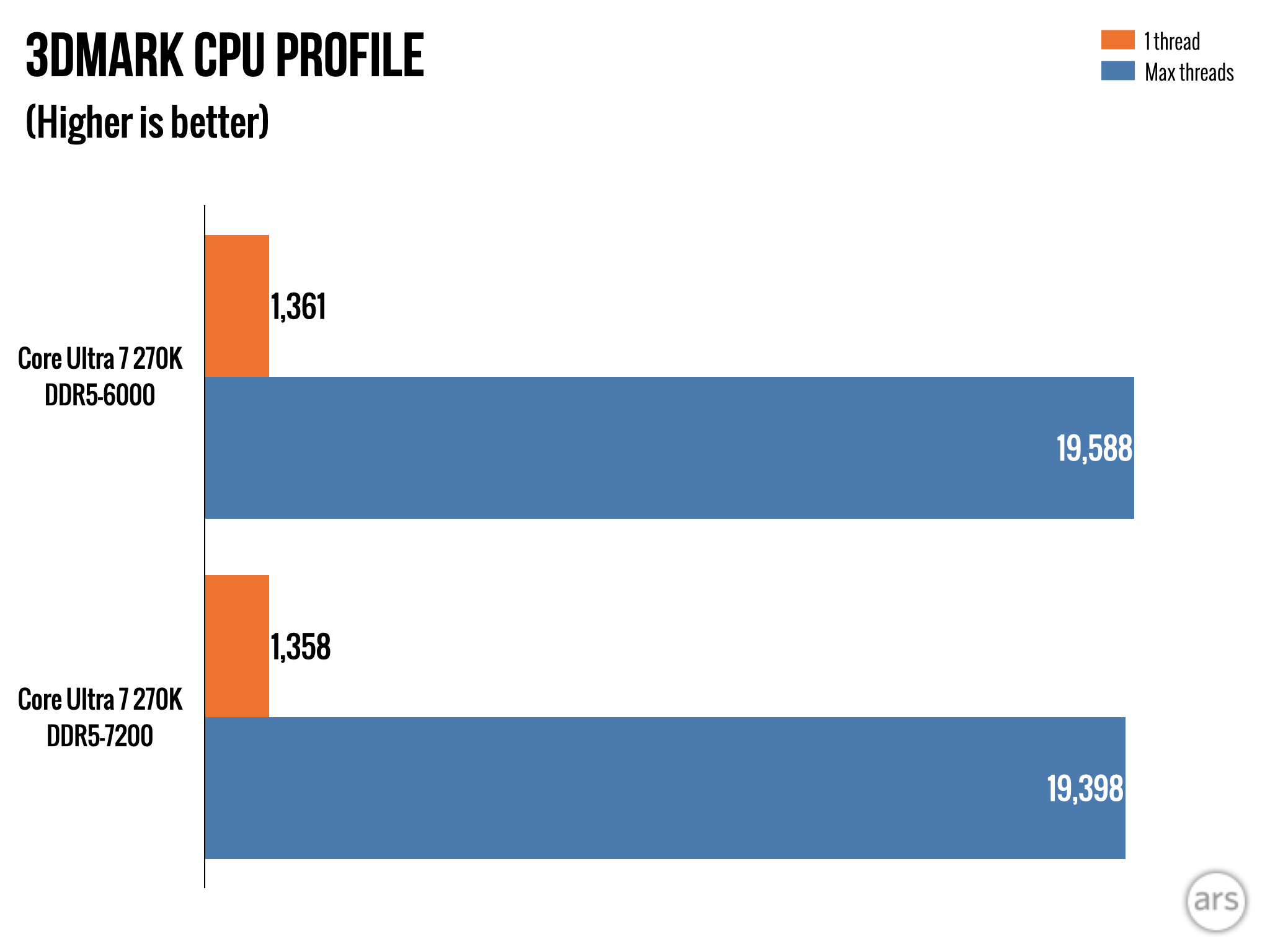
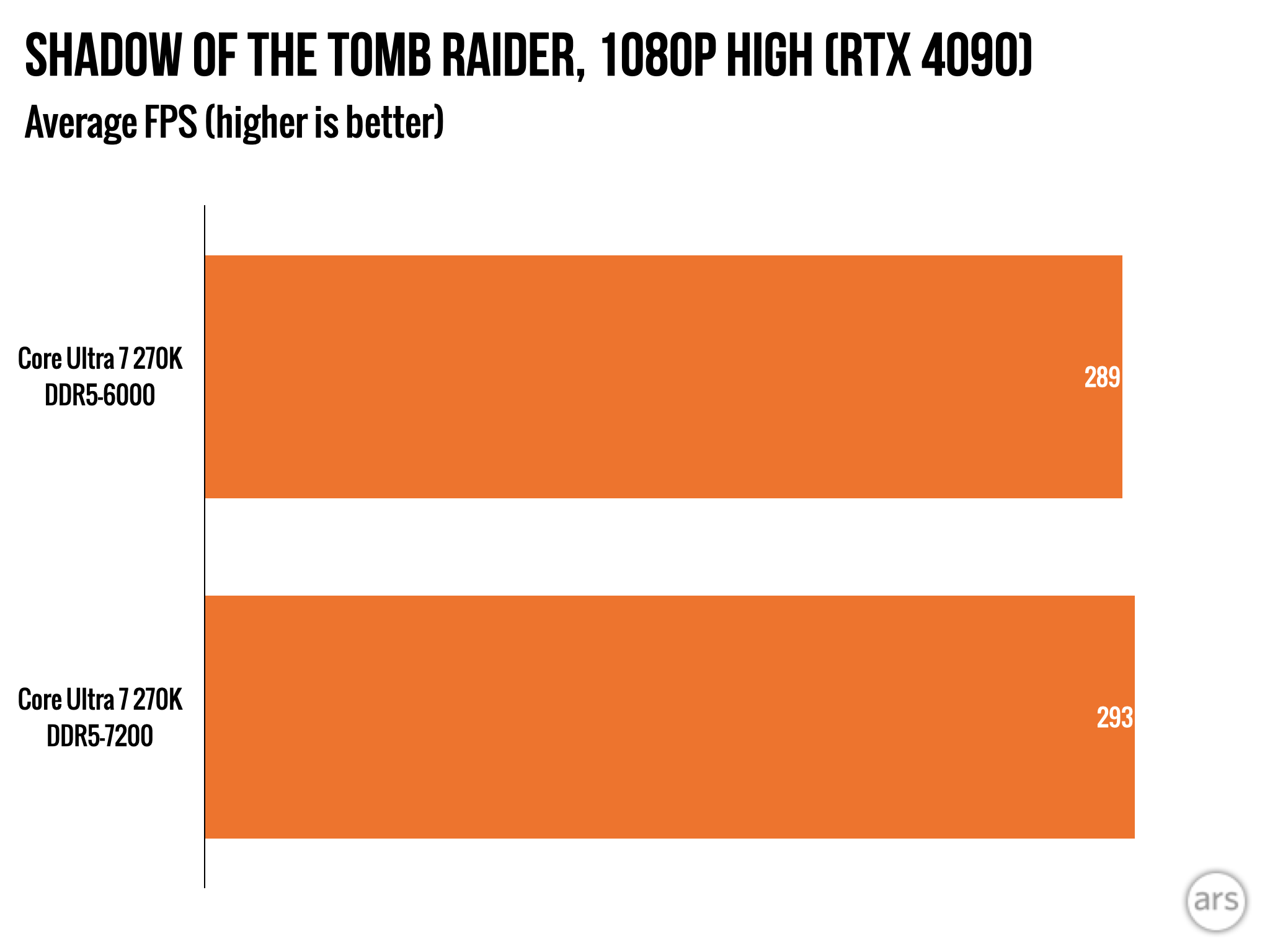
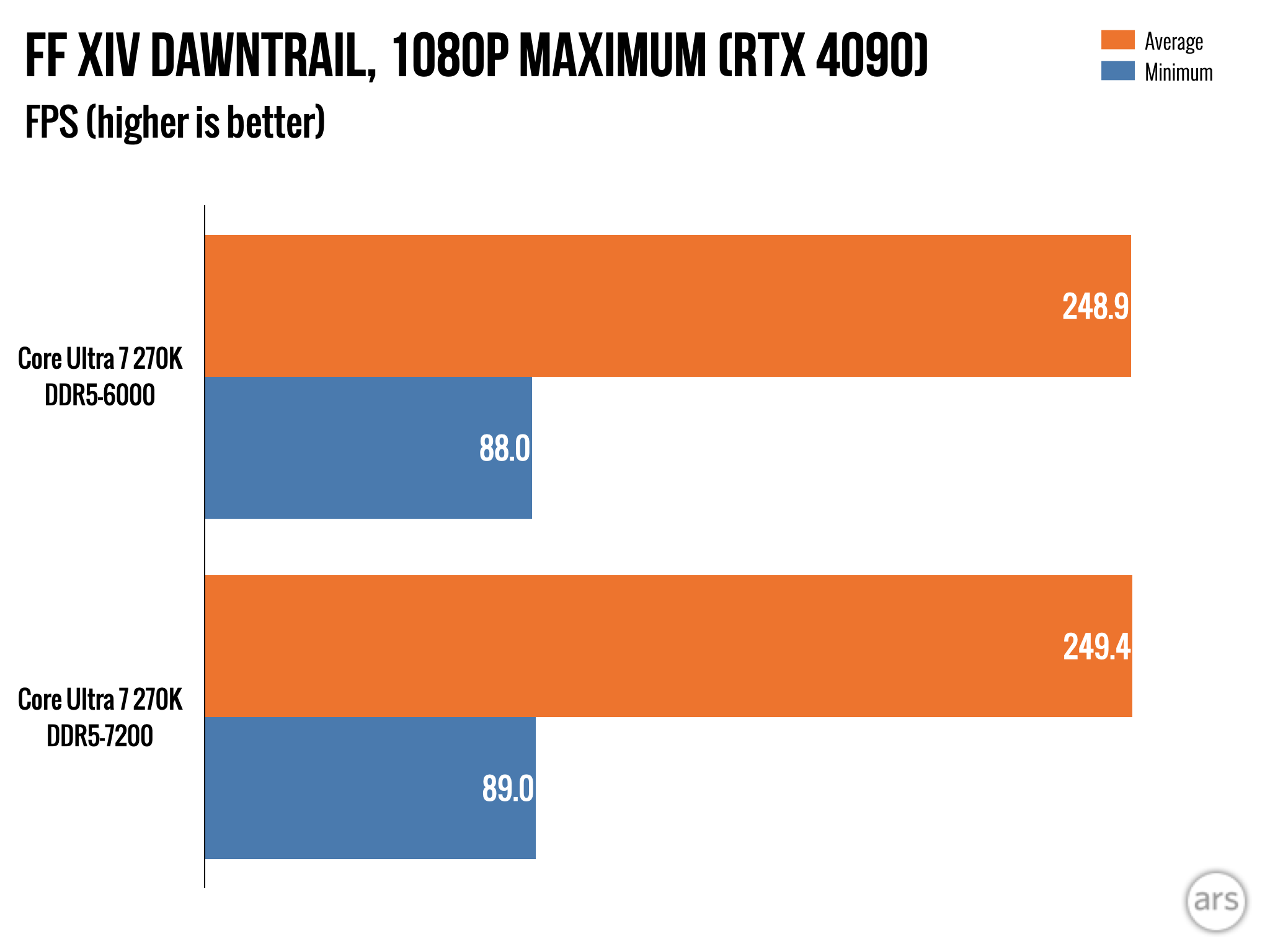
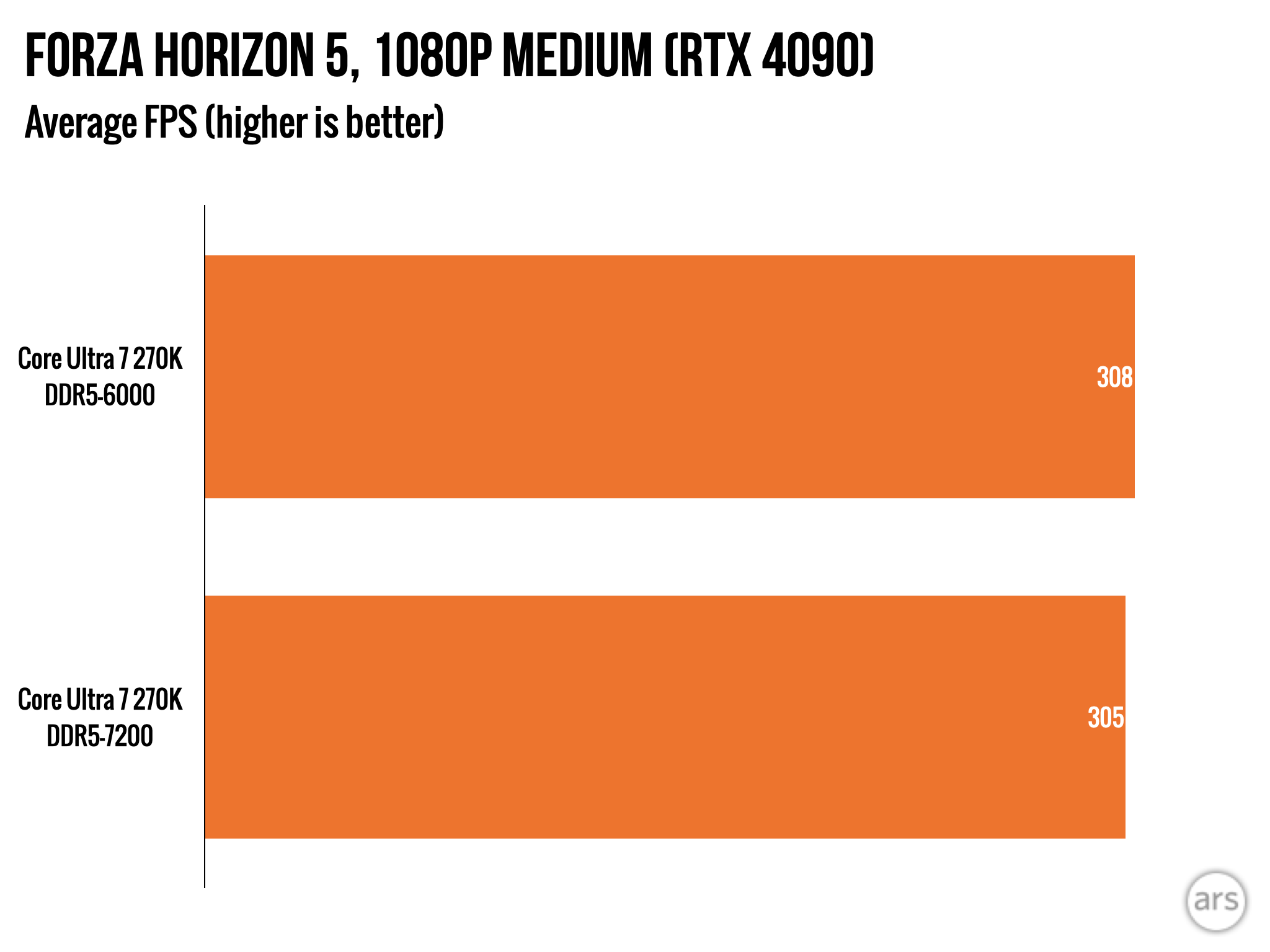
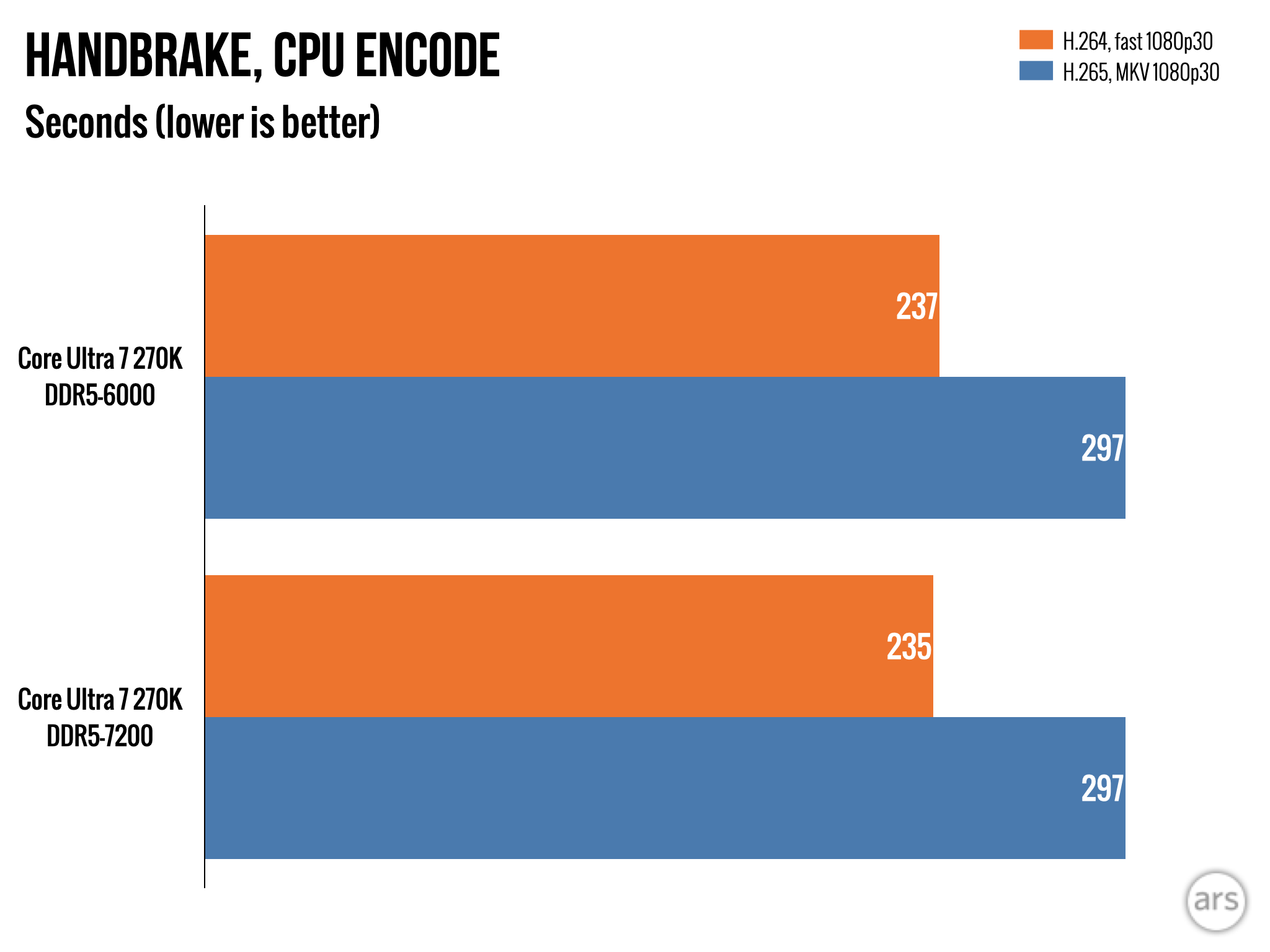
Finally, here are a few comparisons between the Core Ultra 7 270K Plus with both DDR5-7200 and DDR5-6000 installed. You can see small increases in multi-core benchmarks and games, but the differences really are indistinguishable from statistical noise. It’s definitely worth getting a matched pair of RAM sticks so you benefit from the boost that comes with dual-channel memory bandwidth, but I wouldn’t sweat the exact speed of those sticks too much.
Conditionally good
If you’re a time traveler reading this review in a future when RAM and storage prices have fallen back to Earth, I think both the 270K Plus and 250K Plus (particularly the 250K Plus) are good values at the prices Intel has announced for them.
The six-core CPUs that AMD still sells for around $200 have felt a bit inadequate for a while now. AMD’s Zen 5 architecture is slightly better than the Lion Cove P-cores that Intel uses, and the Ryzen 5 9600X does hit slightly higher average frame rates in our gaming tests than the 250K Plus. But if you ever intend to use your PC for more than just games—or even if you’re just trying to stream and play a game on the same computer—you’ll be glad to have a six-core CPU that also comes with eight additional CPU cores attached to it, even if they are smaller and less powerful.
The new Arrow Lake chips have two big problems—one that would be a problem no matter when the CPUs launched and one that’s only an issue at the moment.
The first is that Intel’s LGA 1851 socket is a dead end, with very little potential for upgrades beyond these two CPUs. Next-generation Nova Lake desktop CPUs from Intel are said to be transitioning to a new LGA 1954 socket. If you have an LGA 1851 board, you already have an older Core Ultra 200S processor, and I wouldn’t upgrade from one of those to one of these even if they are technically better.
These are good processors, but are they a good enough value to commit to throwing out your board the next time you want a new CPU? AMD’s AM5 socket, by contrast, has at least one more next-generation refresh coming.
The second is that it is an awful time to be in the market for DDR5 and a bad time to be trying to build a value-conscious PC. A good $200 CPU is nice, but it won’t save you from needing to pay $500 or $600 for your memory and SSD or anywhere from $350 to $1,000 for the current crop of midrange GPUs.
If you absolutely have to build a system now, you could argue that the expense of the other components just gives you more reason to get a CPU that costs less money. But if the cost of the other components has added $500 or $600 to the cost of a 1080p- to 1440p-gaming PC over the last eight months… it makes saving a couple hundred bucks on a processor seem kind of pointless.
The good
- Excellent price-to-performance for multi-core CPU performance, outrunning AMD CPUs that cost much more
- Will pair perfectly well with most GPUs
- More power efficient and easier to cool than 13th- and 14th-generation Core CPUs, and similar efficiency compared to AMD’s Ryzen 9000 chips
- Binary Optimization is a potentially promising way to deliver small performance boosts to some apps, but the support list is extremely small right now
The bad
- Still lags AMD’s performance in games under some conditions, particularly the X3D processors
The ugly
- Have you seen the cost of RAM lately?? It’s a bad time to build a new system or upgrade your board.